6-91
Sterilizer Operation Operator Manual 387366-389
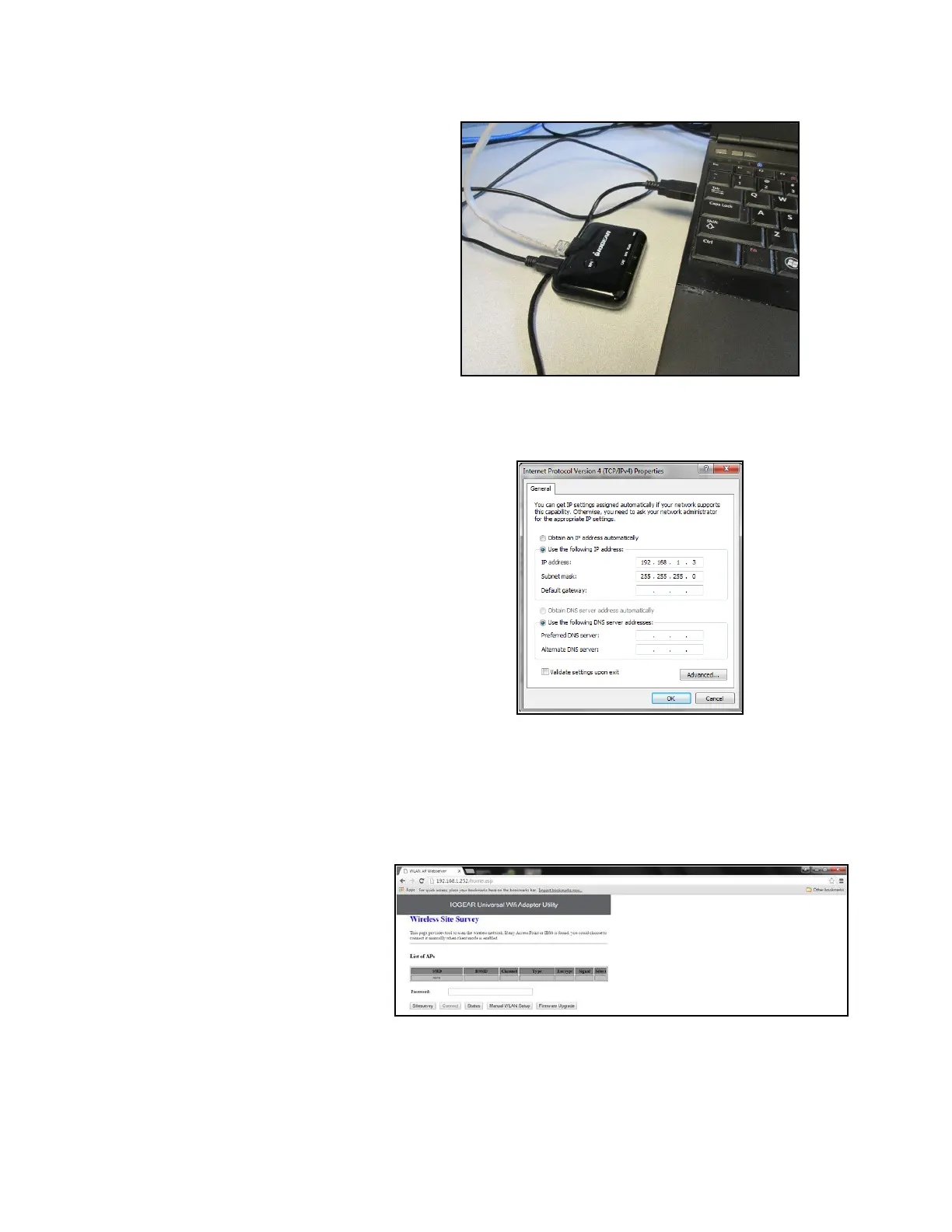
Figure 6-5. Ethernet Adapter Setup
Configure the computer’s Local Area Connection for the following IP
address and Subnet mask (see F
IGURE 6-6):
Figure 6-6. Set IP and Subnet Mask
1. Open web browser and enter 192.168.1.252.
2. The following screen appears. A network connection is shown if
adapter successfully connects to facility's wireless network.
Press Connect button to establish connection. Press OK when
complete.
3. Close web browser.
4. Change your computer network settings Local Area Connection
back to original configuration.
5. Disconnect Ethernet cable and USB cables from your computer.






 To Next Page