5-3
Control Interface Operator Manual 387366-389
5.2 Operating
Modes
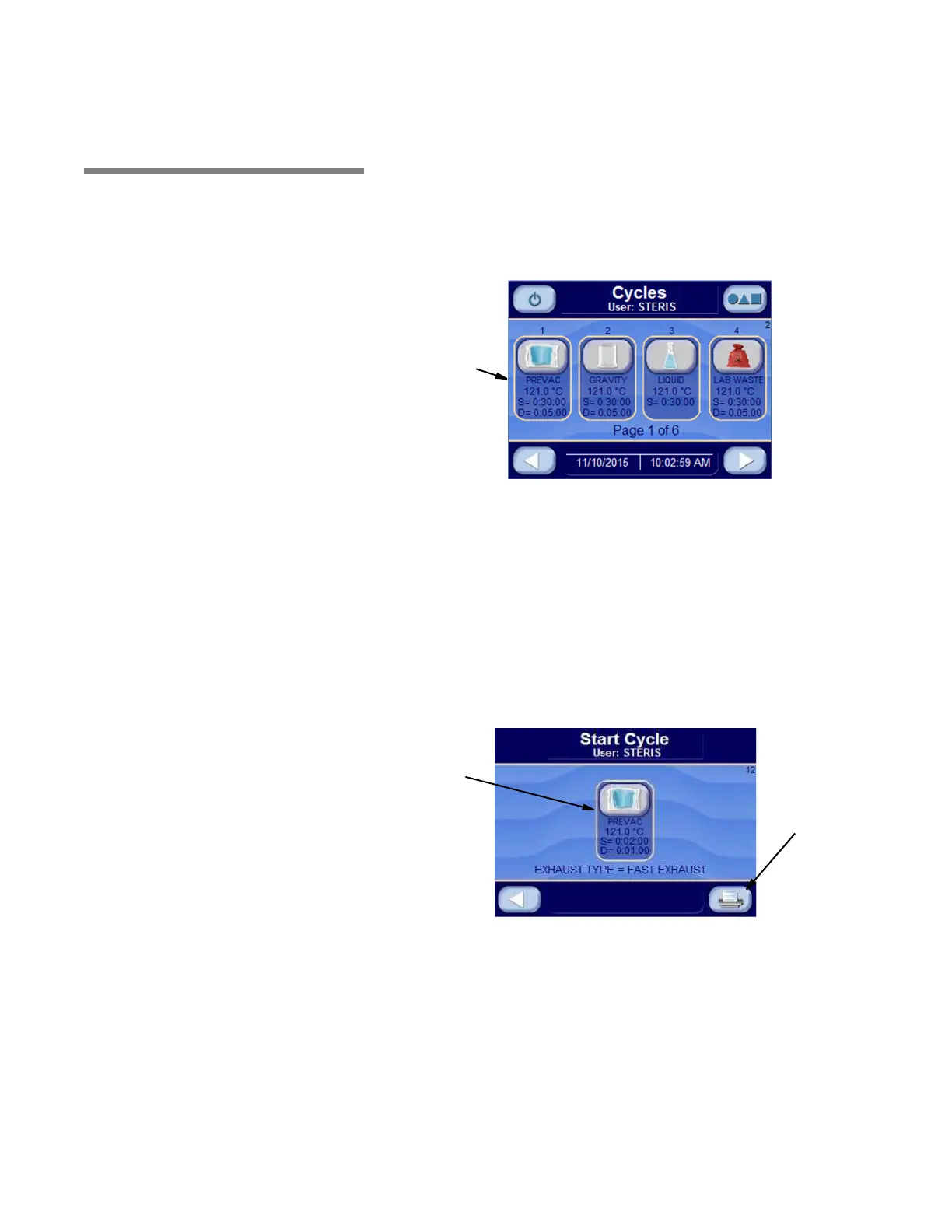
5.2.1 Prevac Sterilizer Only Press OPERATING MODE button to enter operating mode. The
operating mode display is shown below:
Press the button associated with the desired cycle. Note that
pressing RIGHT ARROW button advances to screen showing
additional cycles.
NOTE:
• Jacket temperature is selectable and can be turned off with the
Green Mode. In standard mode, by default, jacket charges with
steam to maintain 115°C (239°F).
• If display shows CLOSE DOOR(S) message, close the door.
• A cycle cannot be run with door open.
• A cycle may be run while the jacket is still charging.
Press the START CYCLE button to start the cycle.
Press to
Start Cycle
Print Button -
Prints Cycle
Values for
Selected Cycle.






 To Next Page