5-11
Control Interface Operator Manual 387366-389
Press STATUS PRINT button to print current status; an example is:
STATUS PRINT
----------------------------
2/16/2016 8:50:16 AM
CHAMBER: 80.0 °C
JACKET: 115.0 °C
WASTE: 45.0 °C
Press PRINT VALUES button to print all cycle values.
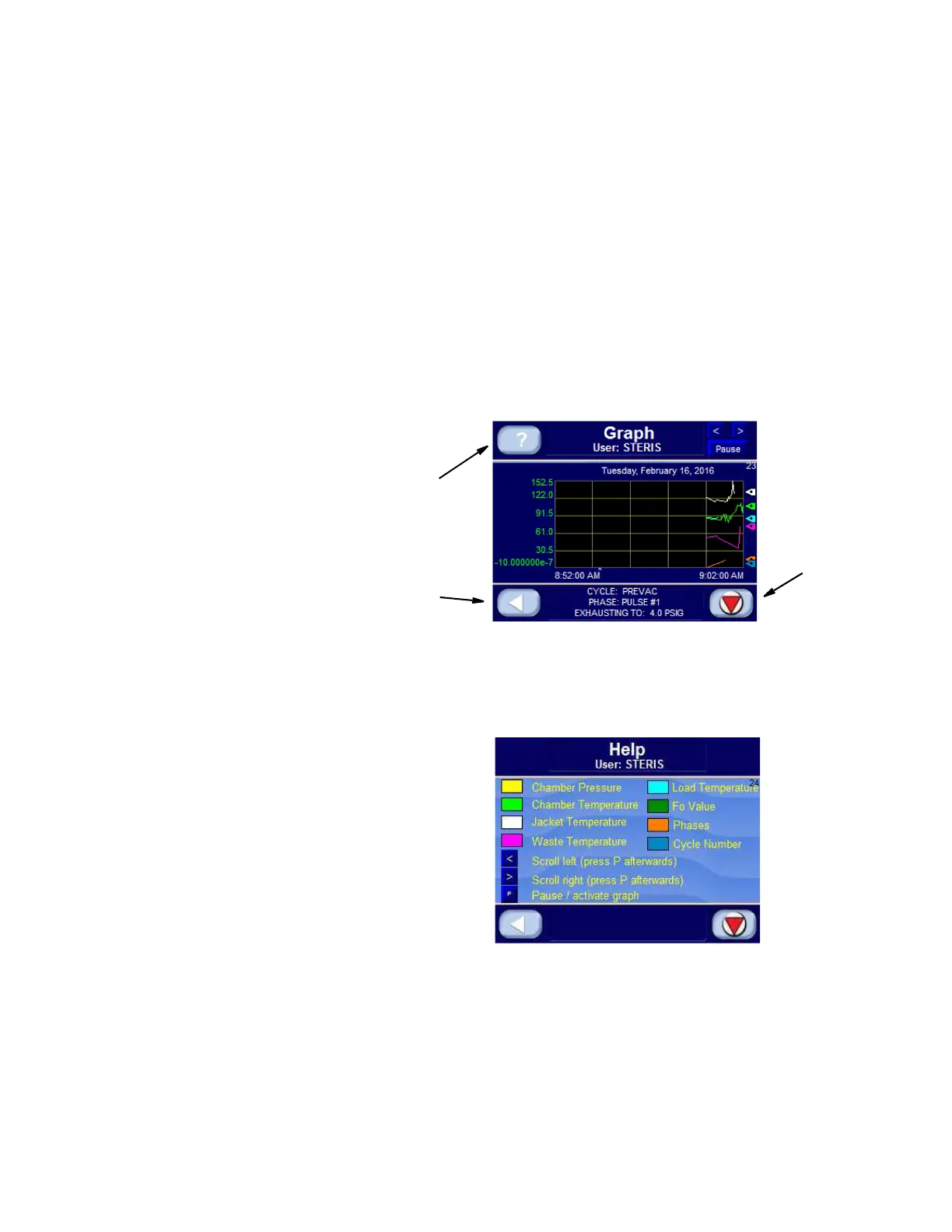
Pressing GRAPH button during cycle displays Graph Screen
(Screen 23) showing cycle graphs of chamber, jacket, waste and
pressure analog values. An example follows:
The graph displays analog values over a 10-minute period of time.
Each analog value is represented by a different color. Press? button
to access Help Screen (Screen 24) shown below:
See
SECTION 5.5, USB STORAGE, for a description of saving and retrieving
data from a compact flash card.
During a cycle, the screen changes color as follows:
• condition phase - green
• sterilize phase - blue
• exhaust phase - purple
• complete phase - blue






 To Next Page