6-61
Sterilizer Operation Operator Manual 387366-389
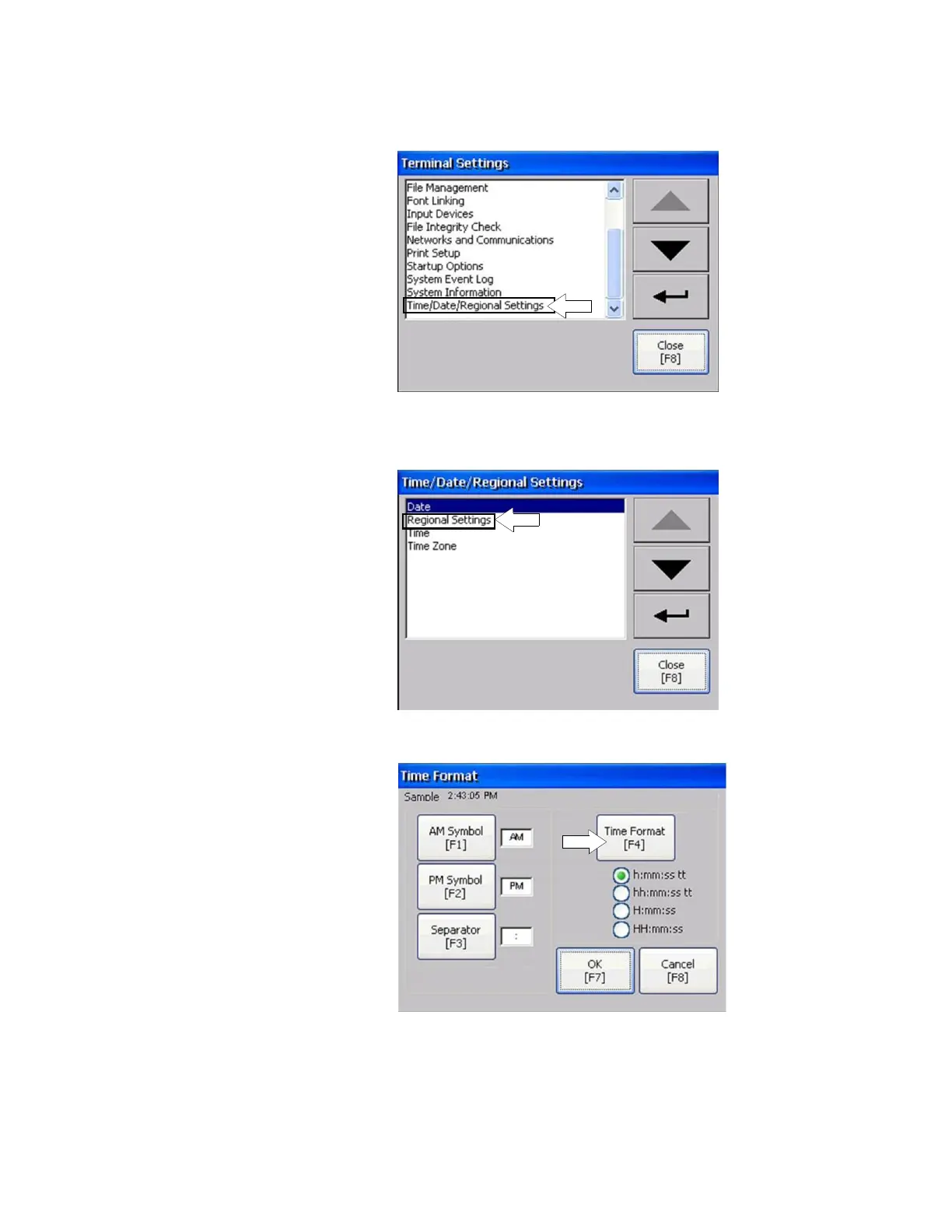
3. Scroll down to, and click on Time/Date/Regional Settings
selection.
The associate Time/Date/Regional Settings screen displays
(following image).
4. Select and click on Regional Settings.
5. From resulting Regional Settings screen, select and click on
From resulting screen, press Time Format [F4] button.
6. Select desired time format. And then press OK [F7].






 To Next Page