4-7
Operator Instructions Operator Manual 387366-389
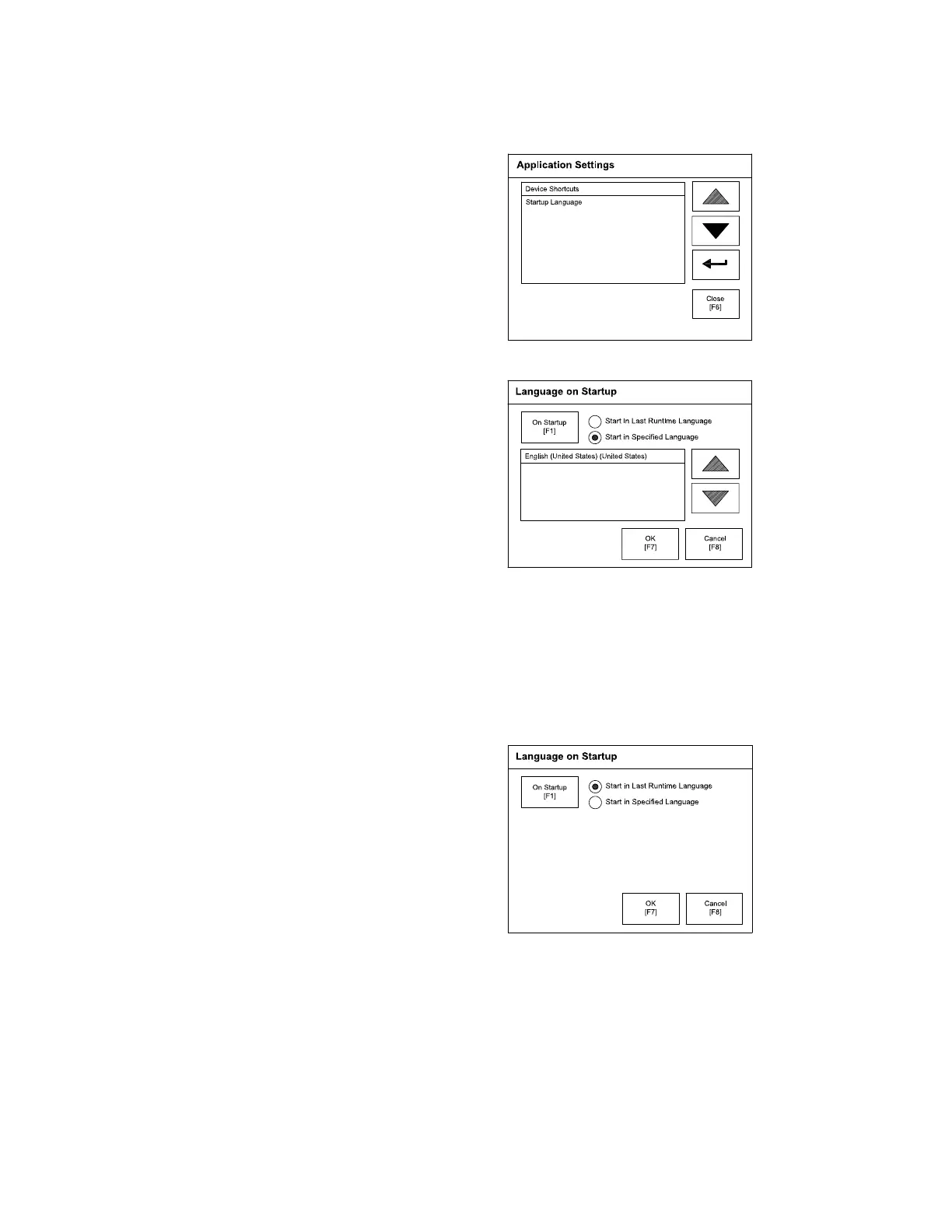
3. Press Application Settings button. The following screen
appears:
4. Select Startup Language. The following display appears:
5. Startup Language Screen is set to start control in English. Note
that even if another language was selected, if power is turned
OFF and back ON, English would remain as used language.
6. If selected language is to be displayed (when unit is powered
up) Press Start in Last Runtime Language. For example, if
French is selected and is always to be displayed (even when
power is cycled), select this option. The following screen shows
this option selected:
7. Press OK and return back to configuration screen. Setting is now
saved.
8. Cycle power (turn OFF and ON).






 To Next Page