Section 5 Measurement Examples
5-2
5.1 Preparation for the CDMA Mobile station Measure-
ment
This section explains the connection method of MT8801C and the CDMA mobile
station, and basic settings to test the CDMA mobile station.
5.1.1 Connecting the CDMA mobile station and MT8801C
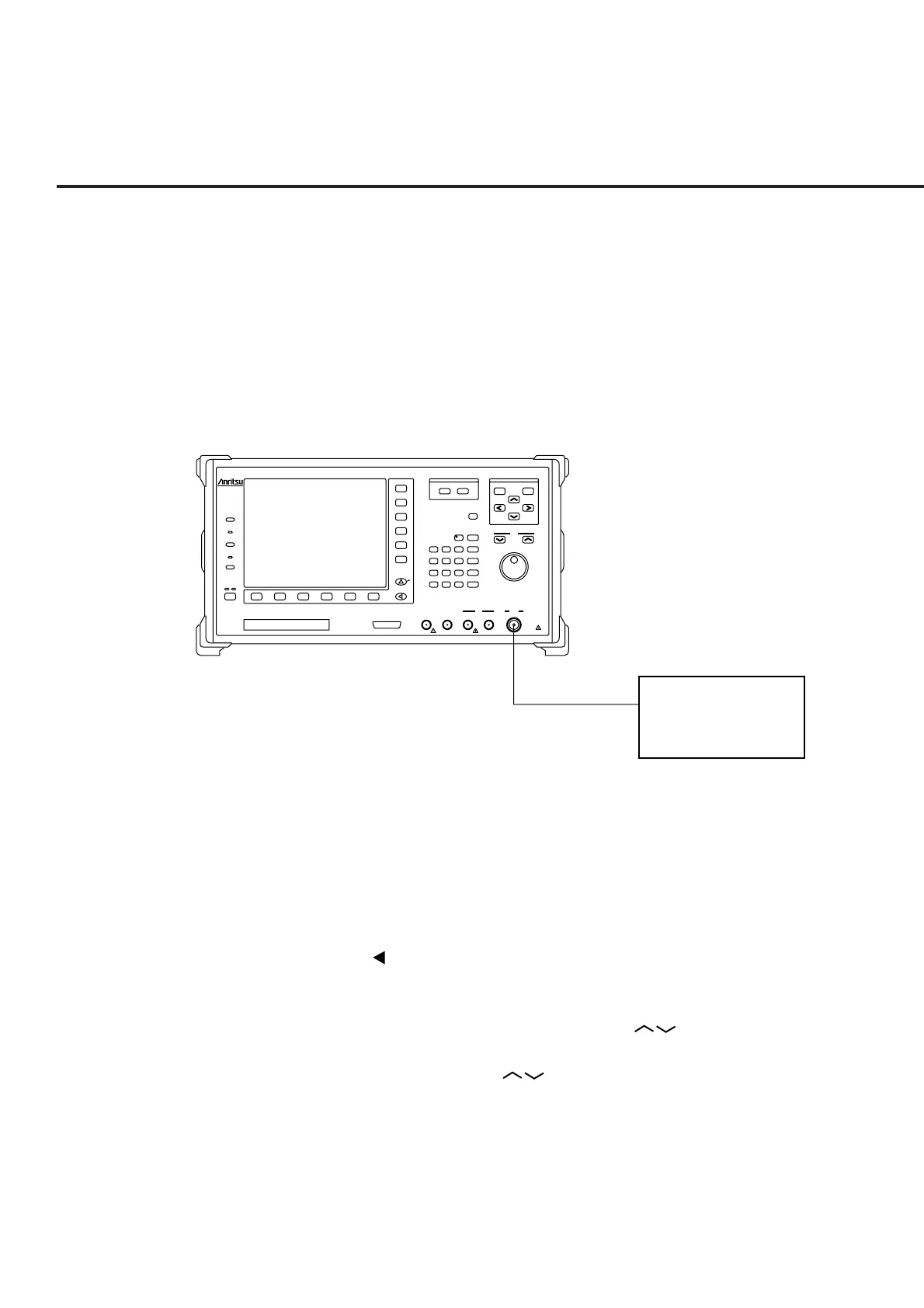
Connect the CDMA mobile station and MT8801C as shown below:
MT8801C
Radio Communication
Analyzer
300kHz-3GHz
Input/Output
Main
Output
300kHz-3GHz
50‰
10W Max
20dBm Max
AUX
50‰
InputAF OutputAF InputDUT Interface
Stby
Copy
Panel Lock
Local
Remote
On
Preset
Set
Cancel
Single
Continuous
Step
Measure
Cursor
F 7
F 8
F 9
F 10
F 11
F 12
F 1 F 6F 5F 4F 3F 2
Next Menu
Hz
V
s
kHz
mV
ms
MHz
dB /V
sec
GHz
dBm
dB
0
. - / +
Enter
123
56
BS
4
89
Shift
7
D
CA
W
W
nW
mW
EF
B
30V Max
FDD
25 contacts
MT8801C
the CDMA mobile station
RF
Note:
Select the Main connector from Main(Input/Output) and AUX (Input and Out-
put) connectors provided by MT8801C to measure RF signals when measuring
the CDMA mobile station.
Setting the Main connector
(1) Press the F6 (Main Func On Off) key to turn On the Main Func.
(2) Press the key of Next Menu to display the second page of main function keys
(F1 to F5).
(3) Press the F2 (Instrument Setup) key (to display the Instrument Setup screen).
(4) Put the cursor on RF Input/Output using the Cursor keys. Then press the
Set key of Cursor.
(5) Select Main using the Cursor keys when the setting window is opened.
Then press the Set key of Cursor to set it.













 To Next Page