5-3
5.1 Preparation for the CDMA Mobile station Measurement
5.1.2 Setting MT8801C and the CDMA mobile station
Setting for the ARIB-T53 system is explained in the following section.
This section explains the common settings to perform measurements described in sec-
tions 5.2 “Testing CDMA Mobile station Output” and 5.3 “Testing CDMA Mobile
station Input”. These sections are described in the assumption that all the contents
described in this section are set except for the test in the analog mode.
Settings of MT8801C
(1) Turn ON MT8801C power.
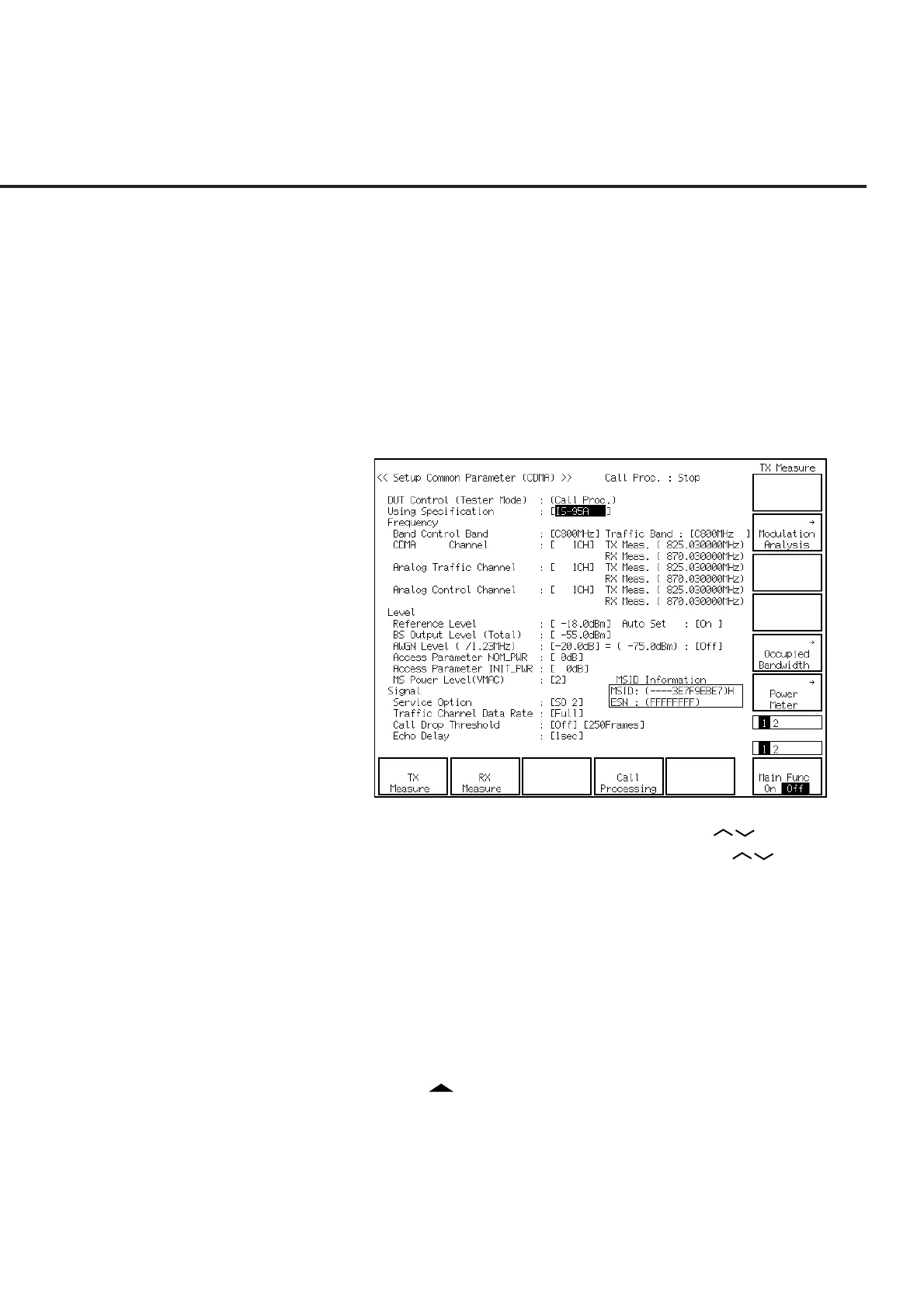
(2) The Setup Common Parameter screen (shown below) is soon displayed.
(3) Put the cursor on Using Specification using the Cursor keys. Then press
the Set key of Cursor. Select ARIB-T53 using the Cursor keys when the
setting window is opened. Then press the Set key of Cursor to set it.
(4) Similarly put the cursor on Band Control Band and set C800 MHz for Band
Control Band when the setting window is opened.
(5) Similarly put the cursor on the CDMA Channel and set 76 CH for the CDMA
Channel using the numeric keypad when the setting window is opened.
(6) Similarly put the cursor on BS Output Level and set BS Output Level at –75.0
dBm using the numeric keypad when the setting window is opened.
(7) Press the F12 (Power Meter) key.
(8) Press the F2 (RX Measure) key.
(9) Press the key of Next Menu to display the second page of function keys (F7
to F12).
(10) Press the F10 (Setup Signal) key.













 To Next Page