Section 5 Measurement Examples
5-4
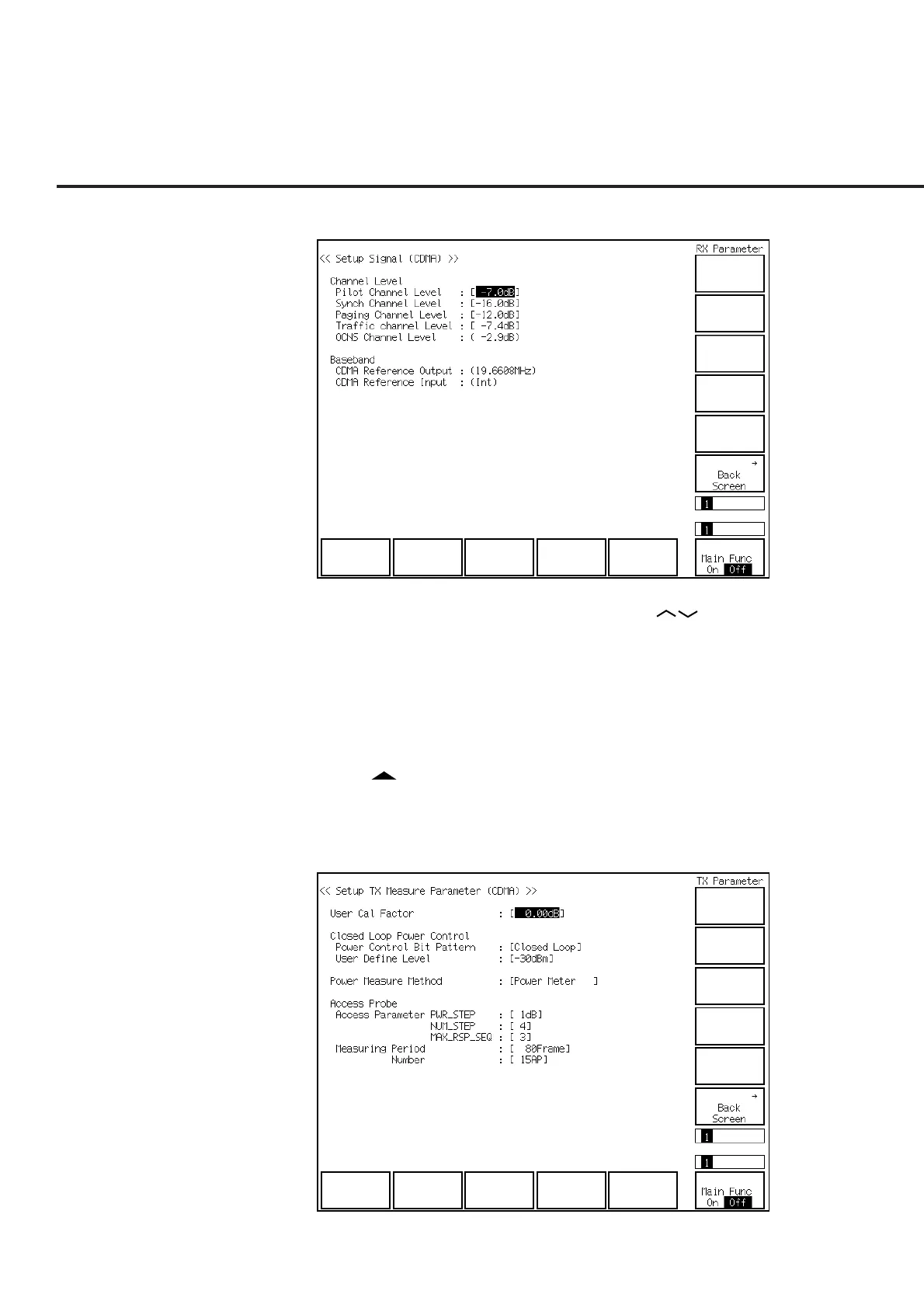
(11) The Setup Signal screen (shown below) is displayed.
(12) Put the cursor on Pilot Channel Level using the Cursor keys. Then press
the Set key of Cursor. Set Pilot Channel Level at –7.0 dBm using the numeric
keypad when the setting window is opened.
(13) Similarly put the cursor on Traffic Channel Level and set Pilot Channel Level at
–7.4 dBm using the numeric keypad when the setting window is opened.
(14) Press the F12 (Back Screen) key.
(15) Press the F1 (TX Measure) key.
(16) Press the key of Next Menu to display the second page of function keys (F7
to F12).
(17) Press the F9 (Setup TX Parameter) key.
(18) The Setup TX Measure Parameter screen (shown below) is displayed.













 To Next Page