5-23
5.2 Testing CDMA Mobile station Output
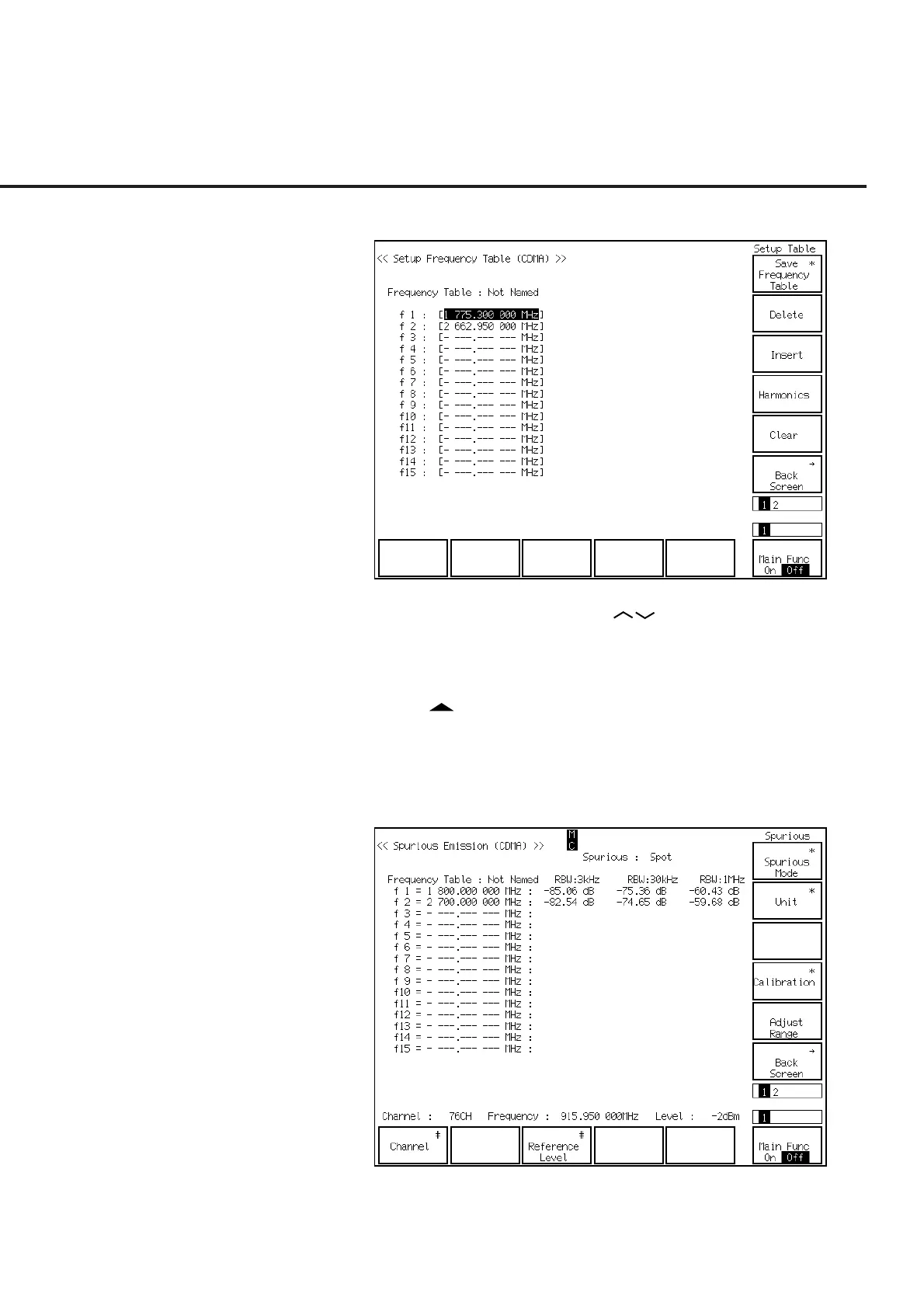
(12) The Setup Frequency Table screen (shown below) is displayed.
(13) Put the cursor on f1 using the Cursor keys. Then press the Set key of
Cursor. Set f1 at 1800 MHz using the numeric keypad. Similarly set f2 at 2700
MHz.
(14) Press the F12 (Back Screen) key.
(15) Press the key of Next Menu to display the first page of function keys (F7 to
F12).
(16) Press the F11 (Adjust Range) key to optimize the measurement range.
(17) Press the Single key or the Continuous key to start the TX spurious points mea-
surement. The measurement result is shown as follows:













 To Next Page