Section 5 Measurement Examples
5-32
(12) Set the following items on the Setup RX Measure Parameter screen:
♦ Set Sample to be 100 Frame.
♦ Set FER at 3.0 %.
♦ Set FER Upper Limit at 3.0 %.
(13) Press the F12 (Back Screen) key.
(14) Press the key of Next Menu to display the first page of function keys (F7 to
F12).
(15) Press the F7 (FER Measure) key (to display the Frame Error Rate screen).
(16) Press the key of Next Menu to display the second page of main function keys
(F1 to F5).
(17) Press the F5 (AWGN On Off) key to turn On AWGN.
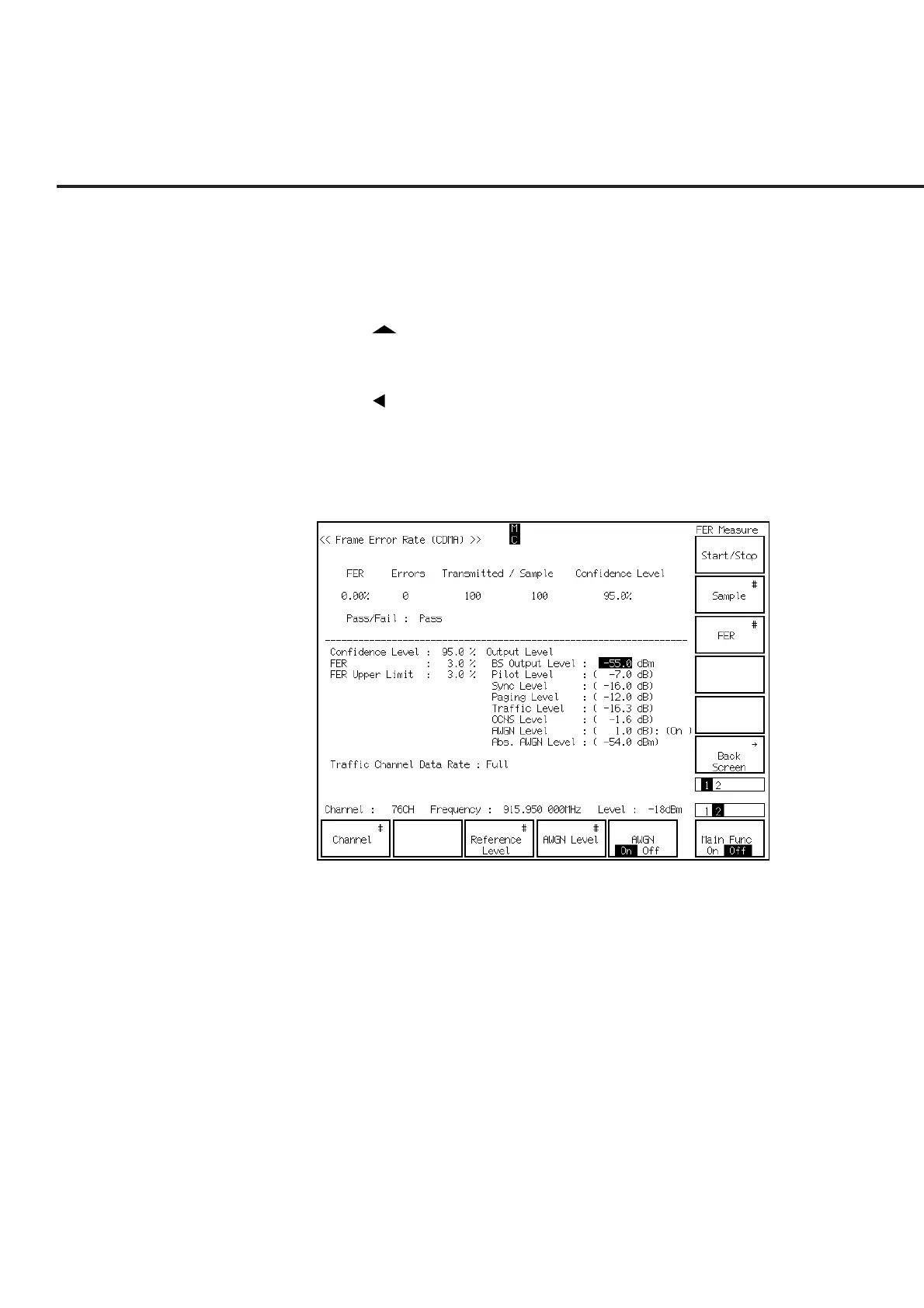
(18) Press the Single key or the Continuous key to start the frame error rate measure-
ment under AWGN. The measurement result is shown as follows:













 To Next Page