Section 2 Preparations Before Use
2-12
.
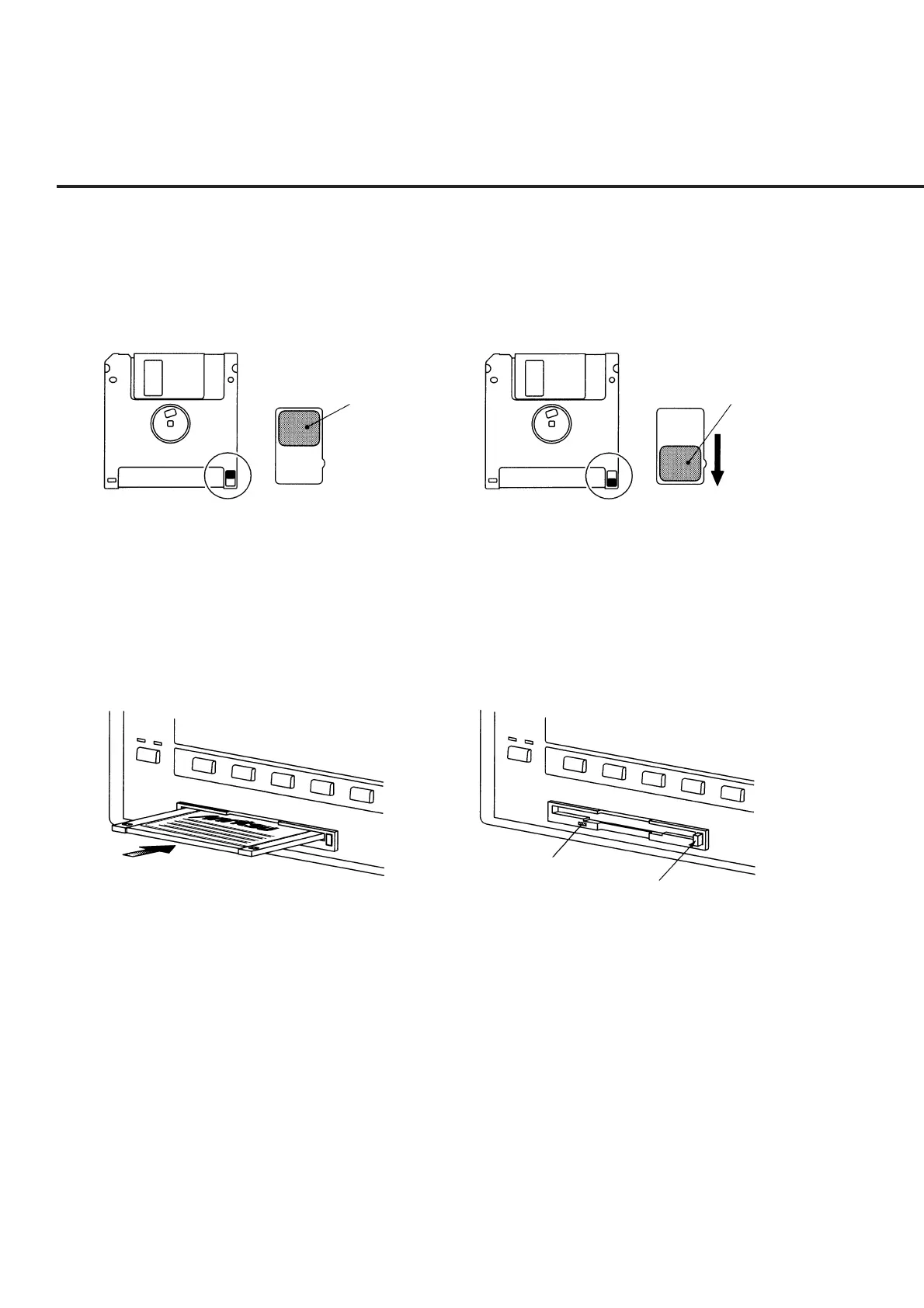
(2) Write-protection tab
A write-protection tab is provided on the 3.5-inch floppy disk.
Sliding this tab downward in the arrow direction beforehand prevents accidental
writing and deletion. (A write operation is disabled in this state.)
Write enable
Tab
Write disable
Tab
Fig. 2-2 Write-protection Tab for 3.5-inch Floppy Disk
(3) Inserting and ejecting the floppy disk
With the front surface of the floppy disk facing ups, fully insert the disk in the
arrow direction until a clicking sound is heard.
To eject, press the eject button on the right side of the disk drive. Remove the
disk after confirming that the LED lamp is off.
Eject button
LED lamp
Fig. 2-3 Inserting and Ejecting the 3.5-inch Floppy Disk













 To Next Page