43
b) Press the [1] key.
c) Press the [2] key.
d) Press the [3] key.
e) Press the [. (decimal)] key.
f) Press the [5] key.
g) Press the [MHz] key.
2. Press and hold the [MHz] key for two seconds to find the next available vacant memory channel.
3. Using the numeric keypad,
a) Press the [0] key.
b) Press the [3] key.
c) Press the [2] key.
d) Press the [5] key,
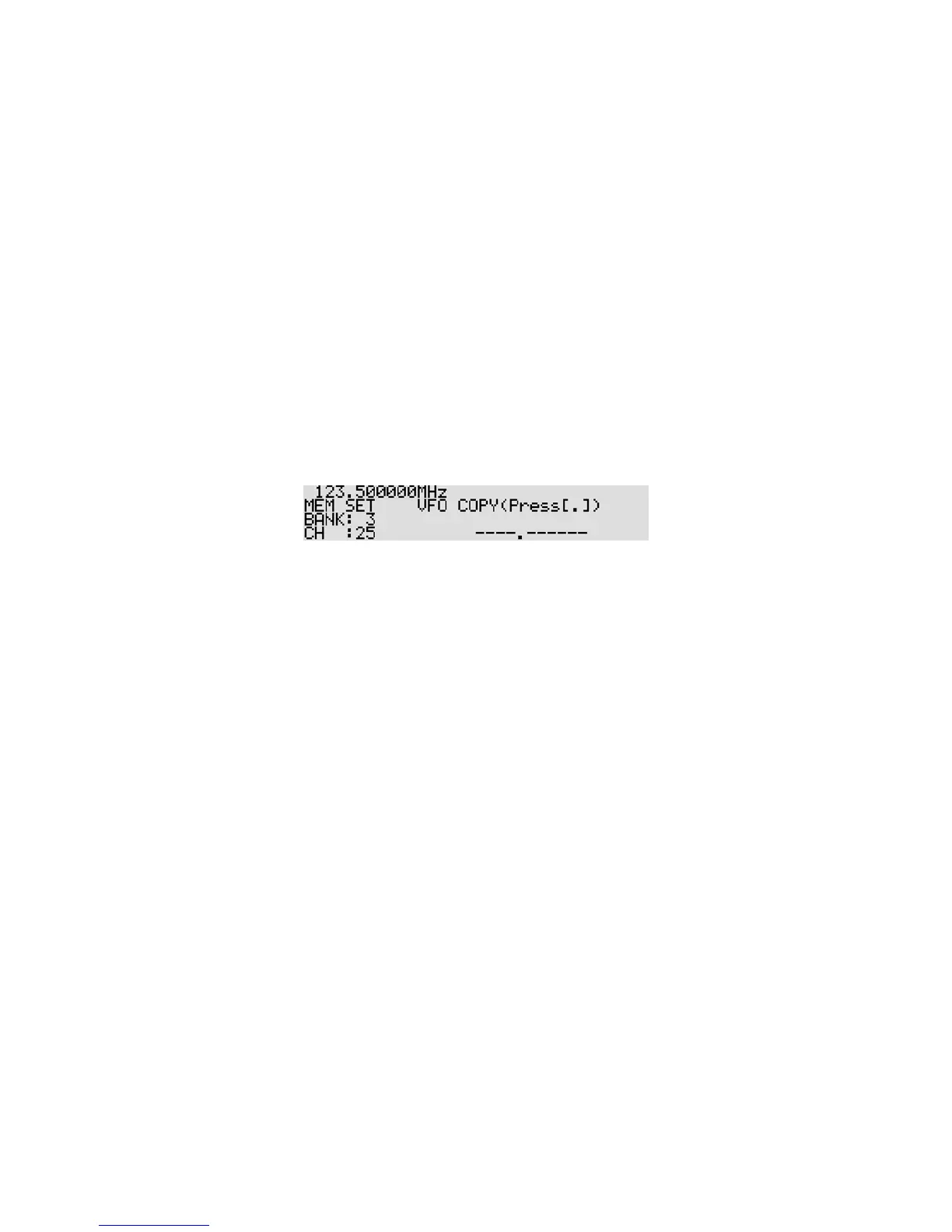
to store the frequency into the location. (memory bank 03, channel number 25.)
When the [----.-----] is displayed on the right bottom of the LCD, the selected channel is vacant.
4. To change the memory bank, rotate the sub dial. To change the memory channel, rotate the main dial.
5. Press the [MHz] key.
6. Add the text comment “AIRBAND”
Key Characters
1 1
2 A
3 M (Example) To select “B”, press the [B] key, then rotate
4 Z the sub dial clockwise.
5 9
6 -
7 \
0 SPACE
a) To enter “A”, press the [2] key.
b) Press the [DOWN] key to move the cursor to the right.
c) Press the [2] key. Rotate the sub dial to select “I”.
d) Press the [DOWN] key.
e) Press the [3] key.
f) Rotate the sub dial to select “R”.
g) Press the [DOWN] key.



 To Next Page