Disassembly and Replacement Procedures
DISASSEMBL
Y
AND REPLACEMENT
101
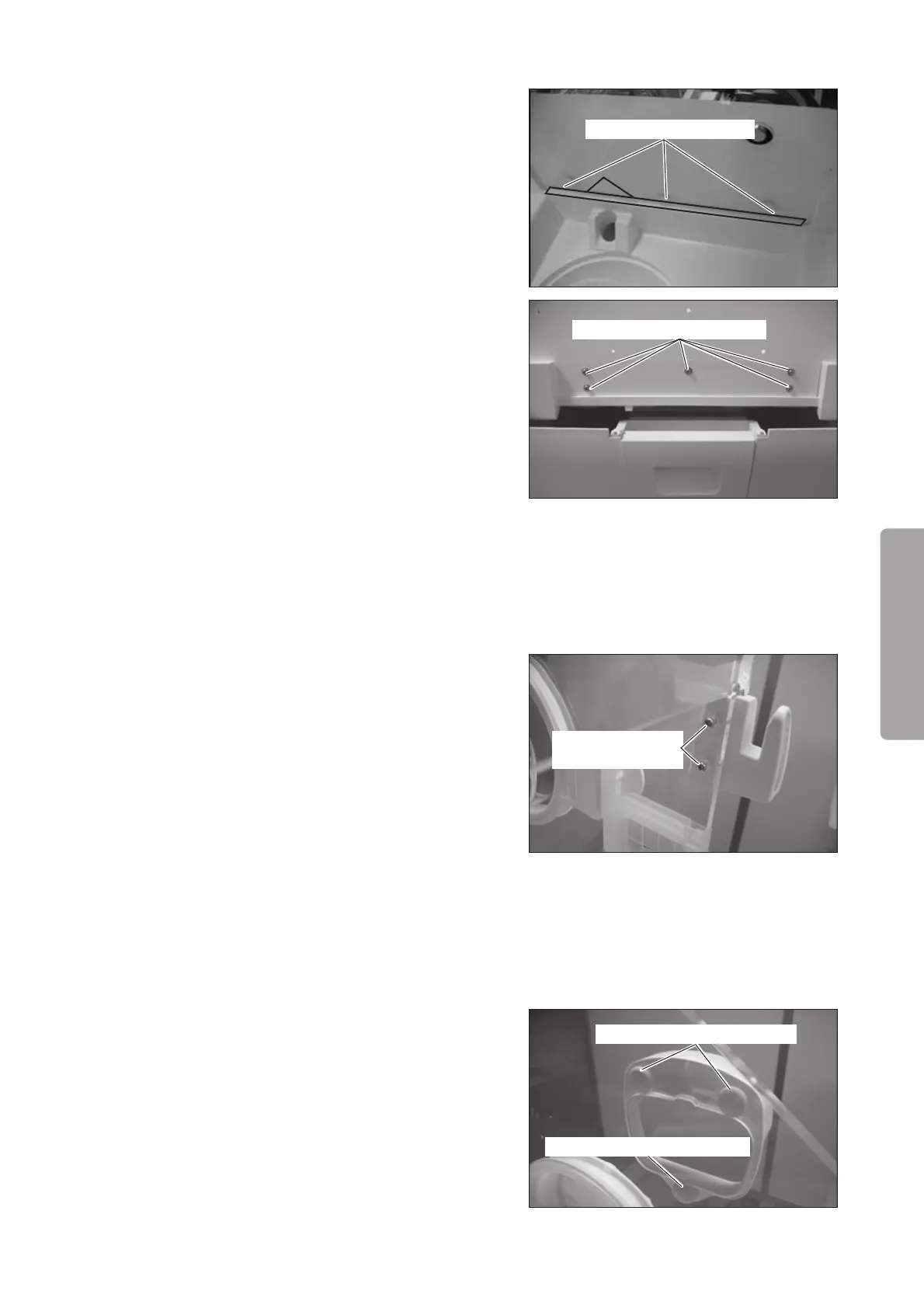
(5) Remove the hood assembly.
Remove the four protective stickers and the sheet
on the head side of the hood.
Remove the three flat head screws (M4 x 12) with a
Phillips screwdriver.
Flat head screw (M4x12)
Double sems screw (M4x15)
Remove the five double sems screws (M4 x 15) on
the foot side of the hood with a Phillips screwdriver.
Pull up the hood assembly and remove it.
(6) Reassembly: Reassemble in the reverse order of dis-
assembly.
6-2-2. Replacing the Admittance Panel Lock Holder
(1) Remove the admittance panel lock holder.
Remove the two pan head tapping screws (M3 x 14)
with a Phillips screwdriver.
Pan head tapping
screw (M3x14)
(2) Reassembly: Reassemble in the reverse order of dis-
assembly.
6-2-3. Replacing the Sensor Module Holder
(1) Remove the three connector caps and then remove
the three flat head tapping screws (M4 x 8) with a
Phillips screwdriver. Pull out the sensor module
holder horizontally and remove it.
Flat head tapping screw (M4x8)
Flat head tapping screw (M4x8)
(2) Reassembly: Reassemble in the reverse order of dis-
assembly.



 To Next Page