Parts Identification
35
PLEASE READ WITHOUT
FAIL
2-4. Service Menu (How to Operate the Service Menu Screen)
(The service menu is not accessible to ordinary users.)
2-4-1. How to Enter the Service Menu
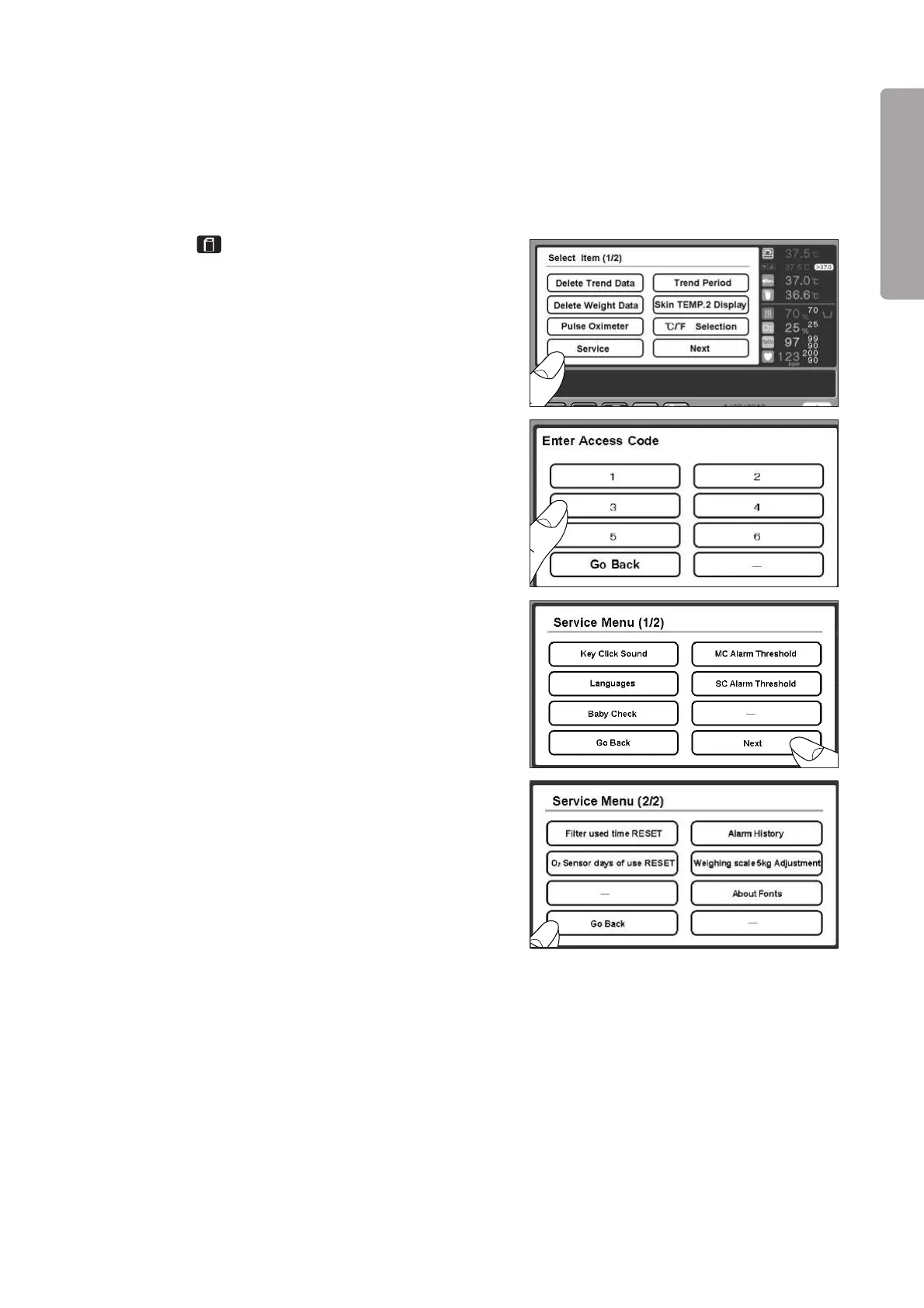
(1) Touch on any other screen, and the menu
screen will appear.
(2) Touch “Service Menu” on the menu screen.
(3) When the password entry screen is displayed, touch
the numeric keys in the following order: “3” / “6”
/ “6” / “1”.
(4) The Service Menu screen (1/2) is displayed. Touch
[Next], and the Service Menu screen (2/2) will ap-
pear. To return to the screen (1/2), touch [Go back].
To return to the password entry screen, touch [Go
back] on the Service Menu screen (1/2). To return
to the menu screen, touch [Go back] on the pass-
word entry screen.



 To Next Page