Disassembly and Replacement Procedures
134
6-5-6. Replacing the Speaker
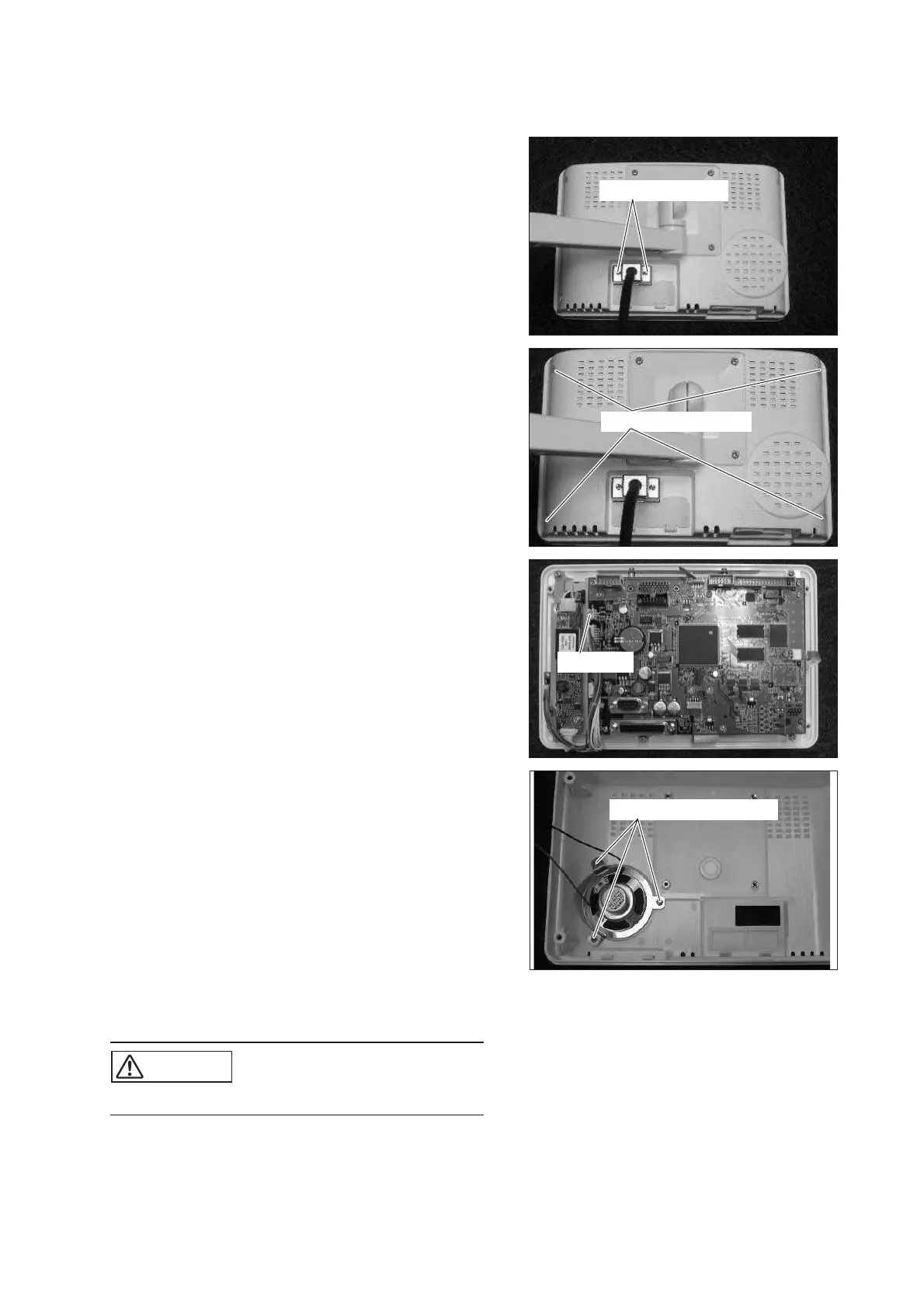
(1) Remove the cable.
Loosen the two screws fixing the cable with a small
Phillips screwdriver and remove the cable.
Loosen the screw.
(2) Remove the rear panel.
Remove the four sems screws (M3 x 8) with a
Phillips screwdriver.
Sems screw (M3x8)
(3) Remove the connector connected to the LCD dis-
play board.
Remove the connector (JB1) from the LCD display
board.
Connector
(4) Remove the attachment fixing the speaker.
Remove the three tapping screws (M3 x 6) with a
Phillips screwdriver.
Tapping screw (M3x6)
(5) Reassembly: Reassemble in the reverse order of dis-
assembly.
CAUTION
쎲 Take care not to get the cable caught.



 To Next Page