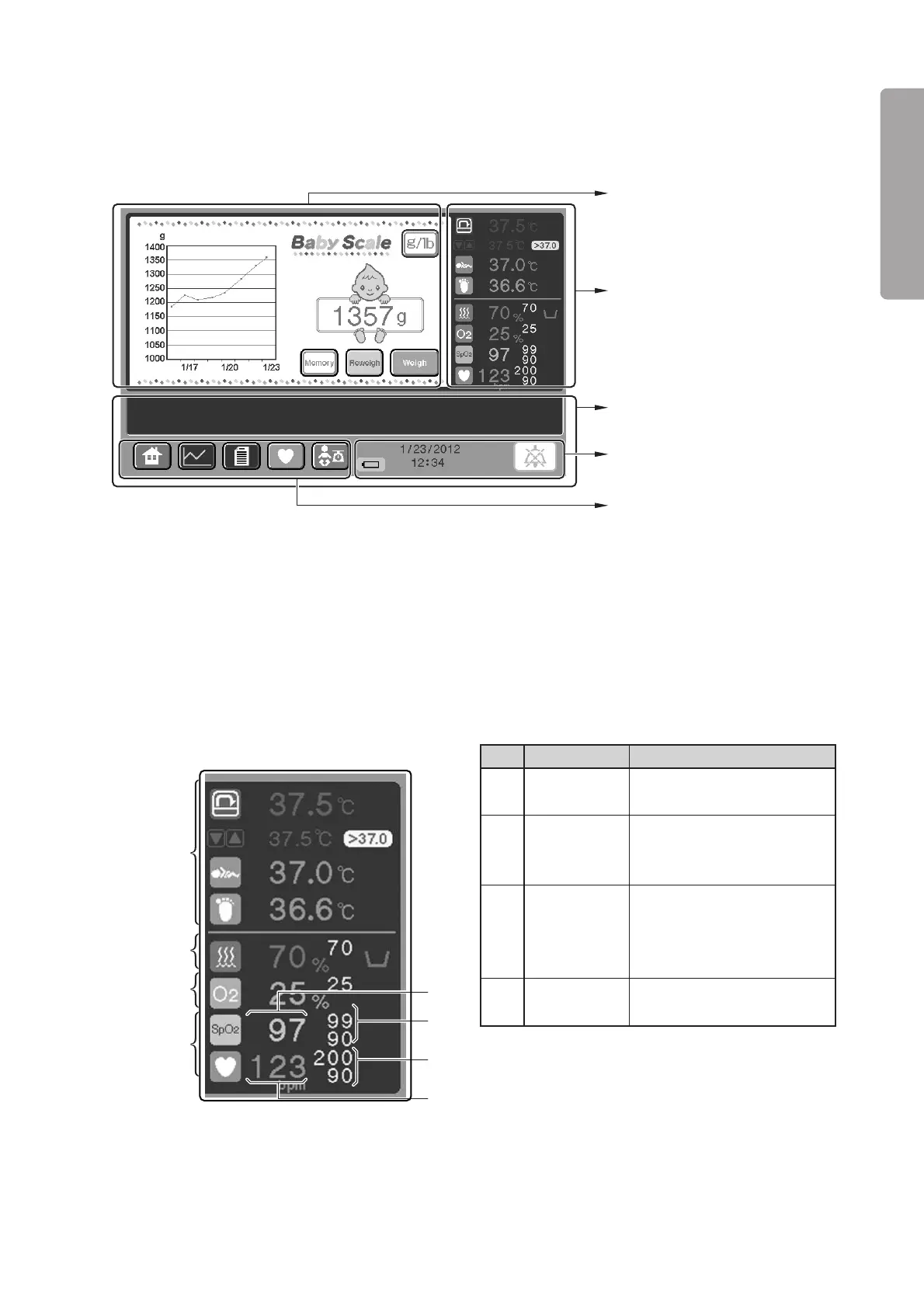
Parts Identification
27
PLEASE READ WITHOUT
FAIL
Numerical
values area (See p.34)
Message area
❋
(See p.30)
Clock and other indicators
area (See p.30)
Screen display switch area
(See p.29)
Weight area (See p.35)
Description
Displays a detected SpO2 value
digitally.
Displays an SpO2 upper alarm
limit above and an SpO2 lower
alarm limit below digitally.
Displays a pulse rate upper
alarm limit above and a pulse
rate lower alarm limit below
digitally.
Displays a detected pulse rate
digitally.
No.
q
w
e
r
Name
%SpO2
display
SpO2 alarm
limits display
Pulse rate
alarm limits
display
Pulse rate
display
Temperature
area
Relative
humidity area
Oxygen area
Pulse area
r
e
q
w
2-3-6. Weight Screen
❋ The weight screen is displayed only when the unit is equipped with the weight monitor unit.
❋ The screen display switch area, the clock and other indicators area, and the message area are the same as
those of the main screen (“2-3-4. Main Screen”). (Therefore there is no reference to them below.)
[Numerical values area]
❋ The temperature area, the relative humidity area, and the oxygen area are the same as those of the pulse
oximeter screen. You can follow the same procedure as on the pulse oximeter screen.
❋ Touch the pulse area to start the pulse-related setting operation.



 To Next Page