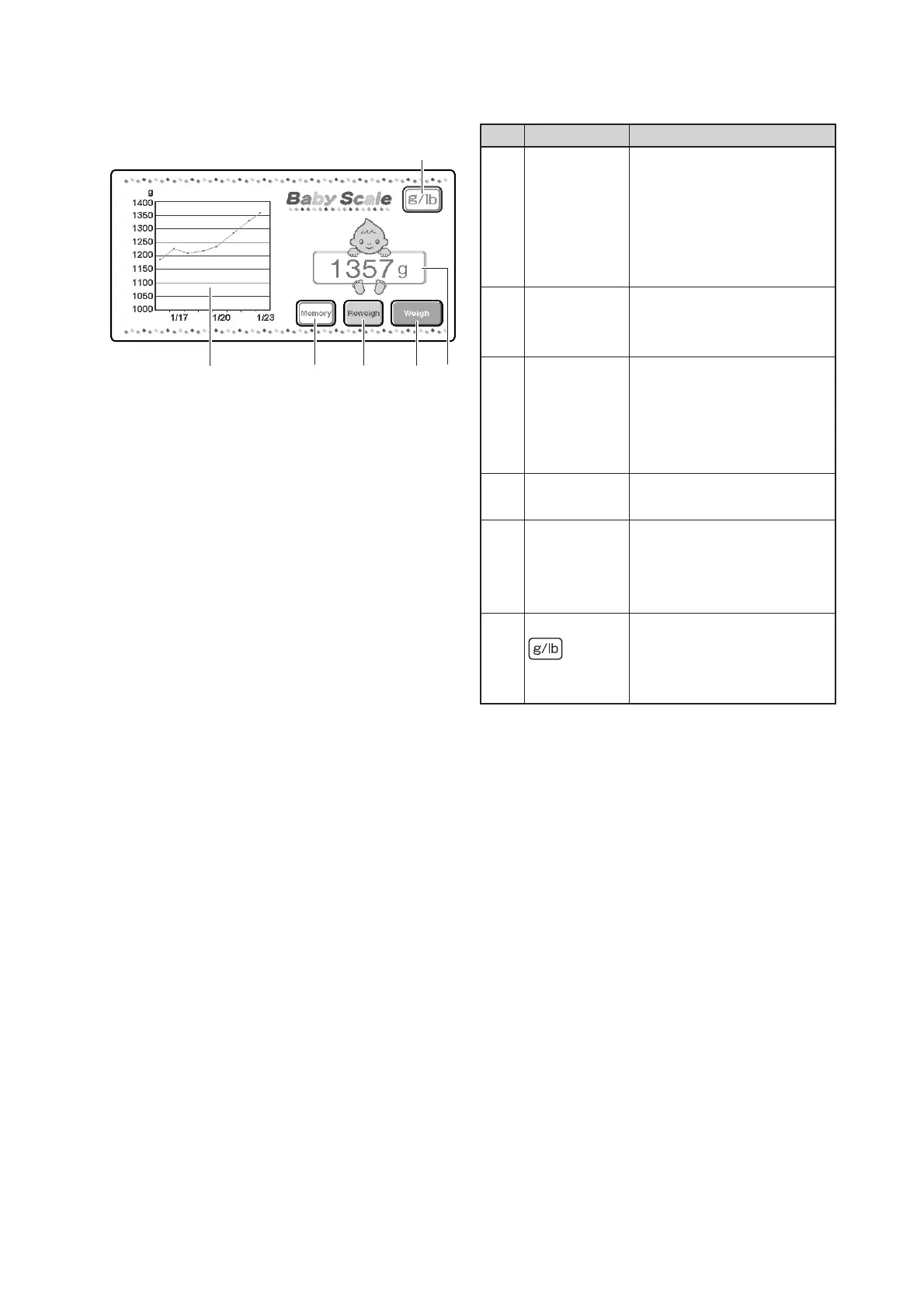
Parts Identification
28
[Weight area]
e
r
t
w
q
y
Description
Displays a message related to
weighing when weighing is in
progress.
Displays a weight reading of
the infant when weighing is
not in progress.
Touch this switch to start
weighing the infant automati-
cally.
This switch appears only when
a tare weight is established.
Touch this switch to weigh the
infant without performing the
tare deduction process.
Touch this switch to record
the weight reading.
Displays a weight trend graph.
Touch the trend graph area to
have a list of weight readings
displayed.
Touch this switch to switch the
unit of weight from gram to
pound and ounce, and vice
versa.
No.
q
w
e
r
t
y
Name
Weight
display area
Weigh switch
Reweigh
switch
Memory
switch
Weight trend
area
selector
switch
[Weight area]



 To Next Page