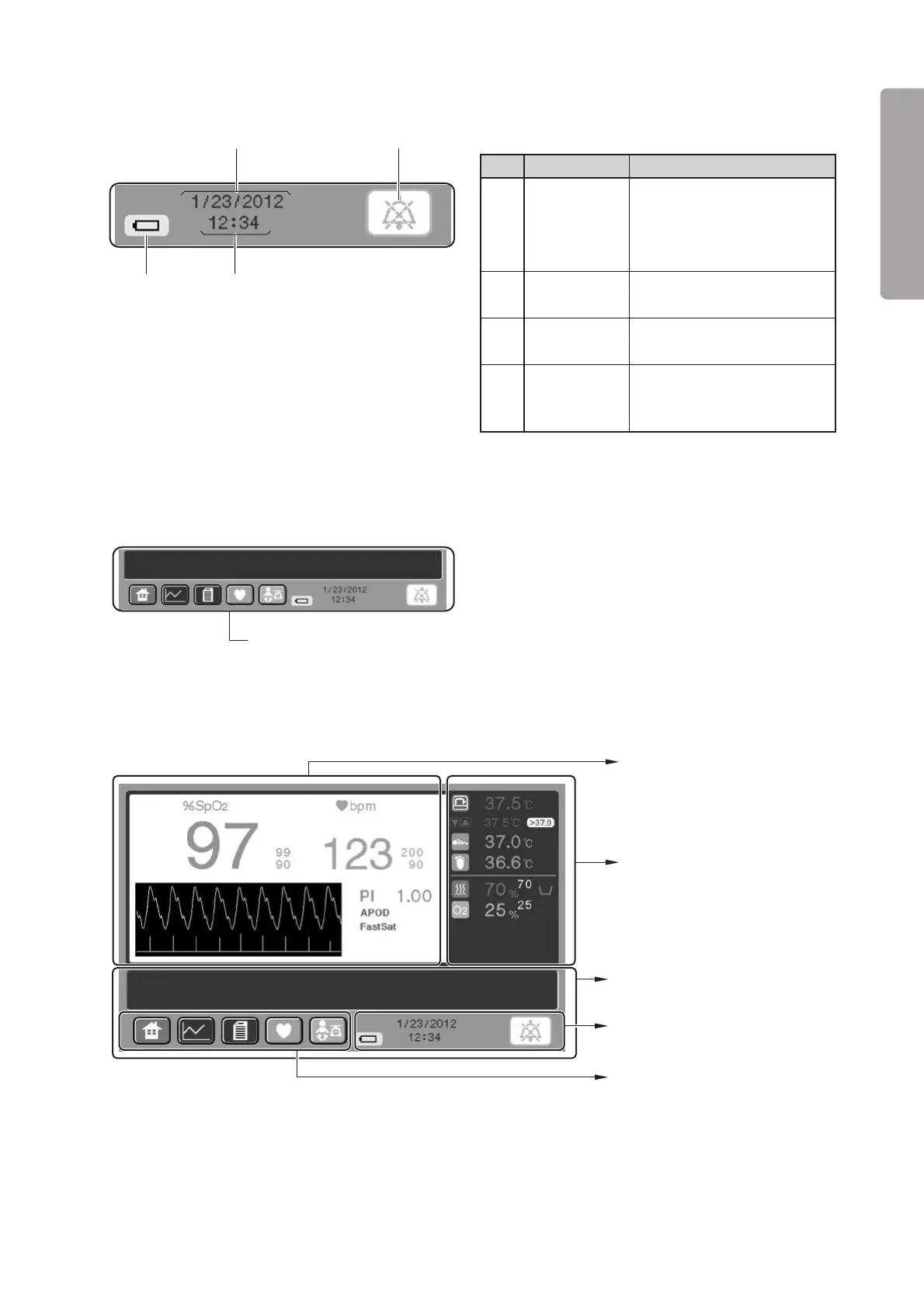
Parts Identification
23
PLEASE READ WITHOUT
FAIL
Description
Touch this switch to silence an
active audible alarm tempo-
rarily or reset an alarm condi-
tion.
Displays a date in the month/
day/year format.
Displays a time in the
hour:minute format.
Comes on only when the inter-
nal battery (Power Pack i : op-
tion) is used.
No.
q
w
e
r
Name
Alarm silence
switch
Date display
Time display
Battery
indicator
w
q
e
r
Message area
Numerical
values area (See p.31)
Message area
❋
(See p.30)
Clock and other indicators
area (See p.30)
Screen display switch area
(See p.29)
Pulse area (See p.32)
[Clock and other indicators area]
[Message area]
❋ Messages other than those related to operations are displayed in this area.
2-3-5. Pulse Oximeter Screen
❋ The pulse area shown in the figure above is for a Masimo pulse oximeter.
❋ The screen display switch area, the clock and other indicators area, and the message area are the same as
those of the main screen (“2-3-4. Main Screen”). (Therefore there is no reference to them below.)



 To Next Page