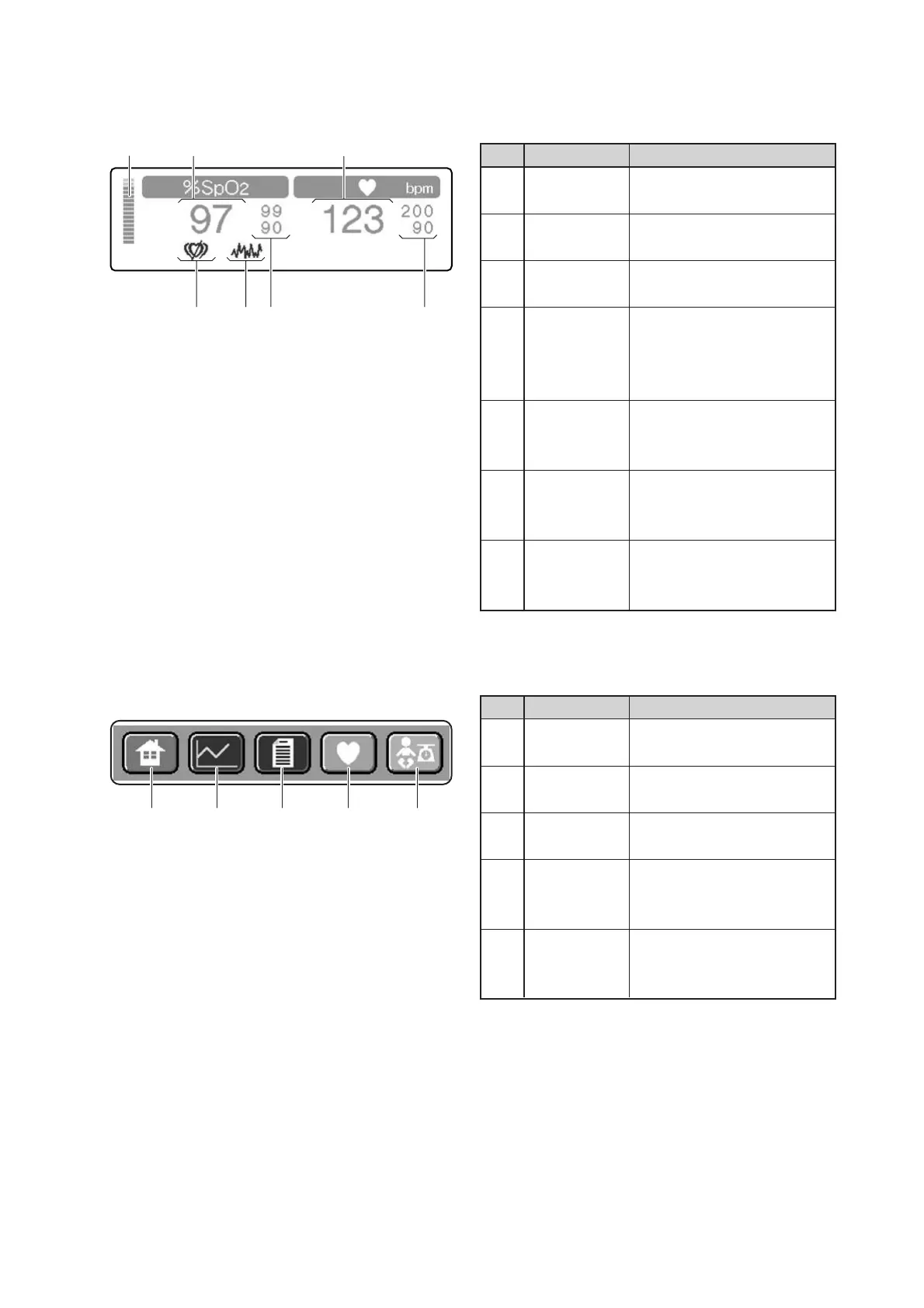
Parts Identification
22
[Pulse area]
❋ Touch this area to start the pulse oximeter-related setting operation.
Description
Indicates changes in the arte-
rial flow.
Displays a detected SpO2 value
digitally.
Displays a detected pulse rate
digitally.
Displays a pulse rate upper
alarm limit above and a pulse
rate lower alarm limit below
digitally.
Displays an SpO2 upper alarm
limit above and an SpO2 lower
alarm limit below digitally.
Comes on when interference
is detected.
Comes on when no pulse is
detected.
No.
q
w
e
r
t
y
u
Name
Plethysmo-
graph bar
%SpO2
display
Pulse rate
display
Pulse rate
alarm limits
display
SpO2 alarm
limits display
Interference
indicator
(Nellcor only)
Pulse search
indicator
(Nellcor only)
w eq
rtyu
Description
Touch this switch to have the
main screen displayed.
Touch this switch to have the
trend screen displayed.
Touch this switch to have the
menu screen displayed.
Touch this switch to have the
pulse oximeter screen dis-
played.
Touch this switch to have the
weight screen displayed.
No.
q
w
e
r
t
Name
Main screen
display switch
Trend screen
display switch
Menu screen
display switch
Pulse oxime-
ter screen
display switch
Weight
screen
display switch
q w e r t
[Screen display switch area]



 To Next Page