Disassembly and Replacement Procedures
DISASSEMBL
Y
AND REPLACEMENT
131
6-5-3. Replacing the Front Panel
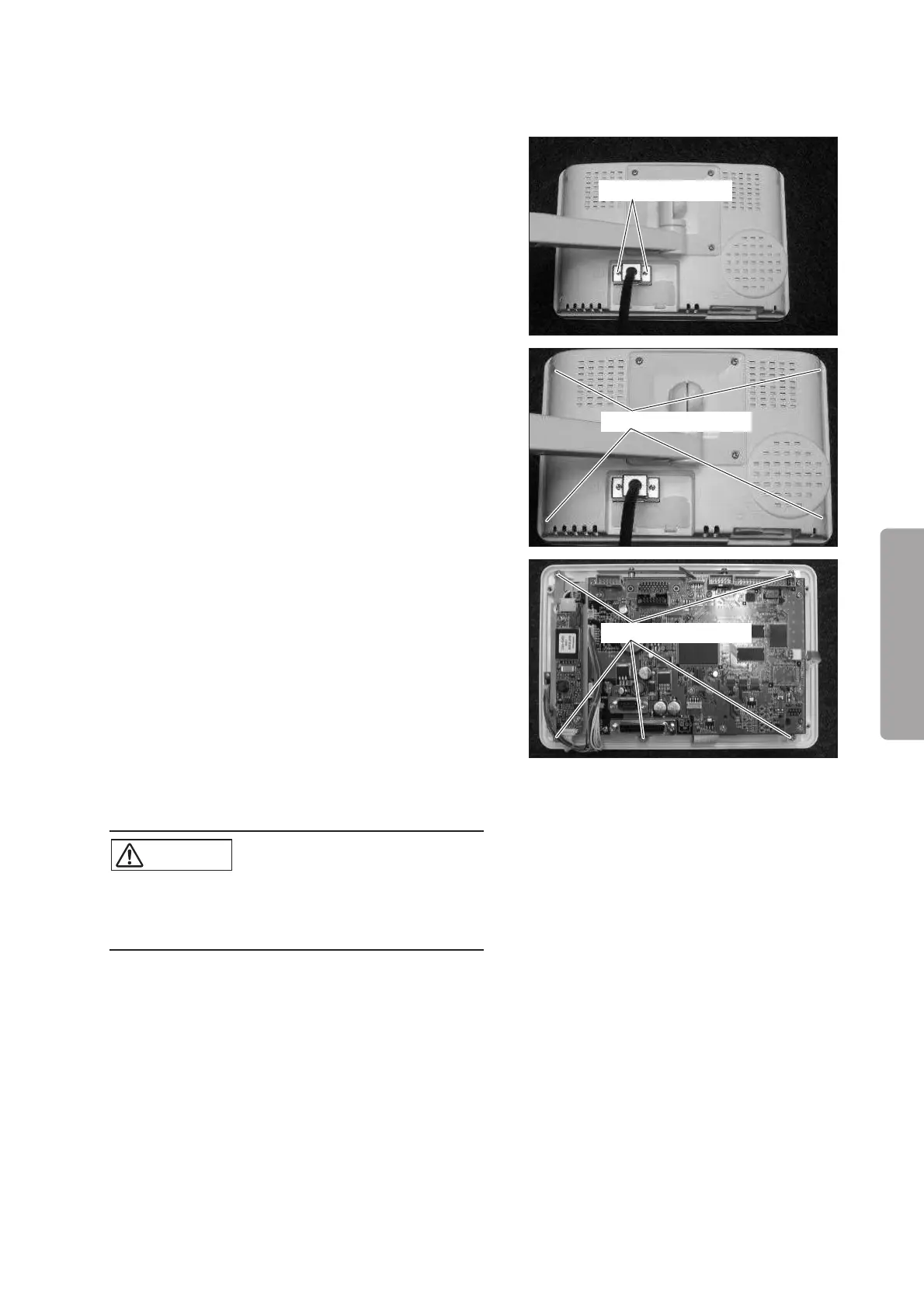
(1) Remove the cable.
Loosen the two screws fixing the cable with a small
Phillips screwdriver and remove the cable.
Loosen the screw.
(2) Remove the rear panel.
Remove the four sems screws (M3 x 8) with a
Phillips screwdriver.
Sems screw (M3x8)
(3) Remove the LCD module, the LCD display board,
and the CCFL inverter together with the chassis
from the front panel.
Remove the five sems screws (M3 x 8) with a Phillips
screwdriver.
Sems screw (M3x8)
(4) Reassembly: Reassemble in the reverse order of dis-
assembly.
CAUTION
쎲 Take care not to get the cable caught. Insert a
silicone tube (ø2) into the groove around the front
panel.



 To Next Page