Parts Identification
17
PLEASE READ WITHOUT
FAIL
2-3. Display Screens
2-3-1. General Description of the Screens
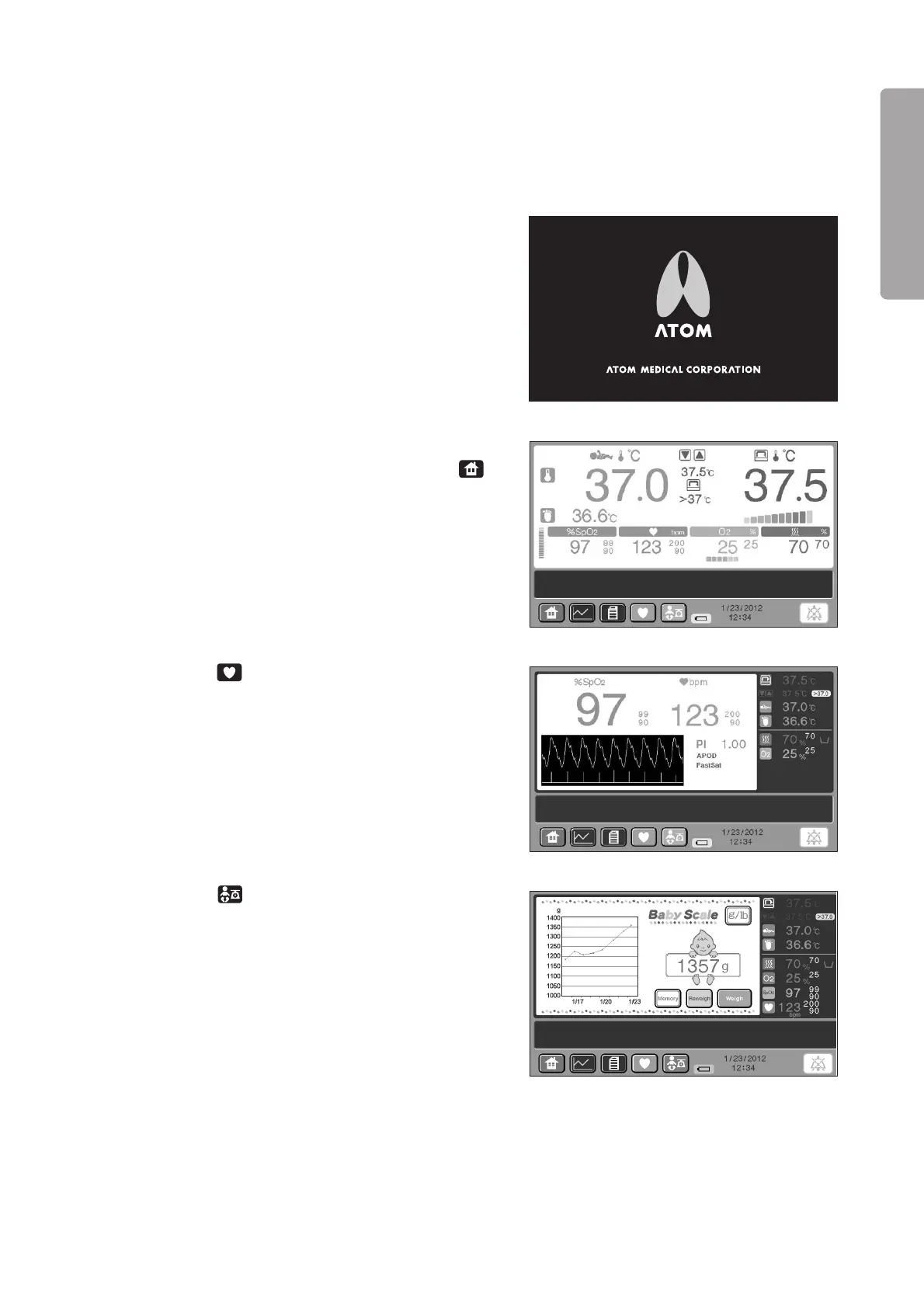
(1) Start screen
The start screen appears when the power is applied.
(2) [Main screen]
This screen appears first.
If any other screen is being displayed, touch the
switch, and the main screen will be displayed.
This screen displays the set temperature, the incu-
bator air temperature, the skin temperature 1, the
skin temperature 2, the relative humidity, the oxy-
gen concentration, SpO2, the pulse rate, etc..
(3) [Pulse oximeter screen]
Touch the switch on any other screen, and the
incubator pulse oximeter screen will be displayed.
This screen highlights SpO2 and the pulse rate.
Pulse waves are also displayed.
In addition, the set temperature, the incubator air
temperature, the skin temperature 1, the skin tem-
perature 2, the relative humidity, the oxygen con-
centration, etc. are displayed.
(4) [Weight screen] (This screen is displayed only when the unit is equipped with the weight monitor unit.)
Touch the switch on any other screen, and the
weight screen will be displayed.
This screen highlights weight functions such as the
weighing procedure and the weight trend graph.
In addition, the set temperature, the incubator air
temperature, the skin temperature 1, the skin tem-
perature 2, the relative humidity, the oxygen con-
centration, SpO2, the pulse rate, etc. are displayed.



 To Next Page