Disassembly and Replacement Procedures
136
6-5-9. Replacing the LCD Display Board
(1) Remove the rear panel.
See (1) ~ (2) in “6-5-3. Replacing the Front Panel.”
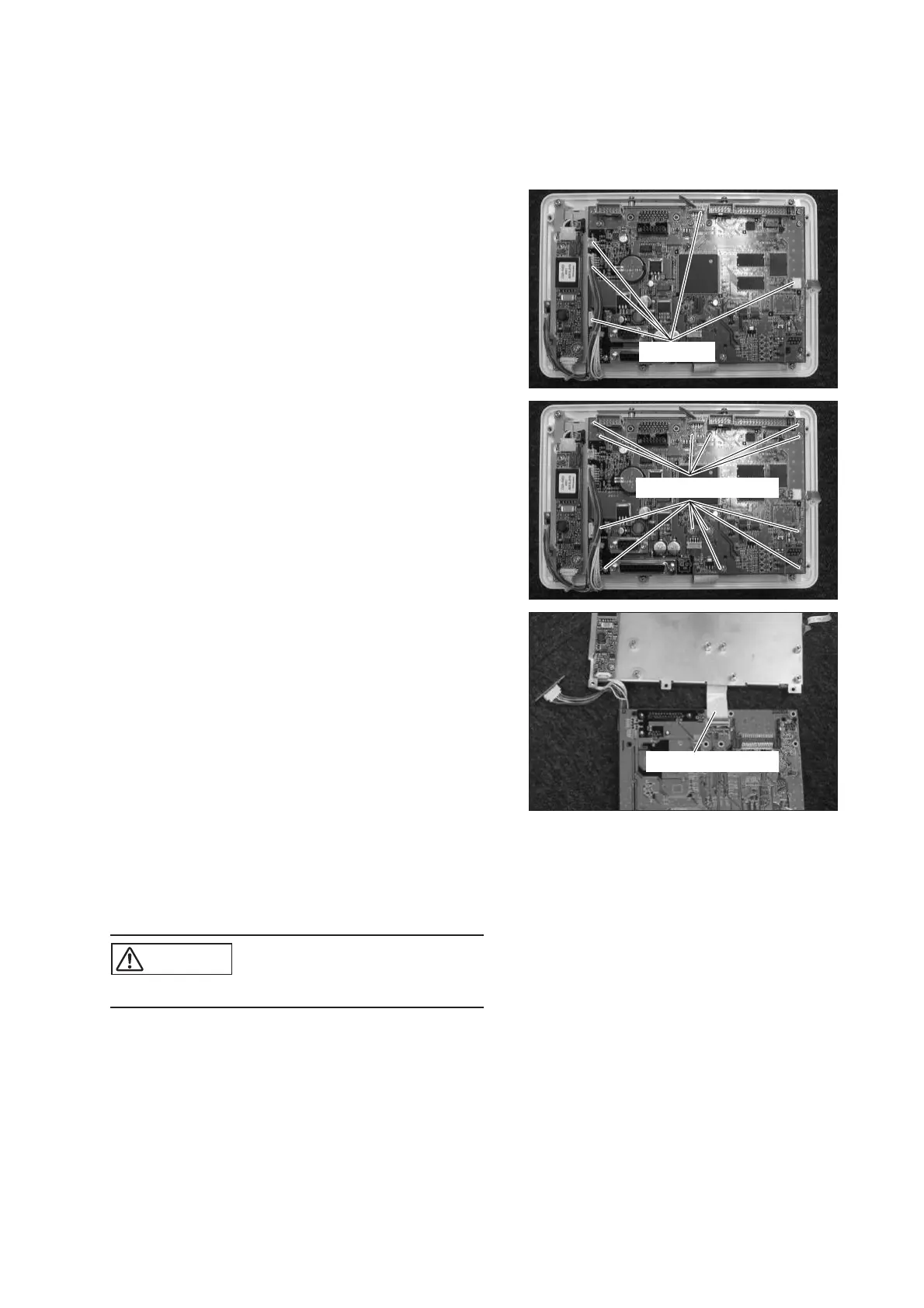
(2) Remove the connectors connected to the LCD dis-
play board.
Remove the connectors (JB1, JB2, JB9, JB11, JB19)
from the LCD display board.
Connector
(3) Remove the LCD display board.
Remove the 13 sems screws (M3 x 8) with a Phillips
screwdriver.
Sems screw (M3x8)
(4) Remove the cable attached to the LCD display board.
Remove the flexible flat cable from the back of the
LCD display board.
Flexible flat cable
(5) Reassembly: Reassemble in the reverse order of dis-
assembly.
(6) After reassembling, perform various setting proce-
dures on the control panel.
CAUTION
쎲 Take care not to get the cable caught.



 To Next Page