Maintenance Inspection
43
MAINTENANCE
Description
An appropriate temperature should be displayed when the skin tempera-
ture probe is connected and the tip of the probe is grasped with a hand.
The area around the connecting port should be neither broken nor un-
clean.
The power cord inlet should be clean without any adherent medical fluid.
The plug should not be deformed.
The cord should not be damaged.
It should operate smoothly without making any strange noise.
Item to check
Skin temperature probe
Skin temperature probe
connecting port
Power cord inlet
Power cord
Height-adjusting mechanism
❋ Dead pixels (points on the screen that are always dark) may be found on the LCD display during the inspec-
tion. This is a phenomenon peculiar to an LCD display and not a malfunction. However, if an important
message or a numerical value is not visible due to too many dead pixels, contact your local Atom represen-
tative.
3-1-2. Functional Inspection
앫 Inspecting the basic functions of the incubator
(Preparation 1)
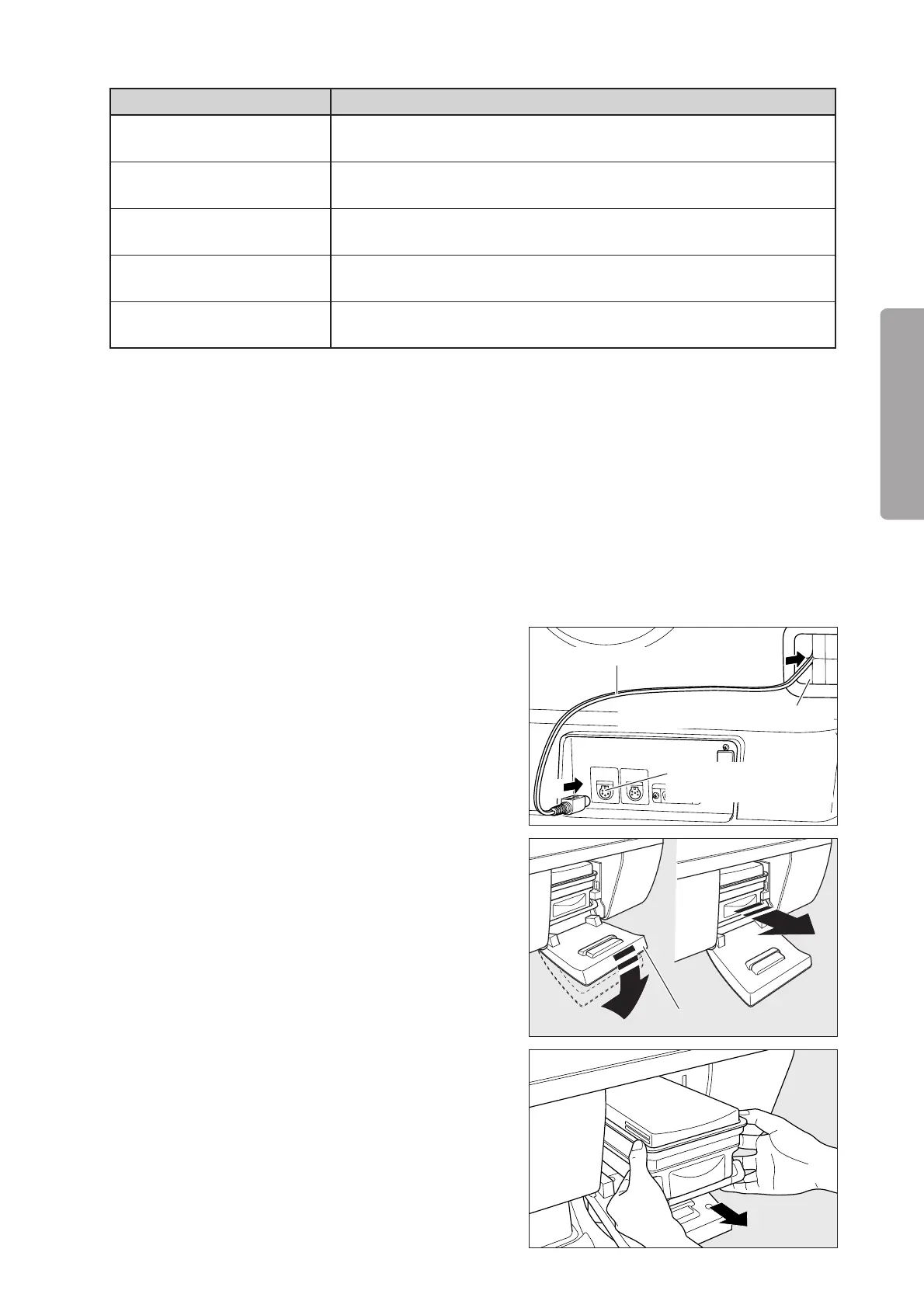
(1) Connect the yellow skin temperature probe to the
skin temperature probe connecting port 1 on the rear
of the main body.
Tube introduction slit assembly
Skin temperature probe
Skin temperature probe
connecting port 1
q
w
(2) Open the humidity chamber cover down to the po-
sition shown in the figure on the right. Draw out the
humidity chamber until it stops halfway. Lift up the
humidity chamber slightly and take it out.
Allow the humidity chamber and the water in it to
cool down sufficiently before removing the humid-
ity chamber. Otherwise, you may get scalded. Hold
the humidity chamber with both hands because the
humidity chamber filled with water is heavy.
Humidity chamber cover



 To Next Page