Disassembly and Replacement Procedures
DISASSEMBL
Y
AND REPLACEMENT
123
6-4-2. Replacing the Battery
(1) Remove the control board (for the Dual Incu i).
See (1) ~ (5) “6-4-1. Replacing the Control Board
(for the Dual Incu
i
).”
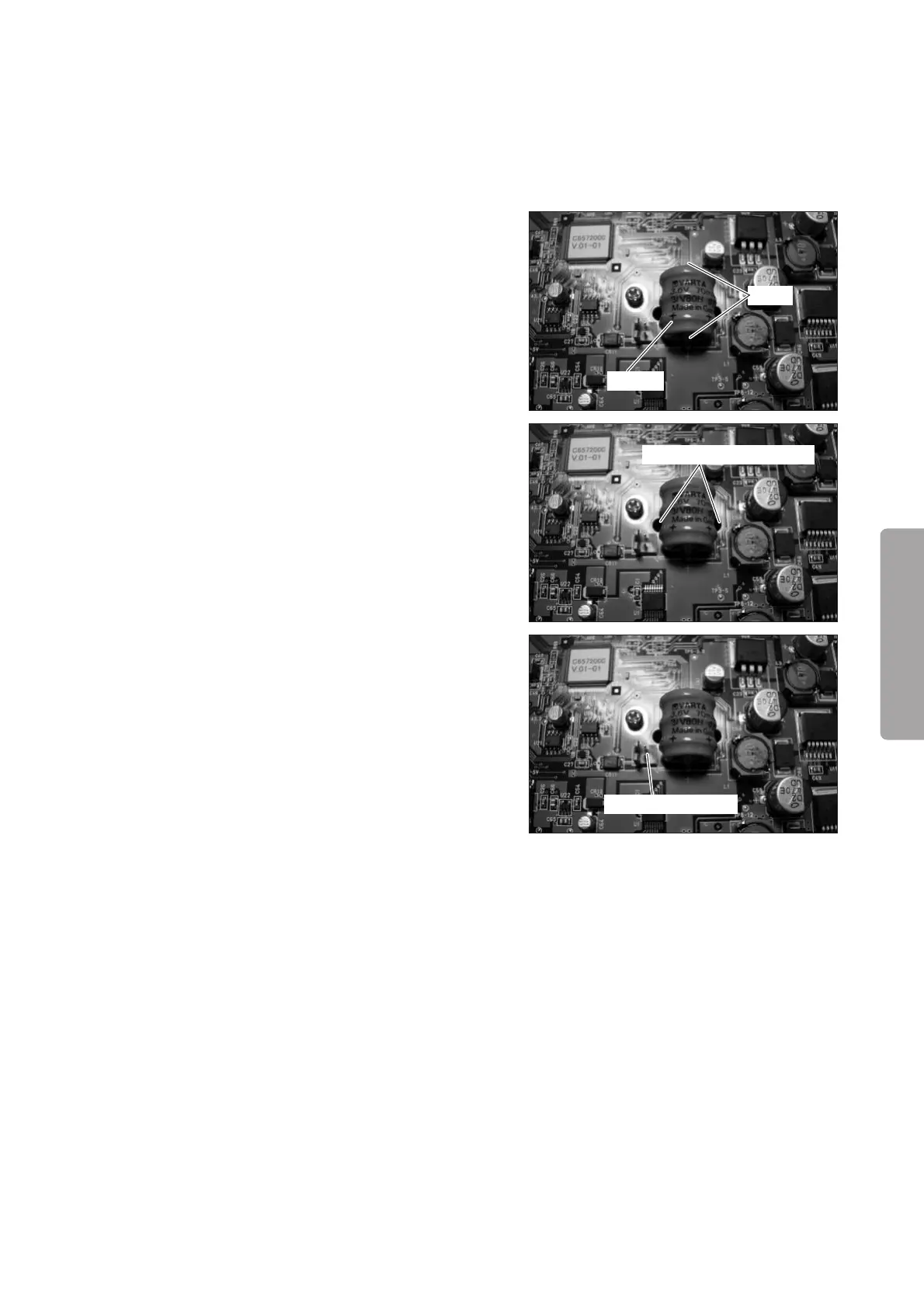
(2) Remove the battery.
Cut the two leads of the battery soldered on the con-
trol board (for the Dual Incu i) with pliers.
Lead
Battery
Hole in the control board
Connector (JA18)
(3) Fix a new battery to the control board (for the Dual
Incu i).
Fix a new battery with a Tie Wrap inserted into the
two holes in the control board.
(4) Connect the connector of the new battery to the con-
trol board (for the Dual Incu i).
Connect the connector of the new battery to the con-
nector (JA 18) of the control board (for the Dual Incu
i).
(5) Reassembly: Reassemble in the reverse order of dis-
assembly.



 To Next Page