Cleaning and Disinfection
MAINTENANCE
57
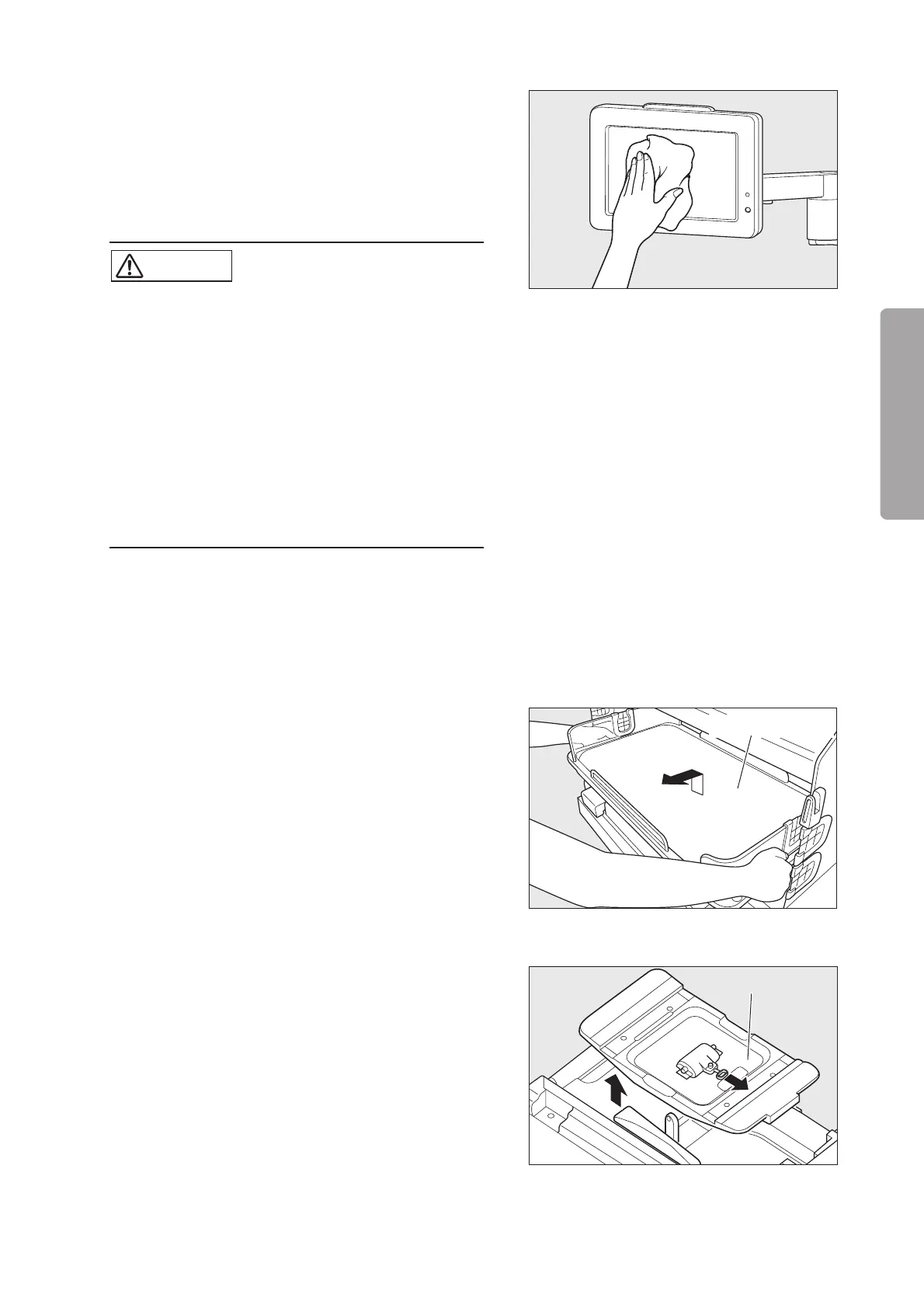
• Control panel
Control panel: Clean the control panel with a soft cloth damp-
ened with a disinfectant solution.
LCD display (the surface of the liquid crystal panel): Clean
the LCD display lightly with a dry cloth. Use a specified dis-
infectant solution when necessary.
CAUTION
쎲 The surface of the liquid crystal panel is specially
treated. Do not rub the panel surface strongly.
The surface may get damaged.
When cleaning the surface of the liquid crystal
panel with a disinfectant solution, soak a cloth in
the solution, wring out the cloth sufficiently, and
then clean the surface softly so that no solution
will enter inside.
쎲 Do not immerse the control panel in water or a
disinfectant solution. Immersing it in water or a
disinfectant solution may cause it to malfunction.
4-2. Mattress Platform and Parts Beneath
• Mattress platform
Hold both ends of the mattress platform and slide the mat-
tress platform toward you. When it has been drawn out just
halfway, lift it up and take it out. Clean it with a soft cloth
dampened with a disinfectant solution.
To replace the mattress platform to its former position, put it
down on the center of the mattress platform tray. Make sure
that the legs of the mattress platform are attached to the cor-
rect positions.
• Mattress platform tray
Pull the hook on the mattress platform tray. Lift the tray up
and disengage it from the tilting arm. Clean it with a soft
cloth dampened with a disinfectant solution.
Mattress platform
Mattress platform tray



 To Next Page