Maintenance Inspection
44
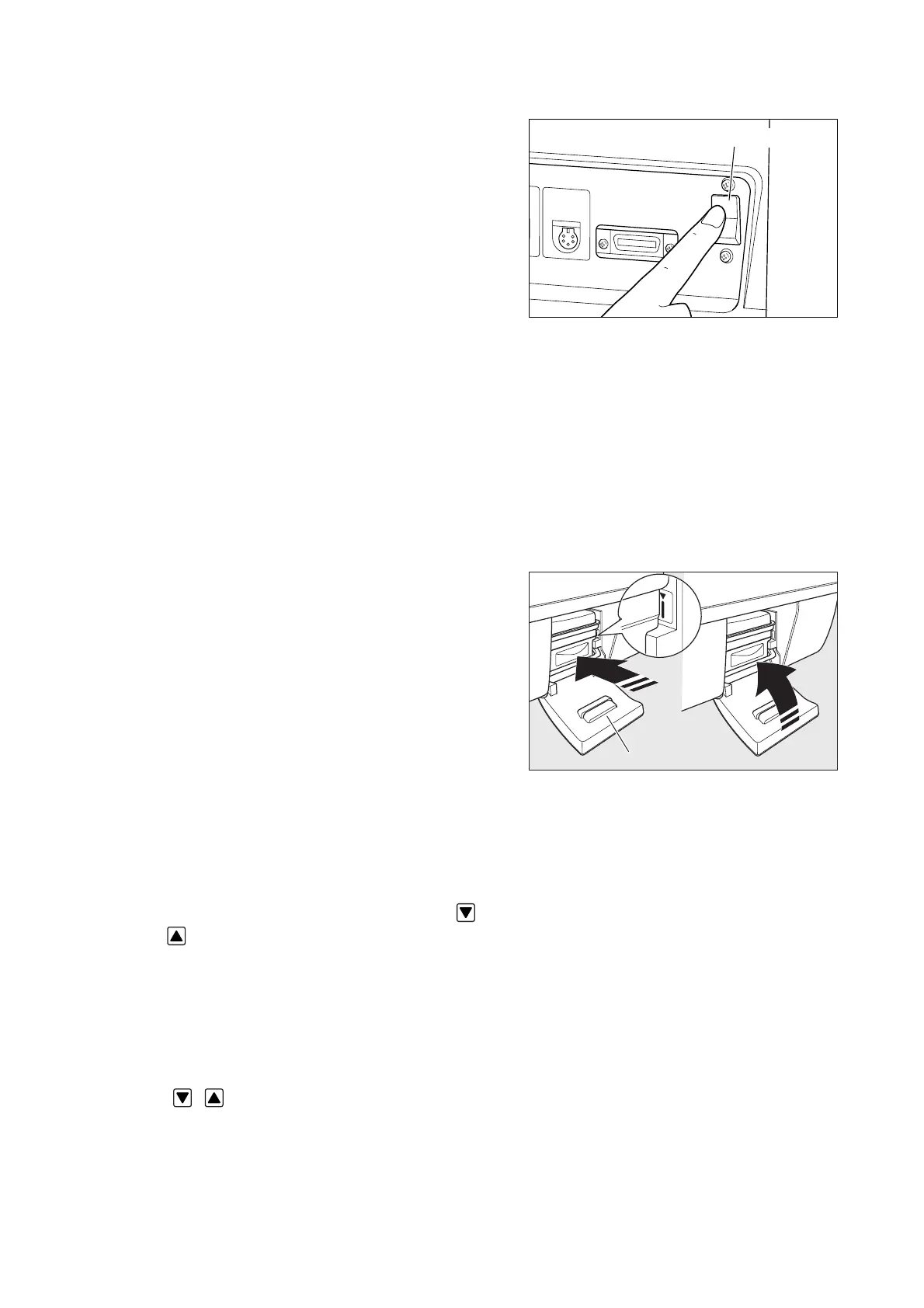
Power switch
(Checking the displays and the audible alarm)
(3) Turn on the power switch to activate the system.
Check:
q Does the alarm lamp come on and does the au-
dible alarm sound immediately after the power
switch is turned on?
w Is a numerical value displayed on the incubator
air temperature display?
e Is a numerical value displayed on the skin tem-
perature 1 display?
r Is a numerical value displayed on the relative hu-
midity display?
t Is the “humidity chamber off alarm” indicator is
on?
y Are the alarm indicators other than the “humid-
ity chamber off alarm” indicator off?
❋ Digital indication includes “LOW/HIGH” indica-
tion.
(Checking the humidity chamber)
(4) Push the humidity chamber in which the cartridge
tank is placed gently into the main body until the
marking shown in the figure on the right is visible
and close the humidity chamber cover.
Check:
q Does the “humidity chamber off alarm” indica-
tor go out?
Humidity chamber cover
(Checking the temperature setting operation)
(5) Set the temperature to 23.0˚C in the manual control
mode.
Check:
q Does the numerical value on the set temperature
display change when either setting switch ( ·
) is touched?
(Checking the relative humidity setting operation)
(6) Set the relative humidity to 95%RH.
Check:
q Does the numerical value on the set relative hu-
midity display change when either setting switch
( · ) is touched?



 To Next Page