Maintenance Inspection
45
MAINTENANCE
(Checking the oxygen controller (for the unit with the oxygen controller))
(7) Enable the oxygen controller function.
Check:
q Is a numerical value displayed on the oxygen
concentration display?
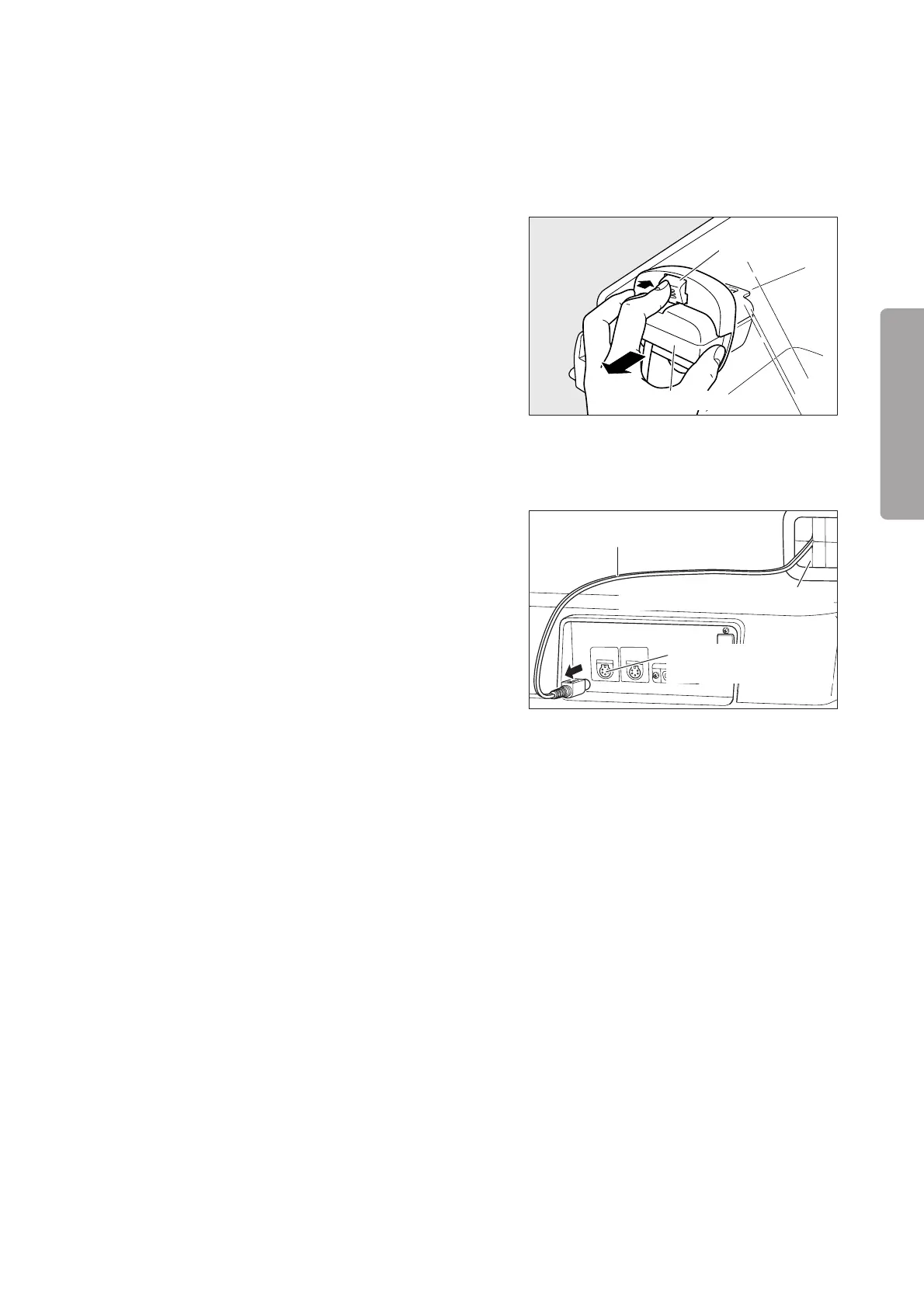
(8) While pressing the lever, pull out the sensor mod-
ule and perform the 21% calibration procedure.
Check:
q Is “21%” displayed on the oxygen concentration
display after a while?
Sensor module
Lever
(Checking the skin temperature probe alarm)
(9) Set the temperature to 37.5˚C in the servo control
mode.
(10) Remove the skin temperature probe connected to
the skin temperature probe connecting port 1 on the
rear of the main body.
Check:
q Does the skin temperature probe alarm occur?
Tube introduction slit assembly
Skin temperature probe
Skin temperature probe
connecting port 1
(Checking the system failure alarm)
(11) Remove the sensor module connector connected to the rear of the main body.
Check:
q Does the system failure alarm occur?
(Checking the power failure alarm)
(12) Remove the power cord.
Check:
q Does the power failure alarm indicator come on?
w Does the audible alarm sound?
(Preparation 2)
(13) Turn off the power switch.
(14) Attach the power cord.
(Weight monitor)
(15) Connect the weight monitor cable to the connector for the weight monitor on the rear of the main body.
(16) Turn on the power switch to activate the system.
(17) Have the weight screen displayed.
Check:
q Is “_ _ _ _ g” displayed on the weight display area?



 To Next Page