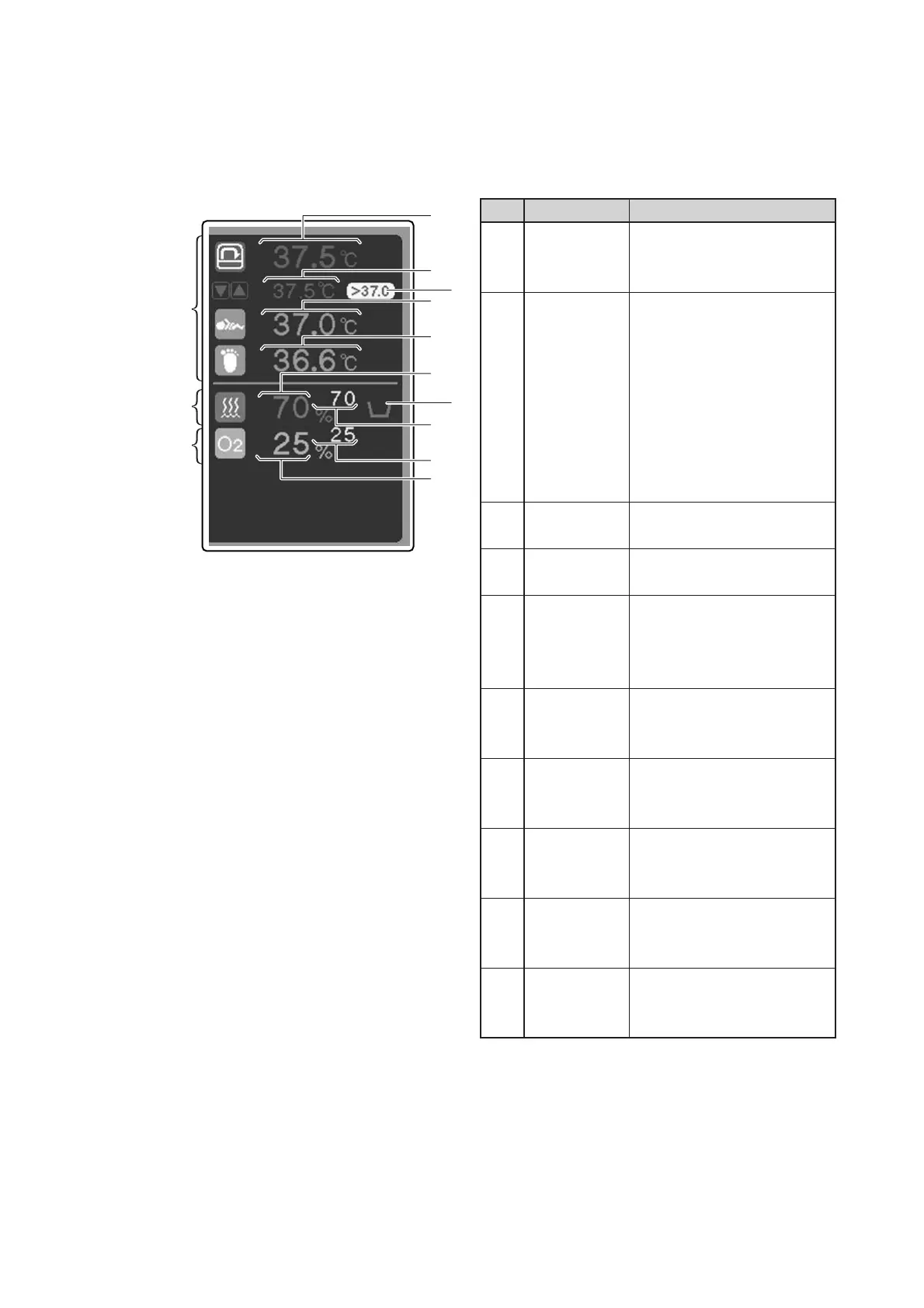
Parts Identification
24
Description
Displays a detected incubator
air temperature digitally.
Displays a set incubator air
temperature in manual control
(in the same color as the de-
tected incubator air tempera-
ture).
Displays a set skin tempera-
ture 1 in servo control (in the
same color as the detected
skin temperature 1).
Comes on in the override
mode.
Displays a detected skin tem-
perature 1 digitally.
Displays a detected skin tem-
perature 2 or 왕T (detected
skin temperature 1 detected
skin temperature 2) digitally.
Displays a detected relative
humidity in the incubator digi-
tally.
Indicates the level of water in
the humidity chamber or the
state of the humidity chamber.
Displays a set relative humid-
ity digitally.
Displays a set oxygen concen-
tration digitally.
Displays a detected oxygen
concentration in the incubator
digitally.
No.
q
w
e
r
t
y
u
i
o
!0
Name
Incubator air
temperature
display
Set tempera-
ture display
Override
indicator
Skin tempera-
ture 1 display
Skin tempera-
ture 2 display
Relative
humidity
display
Water level
indicator
Set relative
humidity
display
Set oxygen
concentration
display
Oxygen
concentration
display
q
r
t
i
o
!0
w
e
u
y
Temperature
area
Relative
humidity
area
Oxygen
area
[Numerical values area]
❋ Touch an appropriate area (the temperature area, the relative humidity area, or the oxygen area) to start the
area-related setting operation. (You can follow the same procedure as on the main screen.)



 To Next Page