Maintenance Inspection
53
MAINTENANCE
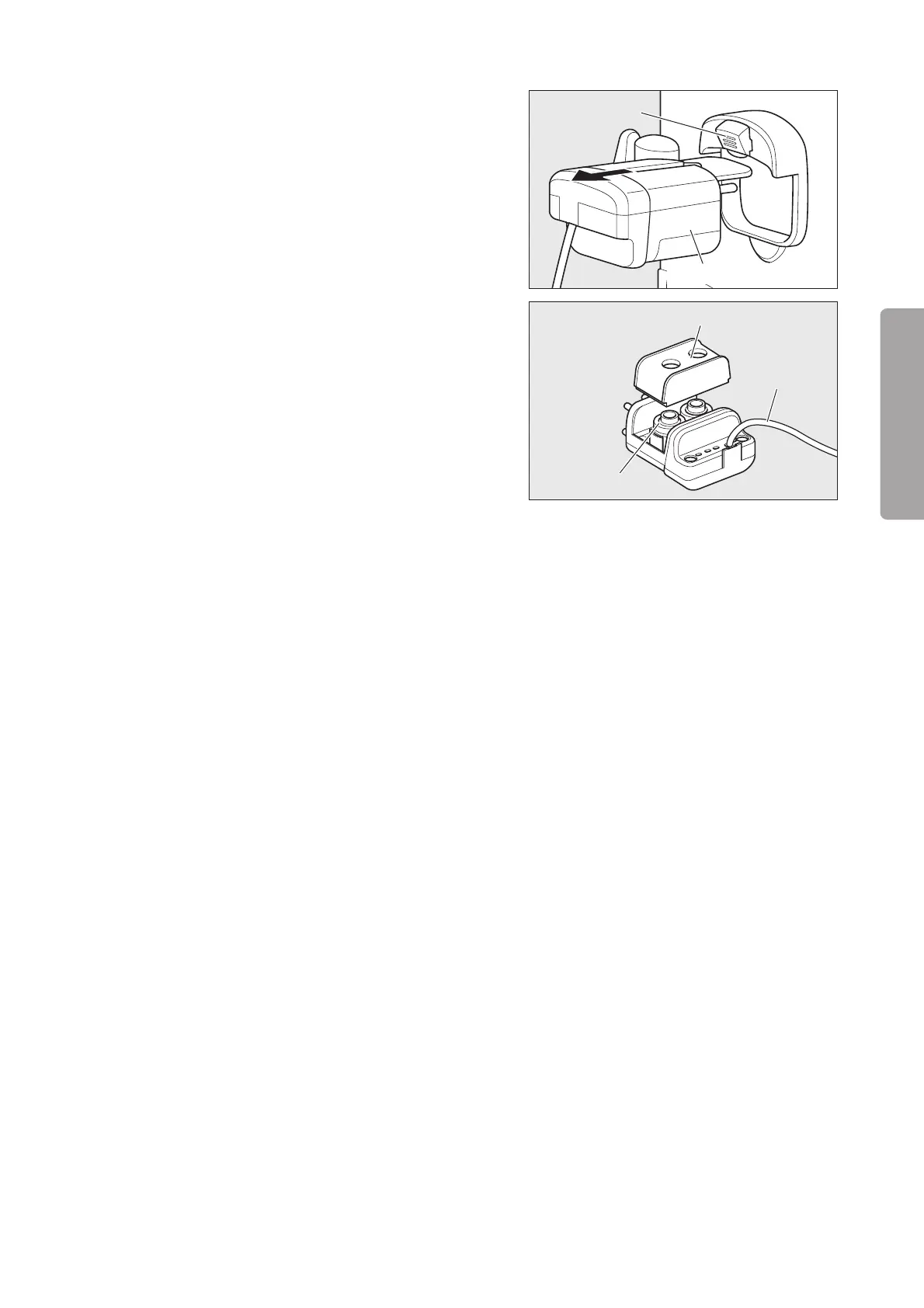
(1) Remove the plug of the cable of the sensor module
from the main body and then pull the sensor mod-
ule out of the hood.
Sensor module
Lever
Oxygen sensor
Oxygen sensor cap
Cable
(2) Remove the oxygen sensor cap and take out the two
oxygen sensors from the sensor module.
(3) Attach the new sensors to the module by fitting each
sensor head properly in the corresponding holder
in the module.
(4) Attach the oxygen sensor cap and replace the sen-
sor module to its former position in the hood. After
connecting the plug of the sensor module to the main
body, calibrate the sensors.
❋ The unit counts the number of hours that pass after the oxygen sensors are replaced. When the time comes
to replace the sensors, a message appears on the screen to remind the user. The counter must be reset after
the oxygen sensors are replaced. Otherwise, the message will remain on. Be sure to contact your local Atom
representative if you have replaced the oxygen sensors yourself.



 To Next Page