82 User’s Manual—SNAP™ 500 Gen 1 and Gen 2
Classification: Avery Dennison - Public
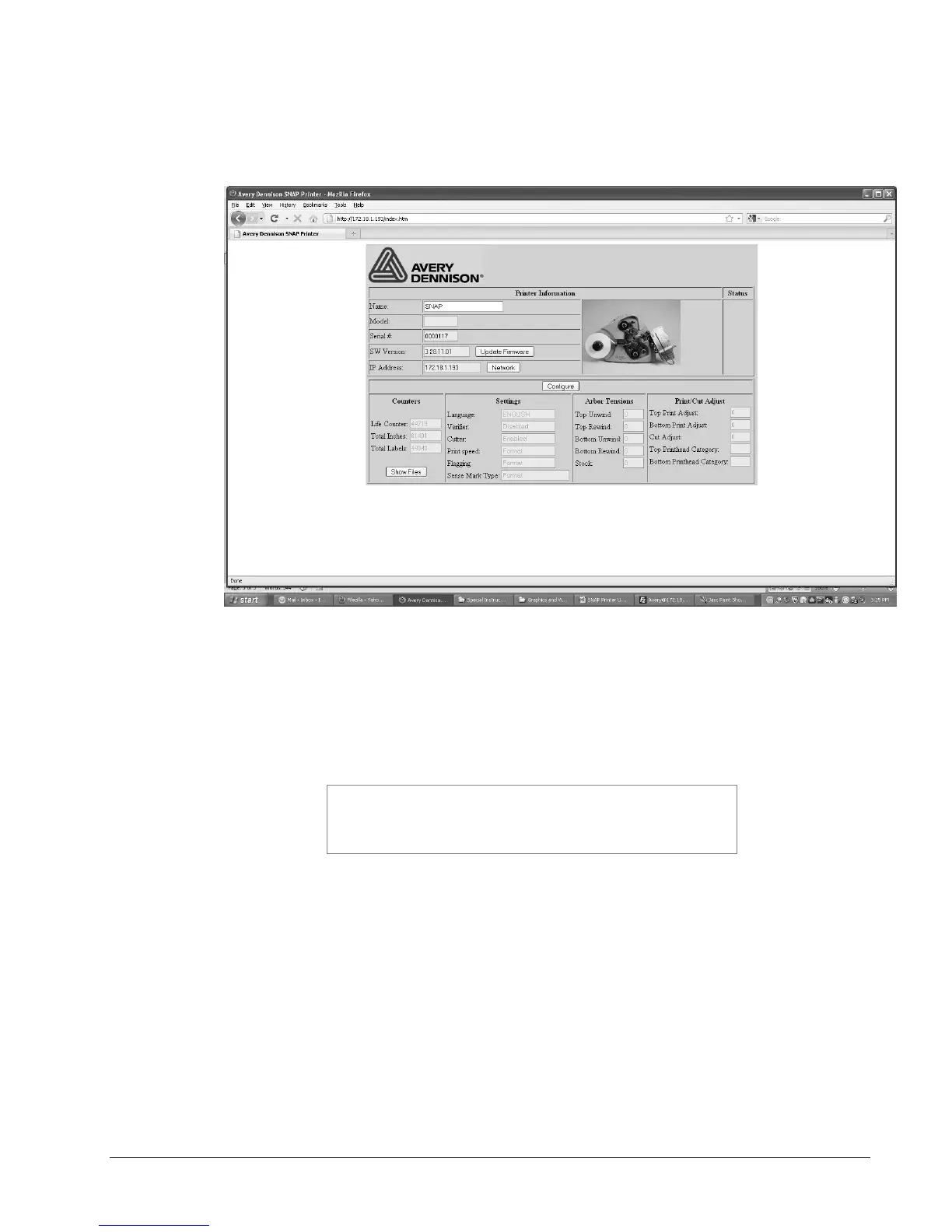
7. To upgrade the printer, first open a browser window, enter the printer’s IP
address in the address bar, and press Enter. The following window will appear.
8. Click the Upgrade Firmware button. The printer will perform the upgrade
operation automatically.
9. There is no indication from the browser when the upgrade is complete. To
determine if the upgrade is complete, refresh the browser window. When the
upgrade is complete, the above window will reappear with the new firmware
version shown in the SW Version box.
If you refresh the browser window during the upgrade
process, you will receive an error message that the
connection has timed out or the web page is unavailable.
Simply refresh again until the web page appears.















 To Next Page