AvL Proprietary and Confidential
Content is Subject to Change without Notice Page 186 of 195
If system has external RIOM modules, Verify connections from ACU to external RIOM (i.e. Tyco
connections) are secure. If all connections appear to be correct, contact AvL Customer Support to
verify correct RIOM software is installed.
8.3 Modem Signal Source not found on scan
When during the initial acquisition scan, a signal was not detected by the ACU’s external device (i.e.
modem, beacon receiver, etc.), follow steps below
8.3.1 Verify Communication
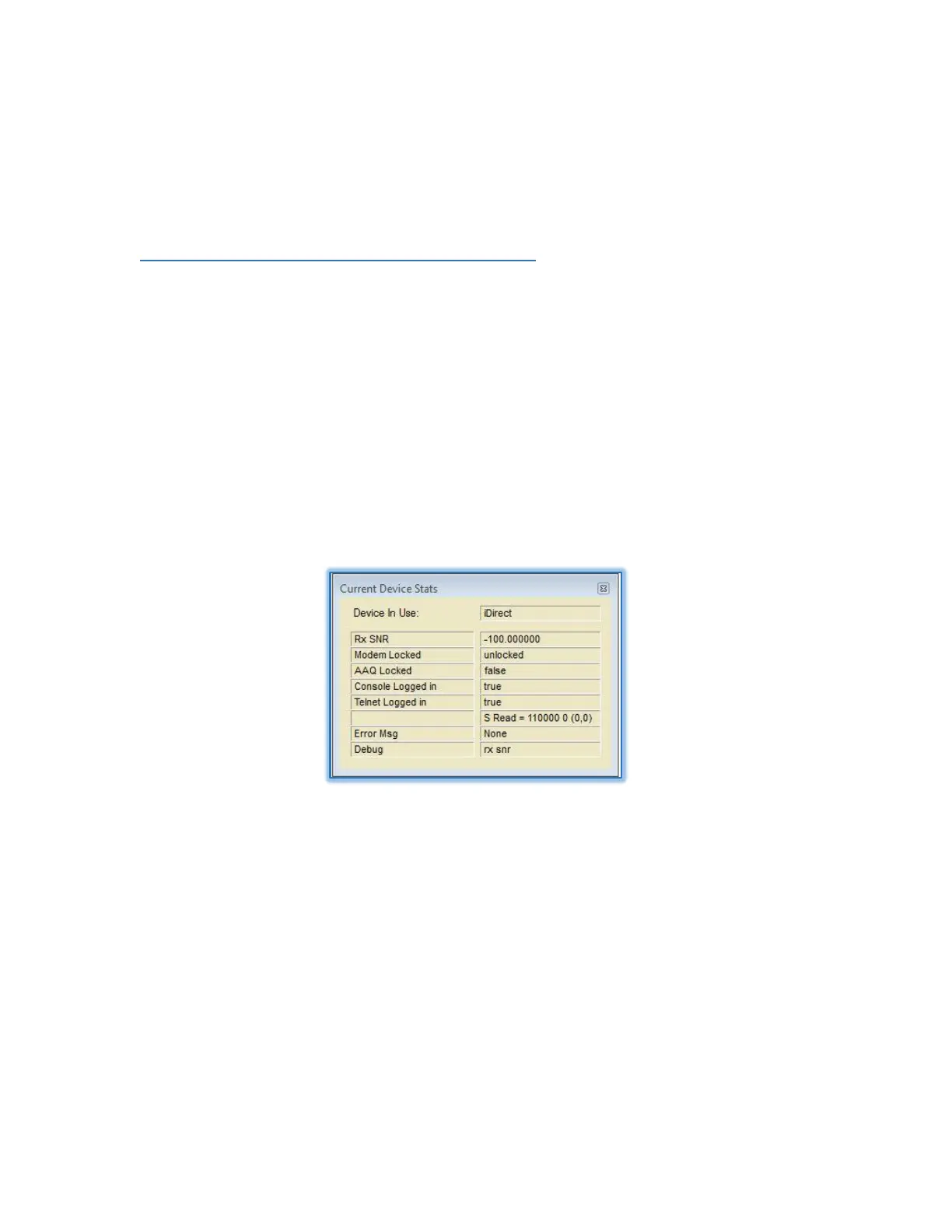
Verify communication between the ACU and modem are present by viewing the “Current Device
Stats” window found in the VIEW>DEVICE WINDOW tab.
If communications is present the window will populate with the device’s information, if
communications is not present the window will be blank for the device in use. The unit will fail to
acquire if communication is not present between the ACU and the external device.
Figure 8.3.1 – Current Device Stats Example
8.3.2 IP Addressing
Verify the Configuration port and IP addresses are set to the match the external device settings. (i.e.
192.168.100.1, port settings: 80 for Viasat modem).
Verify that Ethernet and/or serial connection is present between the ACU and external device.
If the “Device in use” box shown in figure 8.2.1, shows blank, then the external device is still not
recognized by the ACU.
Contact AvL Customer Support to verify the correct module is installed in the AAQ Version Info
found in Help > Version tab.


 To Next Page