140
Appendix 1, User Guide for MC5 HART Option
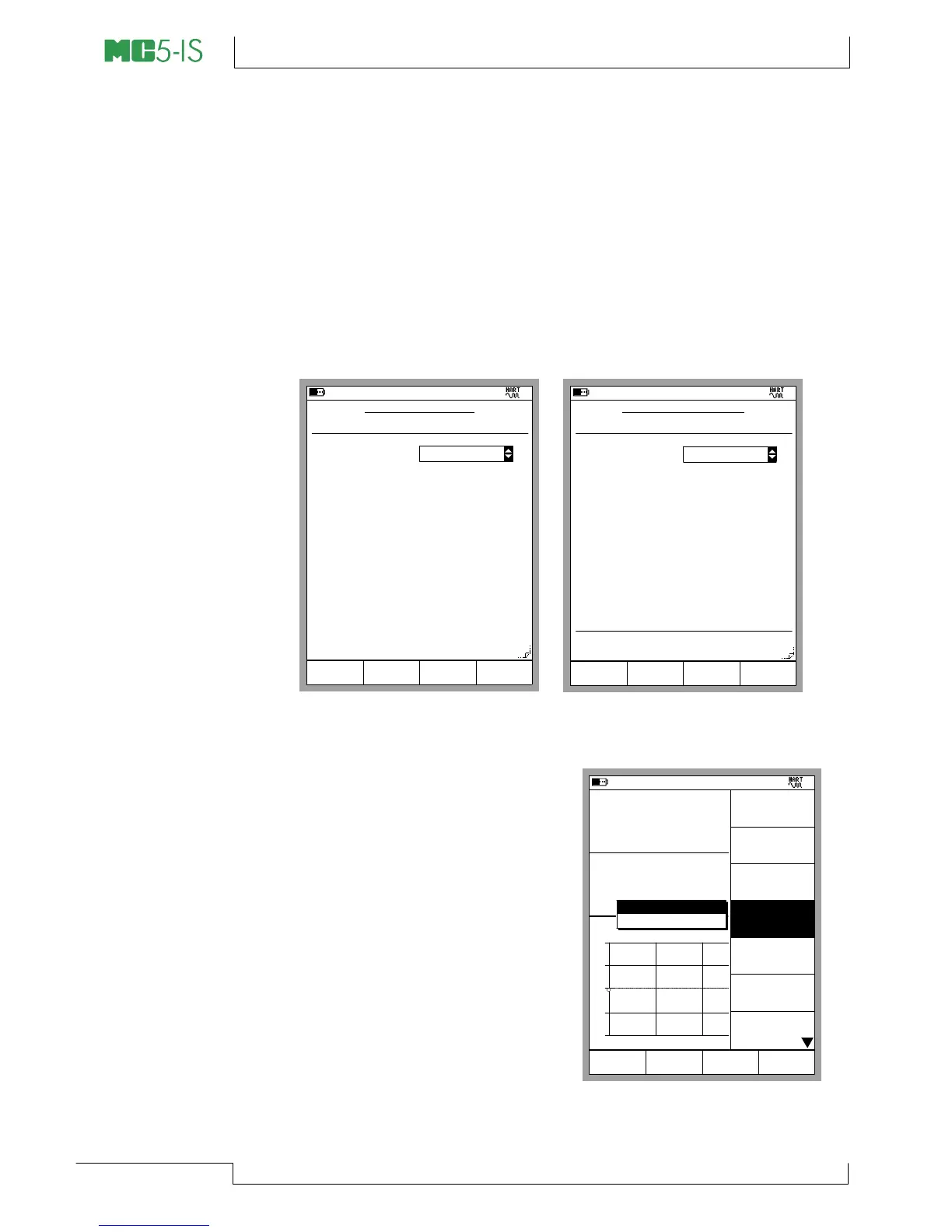
How MC5-IS continues depends on the instrument previously se-
lected for calibration:
• If the output signal of the previously selected instrument is the
digital output of a HART instrument, the instrument input data
windows, shown as the leftmost picture below is opened im-
mediately.
• For all other output signals MC5-IS prompts you to start the
communication and select the instrument to be calibrated (re-
fer to the picture in chapter Selecting the Instrument to be
Calibrated on page 138. Then the instrument input data win-
dow shown below is opened.
11.04.2002 8:50
INSTRUMENT INPUT
Input Method
Measured
Unit
mbar
Range
0.000000
Pressure
Port 1
INT1C
Pressure type
Gauge
0 %
1000.0000
100 %
Trim
page
Next
Edit
11.04.2002 8:51
INSTRUMENT OUTPUT
Output Method
Range
4.000000
Current
Port
E
Unit
mA
0 %
20.000000
100 %
Transfer Function
Linear
Measured
Trim
page
Next
Edit
Press B/Next Page Function Key to check/edit instrument output
data and then A/Trim to start the adjustment.
MC5-IS opens the HART Adjust-
ment menu with the Digital Output
(PV) selected. To change to Ana-
log Output (AO), use the menu op-
tion 4/Select Output.
Note.
Do not trim a HART instrument unless
you have the knowledge and are au-
thorized to trim it.
29.05.2002 15:42
Input
Error
1.00
Output
kPa
4.3362
-0.04 % of span
0.0433
+
0
-
0% 50% 100%
Pressure [P1:INT20C]
Current [E: Meas]
mA
gauge
Trim Lower
0% Range
Trim Upper
100% Range
Check Any
Value
Device
Information
Device
Settings
Select
Output
[AO]
End
HART
Adjustment
Analog Output (AO)
Digital Output (PV)



 To Next Page