4-10
Each of the displayed features can be set by using the joystick. They are as follows:
CDI SCALE: Sets the full scale deflection of displayed CDIs to 0.3, 1.0, 2.5 or 5.0nm.
CDI DISPLAY: Either turns the CDI display off, or sets it to either a numeric or bar display.
CDI ALARM: Switches the CDI alarm on or off. When on, it is activated at full scale deflection.
WPT ALERT: Sets the distance away from your destination waypoint at which you wish the audio and
visual arrival alarms to be activated. This value is always in nautical miles.
AUTO LEG SELECT: When switched on, the unit will automatically determine which is the most
appropriate leg to fly when calling up a flight plan.
AUTO NEXT LEG: When switched on, the unit will automatically sequence you on to the next
waypoint in a flight plan when it has deemed that the current waypoint has been passed. When
switched off the user will be expected to press the NEXT LEG key in MAP mode to sequence on to the
next waypoint in the flight plan.
TURN ANTICIPATION: Turn Anticipation provides navigation along a curved path segment to ensure a
smooth transition between two adjacent legs in the flight plan.
FLIGHT PLAN DISPLAY: Allows a choice of displaying the full flight plan or just the active leg on the
map screen.
INTERNAL (ARRIVAL and CDI) ALARM: These alarms can be switched on or off.
EXTERNAL (ARRIVAL and CDI) ALARM: These alarms can be switched on or off.
Any changes made in this screen will be saved once the SAVE & EXIT key has been pressed. At any
time the RESET VALUES key can be pressed to return your unit to the default settings. If you wish to
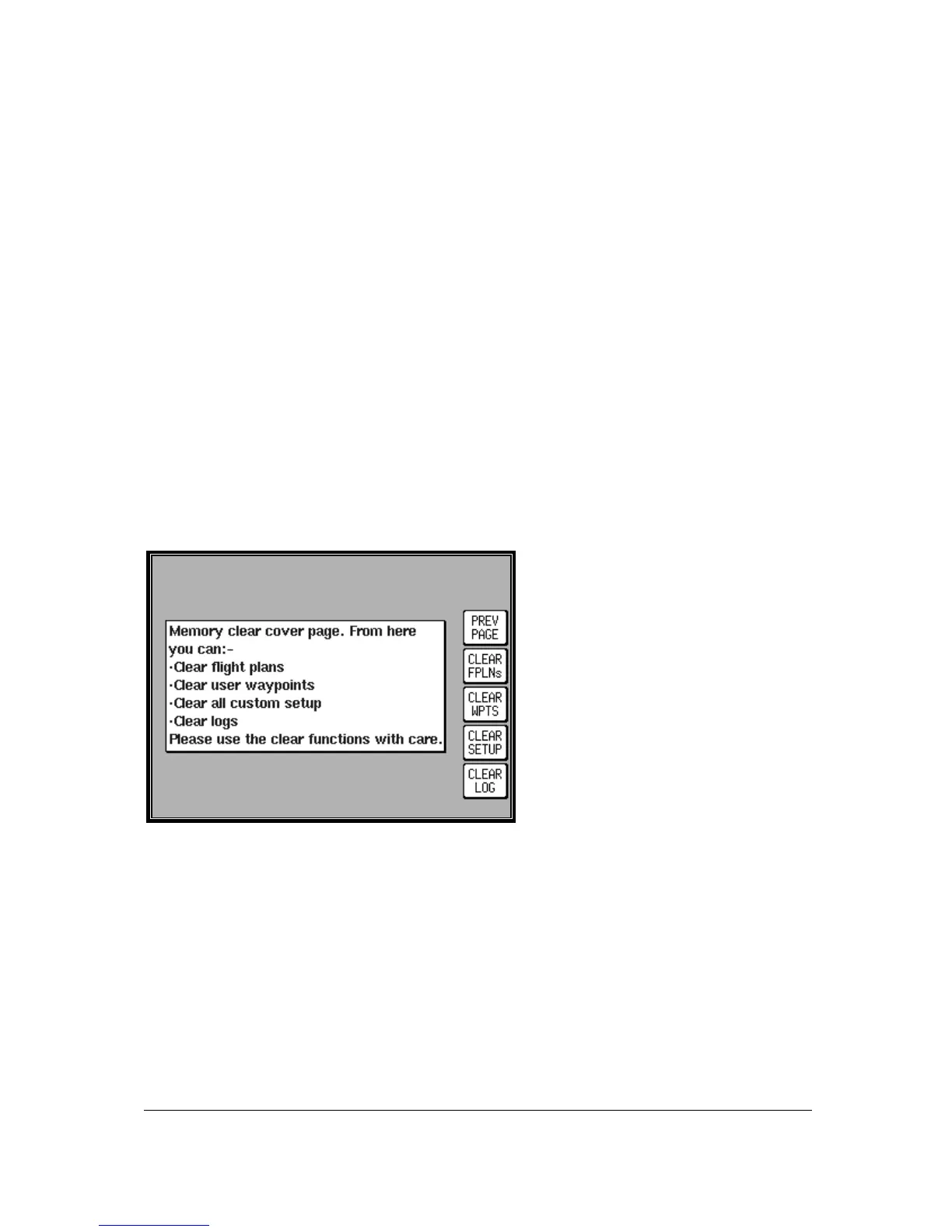
reset all setup options (including MAP SETUP options) to their default setting press the CLEAR
SETUP key in the Clear Memory screen.
Clear Memory
To clear down specific parts of your units
memory press SET UP in MAIN MENU,
followed by INST & DIAGS and CLEAR
MEMORY. You will then be asked to enter
you’re your PIN. Unit default is 1234. You
are now in the Clear Memory screen. Each
block of memory in your unit can be cleared
down individually. CLEAR FPLNs will
remove all your flight plans. CLEAR WPTS
will remove all your user waypoints.
CLEAR SETUP will restore all the default
settings in MAP SETUP and NAV SETUP.
CLEAR LOG will clear the last flight
information, the 2000 flight logged data
points and all running timers.



 To Next Page