8-6
Editing User Airports
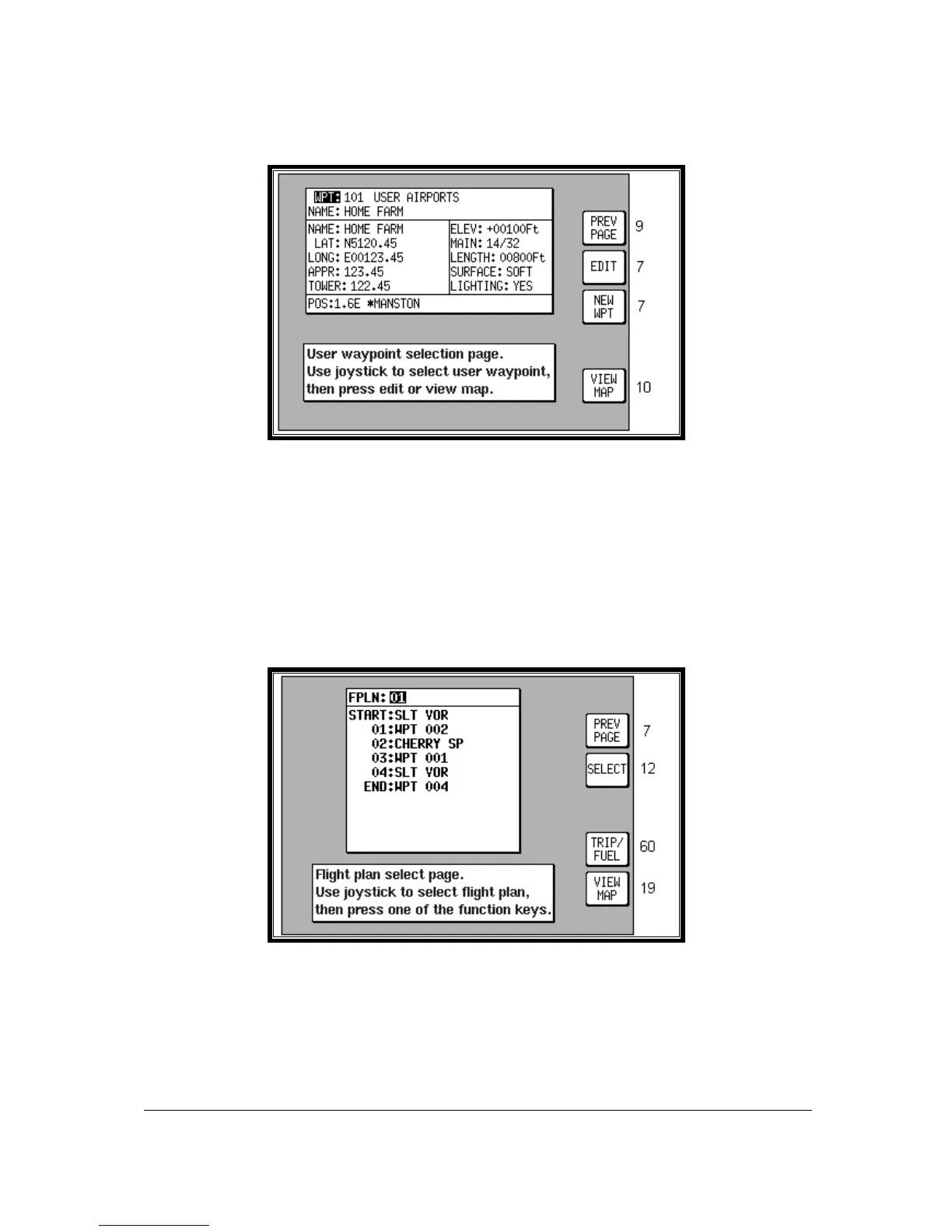
Screen 8A: User Airport Edit Screen
Whenever you select a user waypoint number between 101 and 125 in Screen 8, User Waypoint
Viewer Screen, Screen 8A, User Airport Edit Screen will be displayed. This is similar to Screen 8 but
contains data entry fields where you can enter and store additional information about the airport's main
runway and frequencies.
Flight Plans
The flight plan function allows you to store up to 99 flight plans, as explained earlier in this section.
These flight plans can be recalled from memory and flown in Navigation Mode. You can choose to
use as waypoints any waypoints from the built-in database (which is subdivided and arranged
alphabetically) and also, if you wish, from your own list of user waypoints.
Screen 11: Flight Plan Selection Screen
Pressing FLIGHT PLAN in Main Menu, followed by EDIT FPLN, accesses this Screen. As you enter
this Screen you will find a cursor positioned over the flight plan number. The first few items of the
selected flight plan are displayed in the box under the flight plan number together with the final
(destination) item. You can then use the joystick to select other flight plans. Use the same technique
as was described earlier for selecting user waypoint numbers. Once you have selected the flight plan
you wish to edit, pressing Key 2, will allow you to manually edit it.



 To Next Page