11-2
To the right of BRG at the top of the map is the ETE. This gives the Estimated Time En-route (i.e. the
estimated time, in hours and minutes, or minutes and seconds if under 1 hour, that it will take you to
get to the destination point from your present position assuming you maintain your present ground
speed.
On the Skymap IIIC unit only, at the top right of the map is the ETA. This is the Estimated Time of
Arrival at the next turning point. Ensure you have set the local time offset correctly to get correct
ETA’s. Refer to the GPS Status Screens Section of this Manual for more details. (The reason that
ETA is not available on Tracker IIIC is that, depending on the type of GPS receiver in use, real time
and local time offset is not always known.)
In the left centre of the screen at the bottom is TRK. This is the actual magnetic track the aircraft is
travelling over the ground. By comparing this with your magnetic heading you can make an estimate
of the crosswind component.
To the right of TRK is GS. This is the actual ground speed of the aircraft and is displayed in Knots if
you set the map units to nautical miles on Screen 22, Map Customisation Screen, MPH if you set them
to statute miles or KPH if the map units are set to kilometres. By comparing the GS with your TAS you
can make an estimate of the head or tail wind component. Alternatively refer to Screen 58, Density
Altitude, True Air Speed, and Winds Aloft Screen in the E6B Calculator Screens Section of this
Manual.
If ground speed is less than 3 Kt., the map will revert to North Up even if Track Up is selected. This is
to stop the map rotating when static due to the effects of SA (Selective Availability, see Appendix 03
for further details of SA).
If you have entered this Screen 47 by activating a flight plan, a DIRECT TO can be performed on top
of the flight plan. You can initiate the DIRECT TO either to an item from the database or by using the
joystick pointer or by calling up one of the 10 nearest airports or beacons. In each case Key 5's label
will change to “DIRECT TO OFF”. The flight plan that previously was active will fall into the
background and will be replaced by the DIRECT TO information. When the DIRECT TO destination is
reached or whenever you press the DIRECT TO OFF Key (Key 5), the flight plan and its information
will be reinstated.
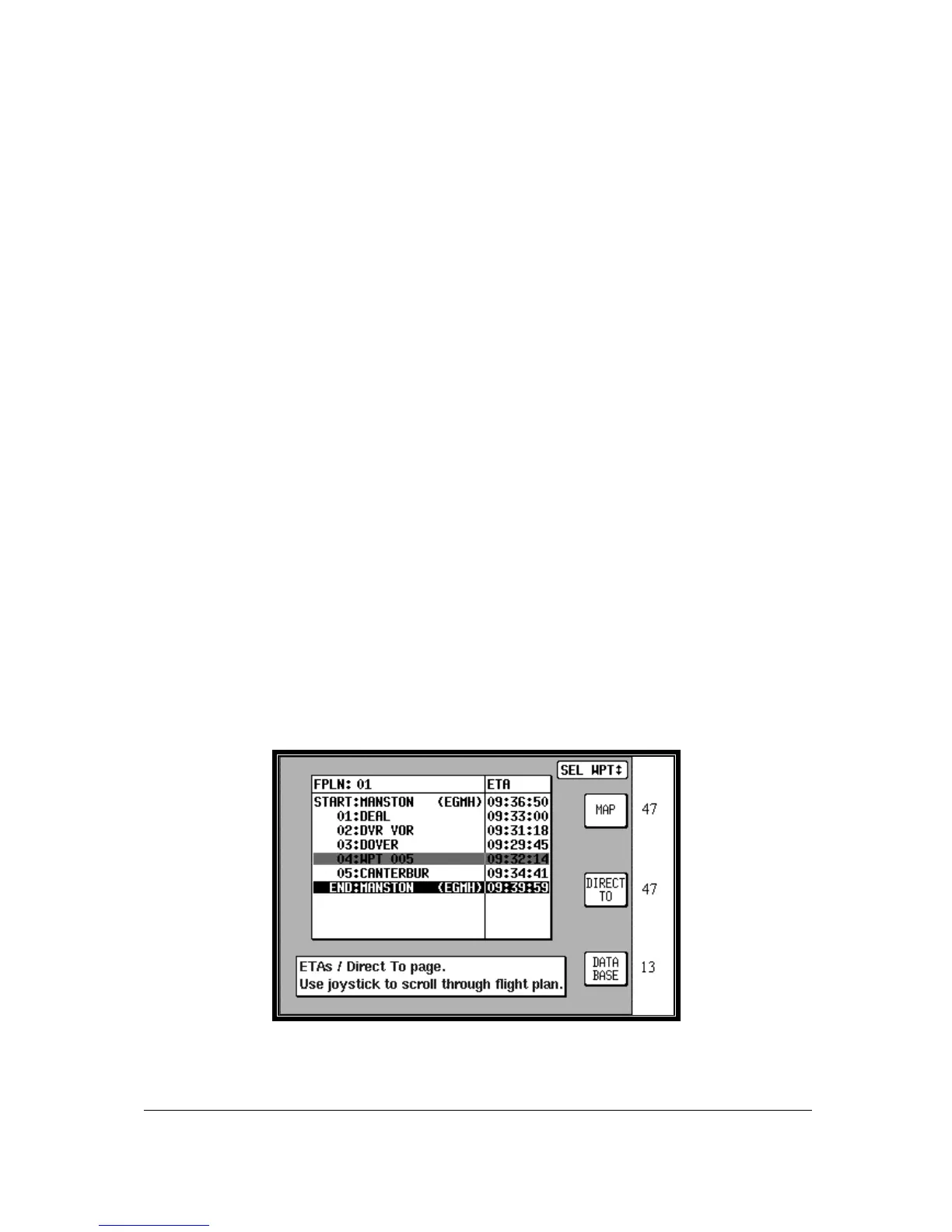
Viewing En-route ETA’s and Direct-To Page
When flying a flight plan, the ETA’s for each leg of the flight plan can be viewed on Screen 41A which is
accessed by pressing Key 5, DIRECT TO on the MAP mode screen (screen 47).
Screen 41A: View ETA’s and Skip Leg Screen.
On entry to Screen 41A, a Magenta cursor will be placed over the current destination waypoint.



 To Next Page