8-9
As stated above, Key 5, TEMP WPT, only appears if this Screen has been entered after performing a
DIRECT TO in Screen 38, MAP Mode. If you press Key 5, this will take you to Screen 15 (see below),
which allows you to enter a DIRECT TO point.
If Key 1, PREV PAGE, is pressed to discontinue the selection process the unit will return to whichever
the previous Screen was, Screen 12, Flight Plan Program/Edit Screen, or Screen 38, MAP Mode.
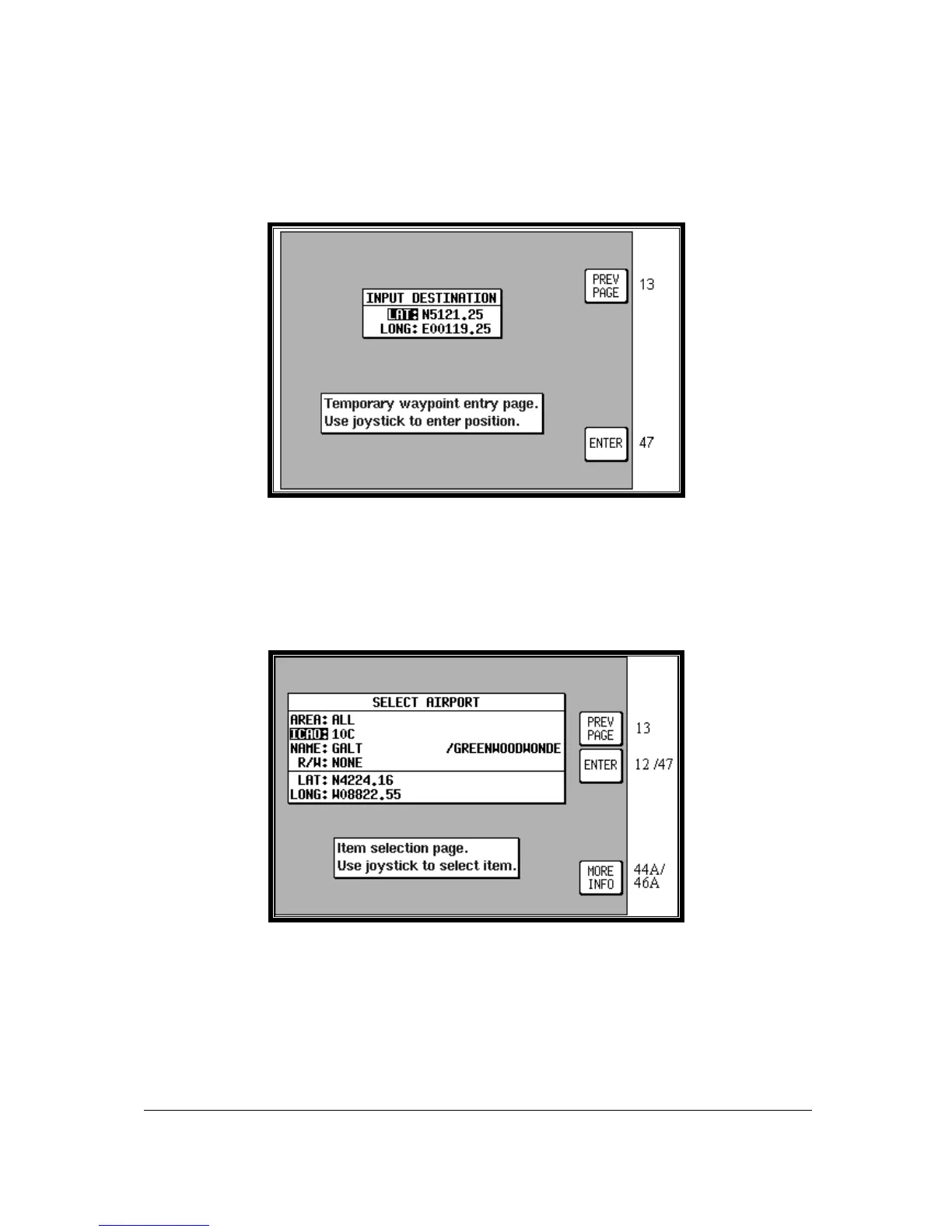
Screen 15: DIRECT TO Destination Input Screen
This Screen allows you to select a DIRECT TO specific latitude and longitude, and is reached by
pressing Key 5 TEMP WPT on Screen 13.
Use the joystick to enter the latitude and longitude of the destination then press Key 5, ENTER, and
Screen 47, Map Mode with Navigation Information, will appear with DIRECT TO OFF on Key 5.
Step 2. Selecting item from chosen database
Screen 16: Item Selection Screen
On entry to this Screen you will find the cursor positioned over the first letter of the first item in the
selected database.



 To Next Page