14-12
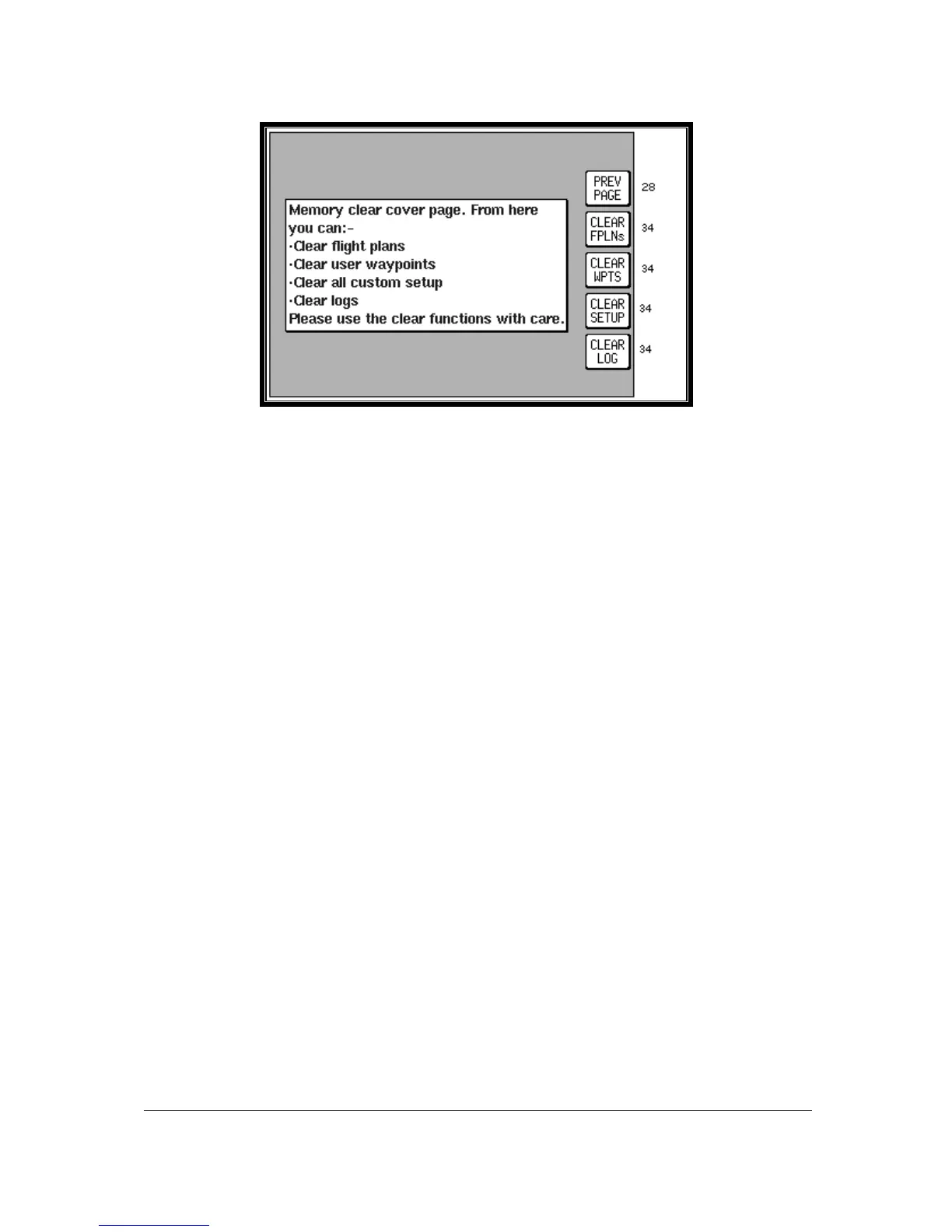
Screen 33: Memory Clear Cover Screen
Be careful to handle operations from this Screen correctly, otherwise you could lose valuable and
important data from the memory of your unit.
If for instance you press Key 2, labelled “CLEAR FPLNs”, you will go straight to a warning Screen that
reads “Clear Memory. ARE YOU SURE?” If you then press Key 1 labelled “PREV PAGE” it will take
you back to Screen 33 again, without erasing any of the memory. If however you decide to go ahead
and press Key 5 labelled “YES” then all the flight plans in memory will vanish from the unit's memory
and you will not thereafter be able to recall this information.
If you press Key 3, labelled “CLEAR WPTS”, a similar procedure will be followed, and pressing “YES”
will this time clear all User waypoints from memory including those being used in flight plans.
Use of Key 4, labelled “CLEAR SETUP”, will reset all the User-Defined Options within the unit to their
original default values. This also clears the Note Pad memory.
Key 5, labelled “CLEAR LOG”, resets the Total Time Run counters that appear on Screens 30 and 31.
This also clears the last flight time log and the 2000 in flight logged points from memory.
Key 1, labelled “PREV PAGE”, returns you to Screen 28 without altering or erasing anything in the
unit's memory.



 To Next Page