13-4
VNAV can be used for climbing as well as descending. If the FROM altitude is set to a lower value
than the TO altitude then everywhere the words DESCENT and DESCEND appear, the word CLIMB
will be used instead.
Trip/Fuel Planning
This feature is entered by pressing Key 4, TRIP/FUEL, on Screen 57, E6-B Calculator Cover Screen, and
allows you to call up any flight plan and view the following details about each leg of the flight plan. This
feature can also be entered whilst flight plan planning from Screens 11 or 42, Flight Plan Selection
Screens.
1. BRG (Initial Track, True)
2. DIS (Leg Distance)
3. ETE (Leg Time)
4. REQ (Fuel Required for Leg)
And for the total flight plan:
1. DIS (Total Distance)
2. ETE (Total Flight Plan Time)
3. REQ (Total Fuel Required)
All you need to input is your cruising speed and your fuel burn. Fuel burn is entered in units / hour. The
units are not important. If you fill your aircraft tanks using US gallons, enter your fuel flow in US gallons /
hour.
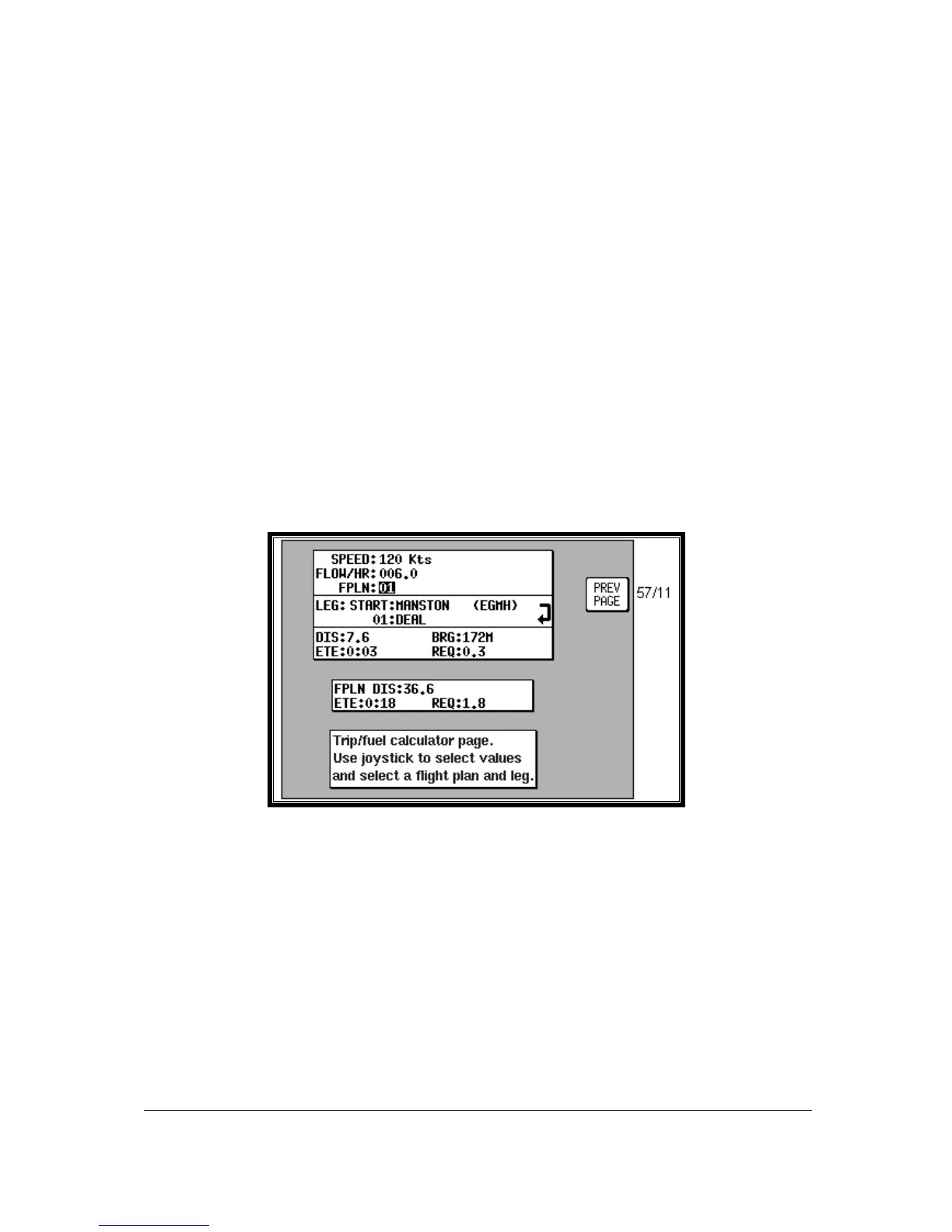
Screen 60: Trip / Fuel Flight Plan Select Screen
On entry to Screen 60, the cursor will be positioned over the flight plan number. Default speed will be
120 knots or that last set. Default flow/hour will be 6.0 or that last set. Moving the joystick up and down
alters the flight plan number. Moving the joystick right moves the cursor down to the leg selection.
Moving the joystick left moves the cursor up to the flow and speed settings.
When using this function for the first time, move the cursor up to SPEED and set the cruise speed of your
aircraft. Move the cursor down to FLOW/HR and set the fuel flow per hour for your aircraft. These
settings will be permanently stored for later use.
Next move the cursor down and select the flight plan you want to perform the calculations for, then move
the cursor down again and scroll through the legs of your chosen flight plan.
As you scroll through the flight plan, the seven calculated fields in the lower part of the Screen will be
updated. The four values grouped together (RNG, BRG, ETE and REQ) are the RNG (Leg Distance),
BRG (Initial Track, True), ETE (Leg Time) and REQ (Fuel required for Leg) for the leg displayed.



 To Next Page