3-1
3 POWER AND ANTENNA CONSIDERATIONS
Power
Your unit is designed to operate from an external source providing a voltage between 10V to 33V DC.
An optional AC Power (either 110V or 220/240V) Adapter is also available as an accessory for home
use.
A pre-wired connector is supplied with your unit. The tail end of which either has a Cigar Adapter
(Skymap IIIC) or flying leads (Tracker IIIC). The cable uses four coloured cores and a braided screen.
The red and blue cores of the cable should be connected to any DC supply between 10 and 33 Volts,
capable of supplying 2 Amps.
1. Connect the RED core via a 3 Amp fuse to the positive (+) side of a 10V-33V DC power
source.
2. Connect the BLUE core and the braided screen to the negative (-) side of the same power
source.
You may also power your unit from a 12 or 24 volt automobile type cigarette lighter socket. However
certain of these lack proper circuit protection and may provide an unreliable supply so we recommend
that wherever possible an approved aircraft power source be installed by a licensed radio engineer.
The yellow and green cores are the data in (yellow) and data out (green) lines. If your unit is a Tracker
IIIC, the yellow core (data in) should be connected to the data output line of your GPS. Refer to the
Data Input Section of this Manual for more details.
If your unit is a Skymap IIIC, the yellow core (data in) can also be connected to the data output line of
another GPS, if required and the Skymap IIIC can be switched to Tracker mode and used as a
repeater for that GPS.
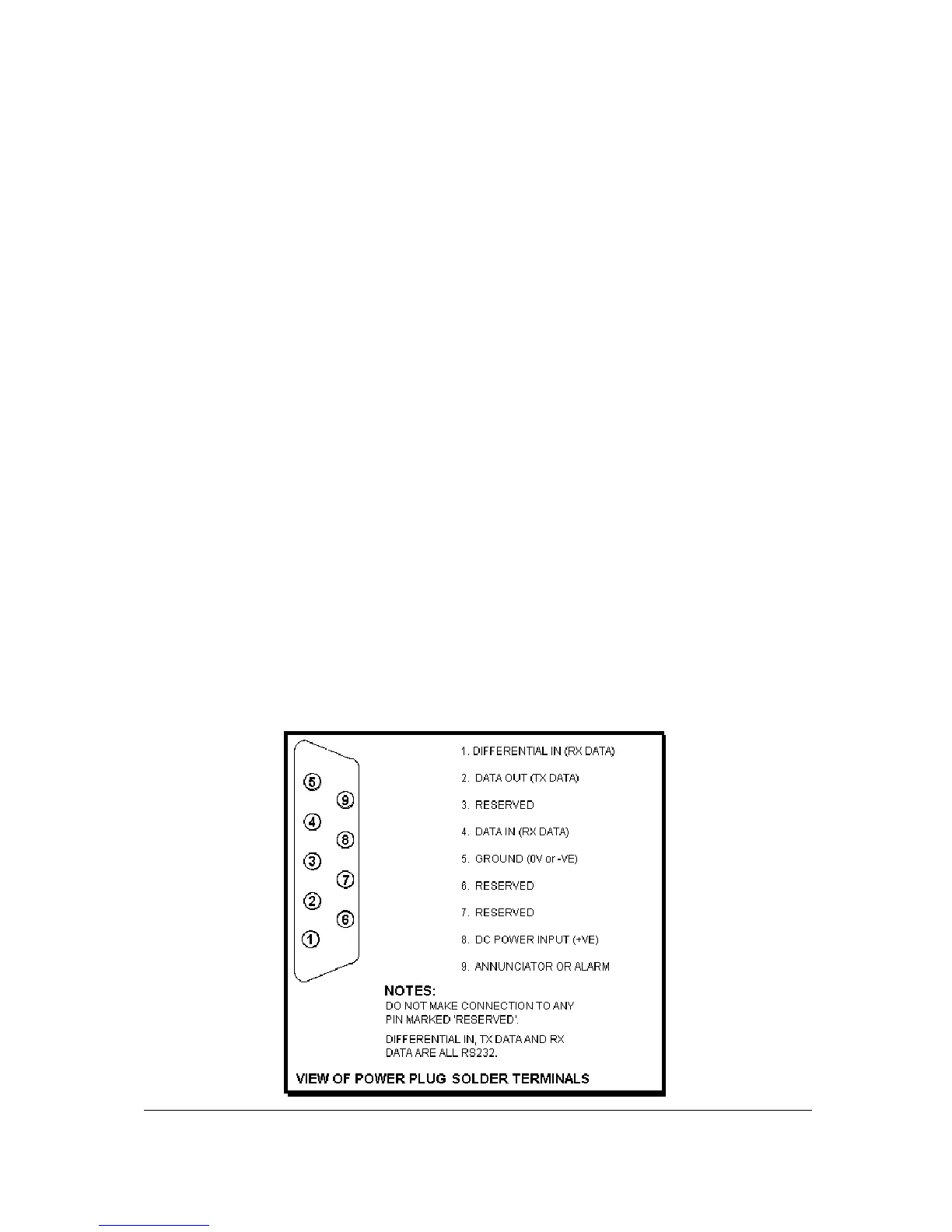
Your unit also has a differential serial data input and external alarm outputs available on the 9 way
connector for optional use. The green core of the cable is connected to the serial data output pin and
may be used to drive an AirData computer, a plotter or a data recording device (see Appendix 05 for
details of data output).



 To Next Page