14-14
Data output on Tracker IIIC is limited to echoing the data input. This provides a useful RS232 buffer
for connecting other listening devices to your GPS data output.
Skymap IIIC can output standard aviation RS232 data at 9600 baud or NMEA 0183 format RMC, GGA
and RMB sentences at 4800 baud. See Appendix 05 for full details.
The AVIONICS INTERFACE output setting for Skymap IIIC is for use when connected to the
Bendix/King Avionics Interface Module (AIM). The AIM is an optional accessory allowing you to
connect your Skymap IIIC up to other aircraft instruments including the Autopilot. Key 4 will only
appear if the AVIONICS INTERFACE output is selected and calls Screen 37, the output test page
(Skymap IIIC only).
The second box is for information only, and is only show when the GPS Source is External. The unit
will automatically sense the type of incoming data. It first sets up the default data type and then if the
incoming data is not recognised, it steps through the other data input options until it finds a format it
recognises.
The data type the unit is looking for will be displayed next to the DATA INPUT heading. Once a valid
format is found, searching will be disabled. For Skymap IIIC there are no valid data input types.
Tracker IIIC can accept NMEA, AR-NAV (RS 232) and Northstar binary data at either 1200, 4800 or
9600 baud. See section 7, Data Input for further details.
Once a valid format is recognised and sentences are being decoded, the word YES will be displayed
next to RECEIVING DATA. If the data is not recognised or is not present, the word NO will be
displayed. If the data is valid and useable, the word YES will appear next to the words DATA VALID, if
the data is not valid or useable then the word NO will be displayed.
When Skymap IIIC is used with an external GPS source, the data output will be limited to OFF and
ECHO INPUT.
Output Test
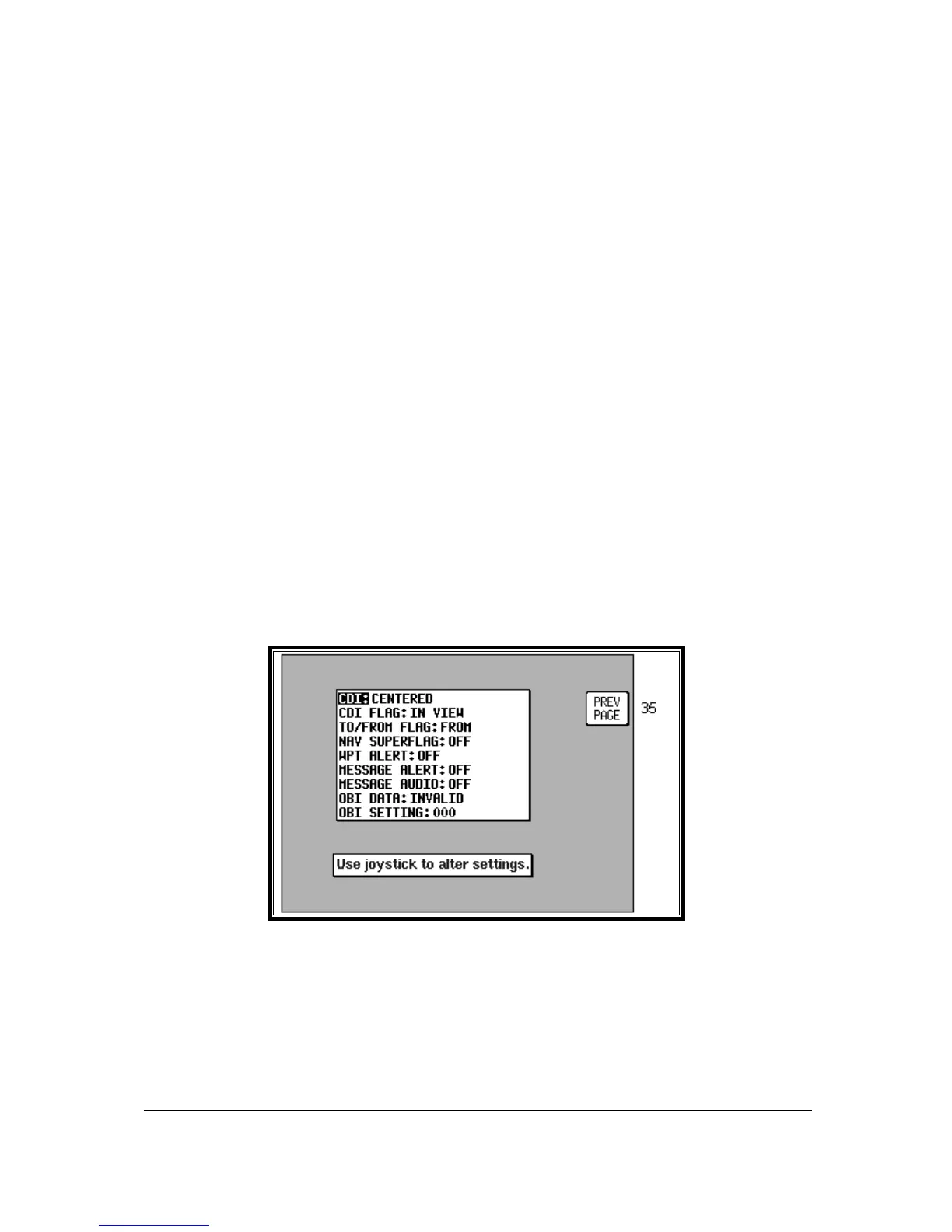
Screen 37: Aviation Interface Output Test Screen (Skymap IIIC only)
This Screen is designed to output test data to a Bendix/King Avionics Interface Module (AIM) for use
during installation and testing. It is not a Screen with which you as user of the Skymap IIIC need
greatly concern yourself. Should you inadvertently enter it (by pressing Key 4 on Screen 35) you can
return to Screen 35 simply by pressing Key 1, labelled PREV PAGE.



 To Next Page