9-6
Airspace Interrogation
In order to interrogate a piece of airspace in MAP Mode, move the joystick operated pointer and point at
one of the airspace boundaries. After you have released the joystick, the software will search the
airspace database and after a short time will re-draw the piece of airspace to which you have pointed in a
bolder line. IMPORTANT: When a single airspace boundary line is shared by two different pieces of
airspace (which is very common), the airspace with the lower vertical limit will always be highlighted.
Once you are sure the piece of airspace highlighted is the piece you want information on (you may have
to zoom out to verify this, but beware, some airspace switches off as you zoom out dependant on the
settings made in Screen 22C, Airspace Data Class Setup Screen), press MORE INFO key and Screen
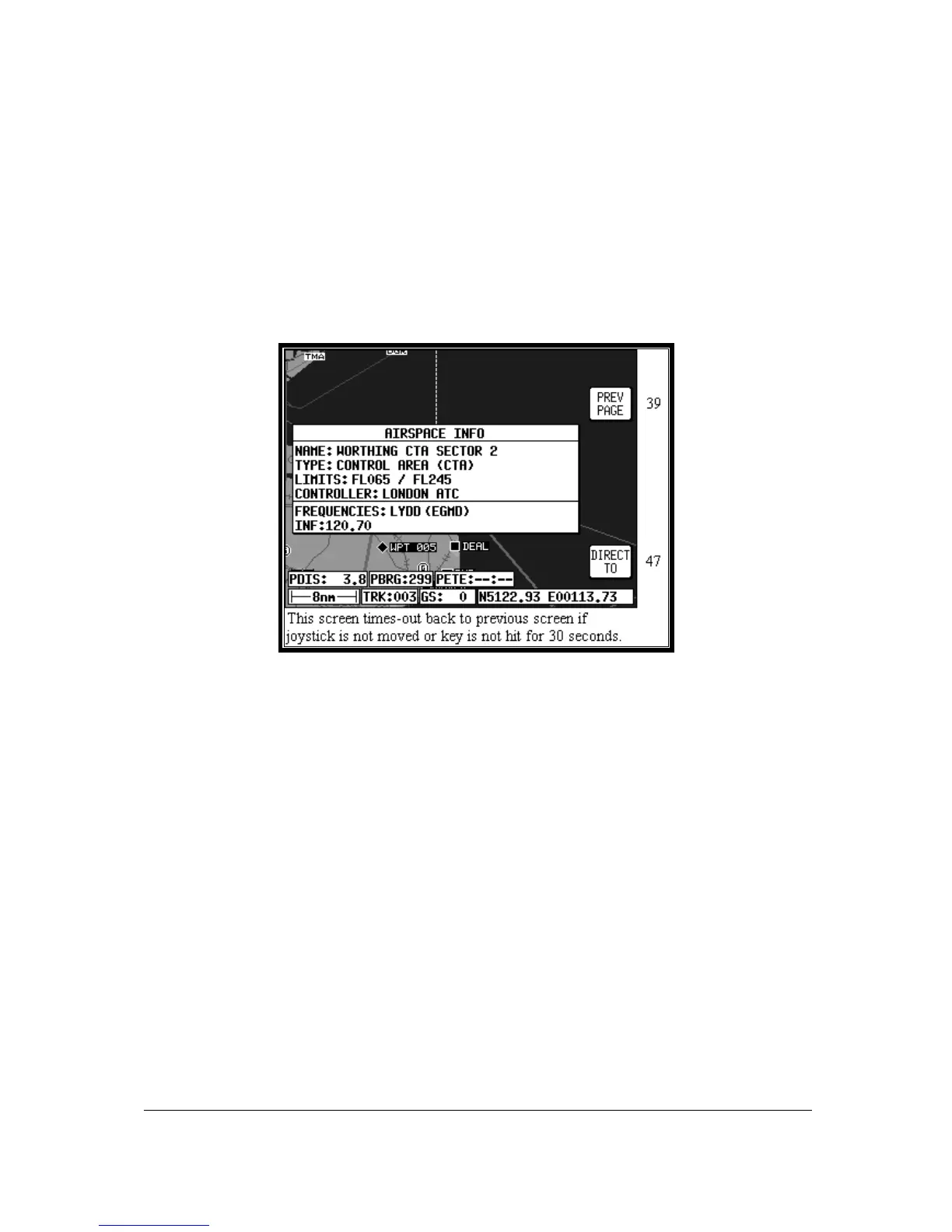
40B, Airspace Information Screen, will be displayed.
Screen 40B: Airspace Information Screen
The information shown on this screen is all the information from the internal Jeppesen database that is
relevant to the airspace you have selected. If some of the fields are blank or say SEE CHART, this
means that Jeppesen data is not available for that particular item.



 To Next Page