14-7
Personal Identification Number (PIN) Setup
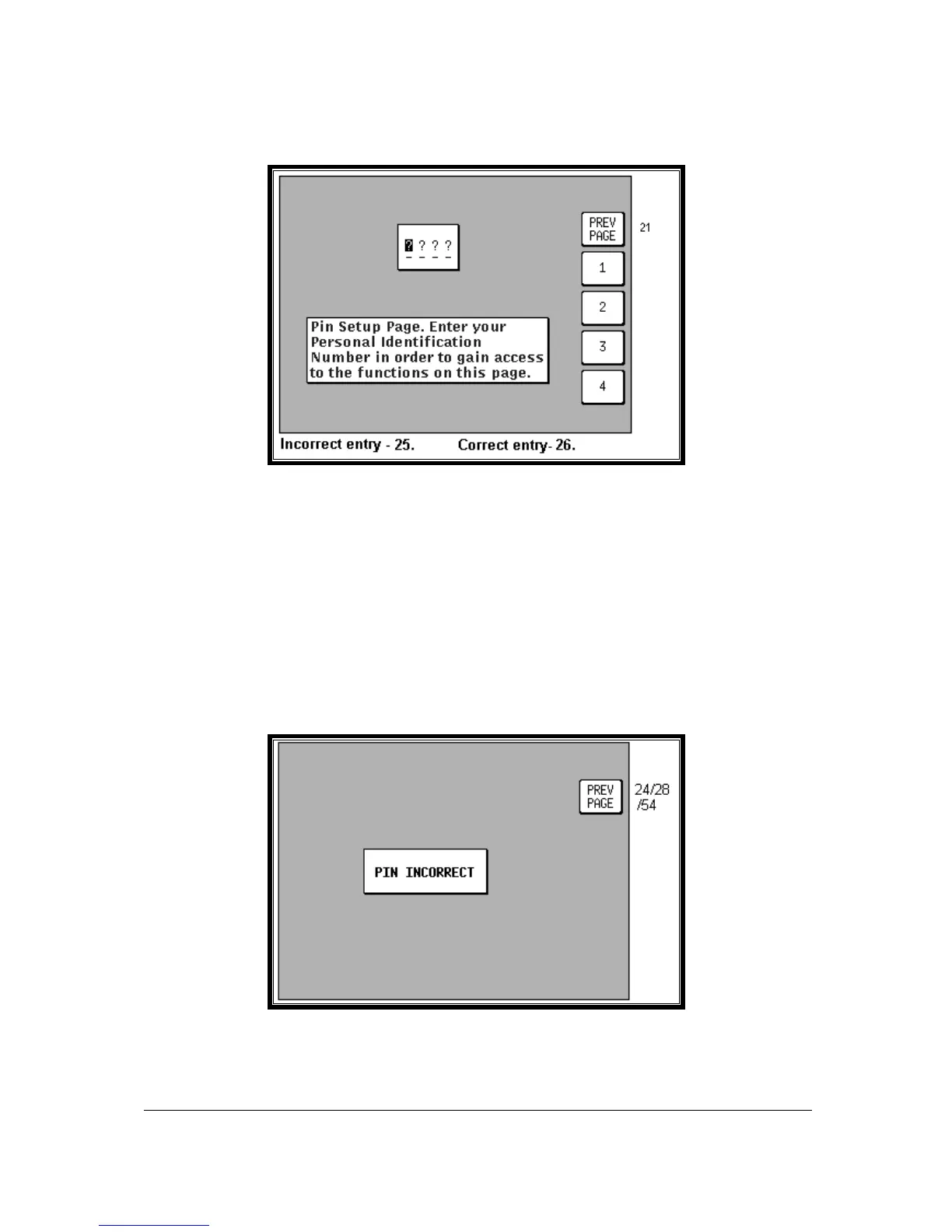
Screen 24: PIN Setup Cover Screen
We have provided the security feature of a Personal Identification Number (PIN) in your Bendix/King
unit with the main aim of preventing unauthorised persons from using your navigation equipment. You
may use this Screen to set up your own choice of a four-digit personal number. This can be any
permutation of the figures 1, 2, 3, and 4, e.g. 4412, 2433, 3124 etc.
To access Screen 24, Pin Setup Cover Screen, press Key 4, SETUP, in Main Menu followed by Key 4,
PIN SETUP, in Screen 21, Setup Cover Screen. On entry to this Screen you will find the cursor
positioned over the first of four question marks. The joystick is not active and the current four-digit PIN
must be entered by pressing Keys 2, 3, 4, and 5 (now labelled 1, 2, 3 and 4 as in the illustration
above). The default PIN number that will be set when you receive the unit is 1234. As you enter each
number by pressing each of the relevant Keys once, in the order that matches the PIN, each question
mark in turn is replaced by an asterisk and the cursor moves one step to the right. When the last digit
is entered, if you have failed to enter the correct four digits, Screen 25 (see illustration below) will be
displayed.
Screen 25: PIN Incorrect Screen
If you get this PIN INCORRECT message, just press Key 1 PREV PAGE and you go back to Screen
24 where you can make another attempt to enter the correct PIN. Unlike many bank Automatic Teller
Machines, there is no limit to the number of attempts you can make to input the correct PIN to your



 To Next Page