8-7
Key 1, PREV PAGE, returns you to the Flight Planning Mode Cover Screen. Key 5, VIEW MAP, calls
Screen 19, enabling you to edit the selected flight plan graphically on the map.
Key 4, TRIP/FUEL gives access to the trip and fuel planning function. For more information on this
function please refer to the Trip/Fuel Planning information in the E6B Calculator Section of this
Manual.
If you happen to access the above Flight Plan Selection Screen while a flight plan is active the active
flight plan number is automatically displayed and you will find Key 5 has changed to FPLN OFF and
Key 2 goes blank. As a safety measure the system will not allow you to edit the active flight plan
directly, or indirectly by editing a user waypoint that is present in it, unless you touch Key 5, FPLN
OFF. This will switch the flight plan out of active status and re-enable Key 2 allowing you to edit what
was until then the active flight plan.
Manual Flight Plan Building and Editing
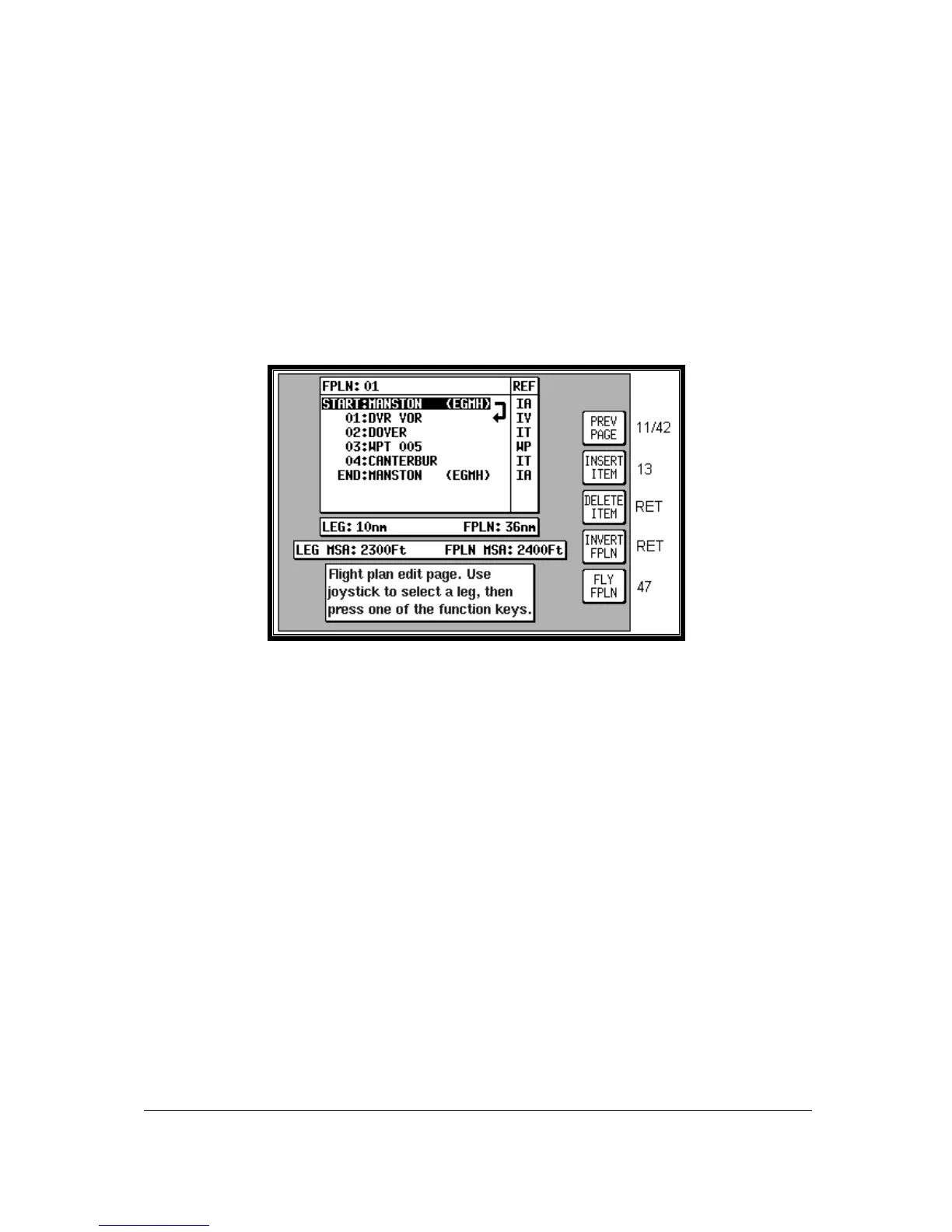
Screen 12: Flight Plan Program/Edit Screen
This Screen can be accessed either through the Flight Planning Mode Cover Screen (by pressing
FLIGHT PLAN in Main Menu followed by EDIT FPLN and SELECT) or through the NAV Menu Cover
Screen (by pressing NAV MENU in MAP Mode followed by FLIGHT PLAN). For more information on
the second form of entry to this Screen see Screen 41, NAV Menu Cover Screen, in the NAV Menu
Screens Section of this Manual.
When you enter this Screen you will find a cursor positioned over the first item in the chosen flight
plan. By using the joystick, you can move the cursor up or down. This enables you to scroll in either
direction through the entire flight plan in the display box.
Next to each waypoint in the column headed REF you will see a two-character code, which gives the
database origin of each point in the flight plan. The meanings of these codes are as follows:
IA (Internal Jeppesen Airports); IV (Internal Jeppesen VOR’s); IN (Internal Jeppesen NDB’s); IR
(Internal Jeppesen Runways); IT (Internal Towns); II (Internal Jeppesen Intersections/Approach
Waypoints); WP (current user waypoint {if user waypoint link is present}); OW (Old user waypoint {if
user waypoint link has been broken}); UA (User Airport {user waypoint numbers 101-125}) and PC
(external data down loaded from a PC).



 To Next Page