13-5
The three values grouped below (FPLN DIS, ETE and REQ) are the RNG (Total flight plan distance),
ETE (Total flight plan time) and REQ (Total fuel required, no reserve) for the flight plan displayed.
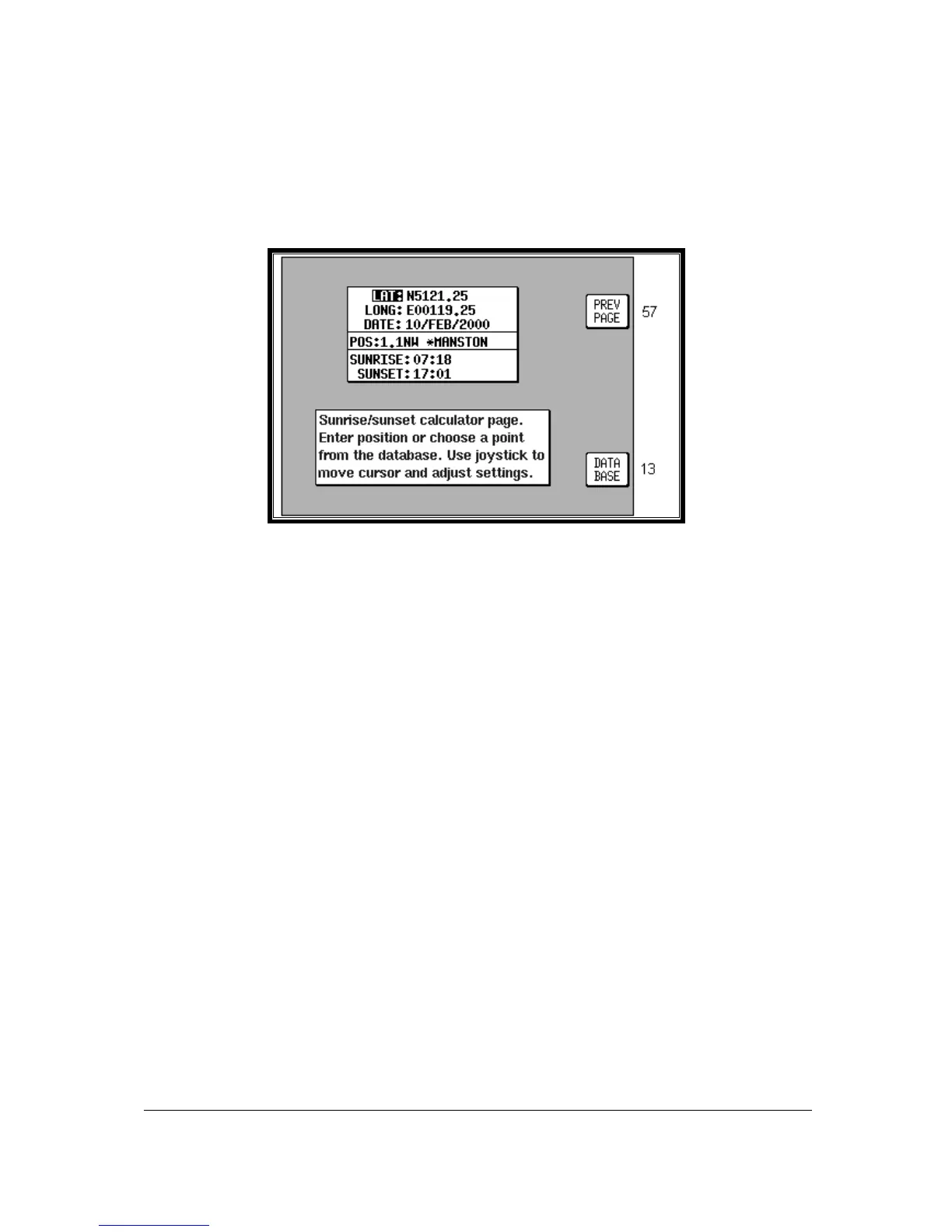
Sunset/Sunrise Calculator.
This feature is entered by pressing Key 5, SUNSET/RISE, on Screen 57, E6-B Calculator Cover Screen,
and allows you to calculate sunrise and sunset times for any point in the world. You will be asked to
input a latitude, longitude and date. The sunrise and sunset time for that date will then be displayed in
your local time.
Screen 61: Sunset/Sunrise Calculator Screen
On entry to this Screen the present or last known latitude and longitude will show. The present date
(Skymap IIIC only) will also show. If your unit is a Tracker IIIC, a default date value will be displayed.
You can now alter the latitude, longitude and time with the joystick or alter the latitude and longitude by
choosing an item from the database. Key 5, DATABASE, calls Screen 13, Database Selection Screen,
followed by 14 and 16. Once an item is selected, this Screen returns with the item's latitude and
longitude and name showing.
The POS, SUNRISE and SUNSET fields are all re-calculated each time you alter the position or date.
Please Note: The Sunrise and Sunset times displayed on this screen are displayed in YOUR LOCAL
TIME (i.e. UTC + your local offset), not the local time of the position selected. Allowance must be made if
the position you have selected is in a different time zone from that for which the unit is set up for.



 To Next Page