11-4
When the WPT Alert alarm has been given, a new box will appear at the bottom of the screen showing
the new course [NEW CRS XXX] to steer for the next leg of the flight plan. The next leg of the flight plan
will also be displayed as a solid white line.
Prior to reaching a user waypoint within a flight plan, Turn Anticipation provides navigation along a curved
path segment to ensure a smooth transition between two adjacent legs in the flight plan. The curved path
segment is based upon the aircraft's groundspeed and the amount of course angle change between the
legs.
Turn Anticipation will only work if it is selected ON in Screen 23, NAV Mode Customisation Screen, and if
the course change is greater than 5
°
and less than 90
°
. If the course change is less than 5
°
then turn
anticipation is not necessary. If the course change is greater than 90
°
it is up to the pilot which way round
the turning point he turns.
If Turn Anticipation is set to ON and the upcoming leg satisfies the Turn Anticipation rules (i.e. course
change >5
°
or <90
°
), the Turn Anticipation function is activated. If Turn Anticipation is switched OFF or
the upcoming leg course change is >90
°
, you may get a STEEP TURN warning. The Steep Turn
warning will be given if the upcoming turn will involve a bank angle in excess of 25
°
based on current
ground speed.
Arrival at Your Final Destination
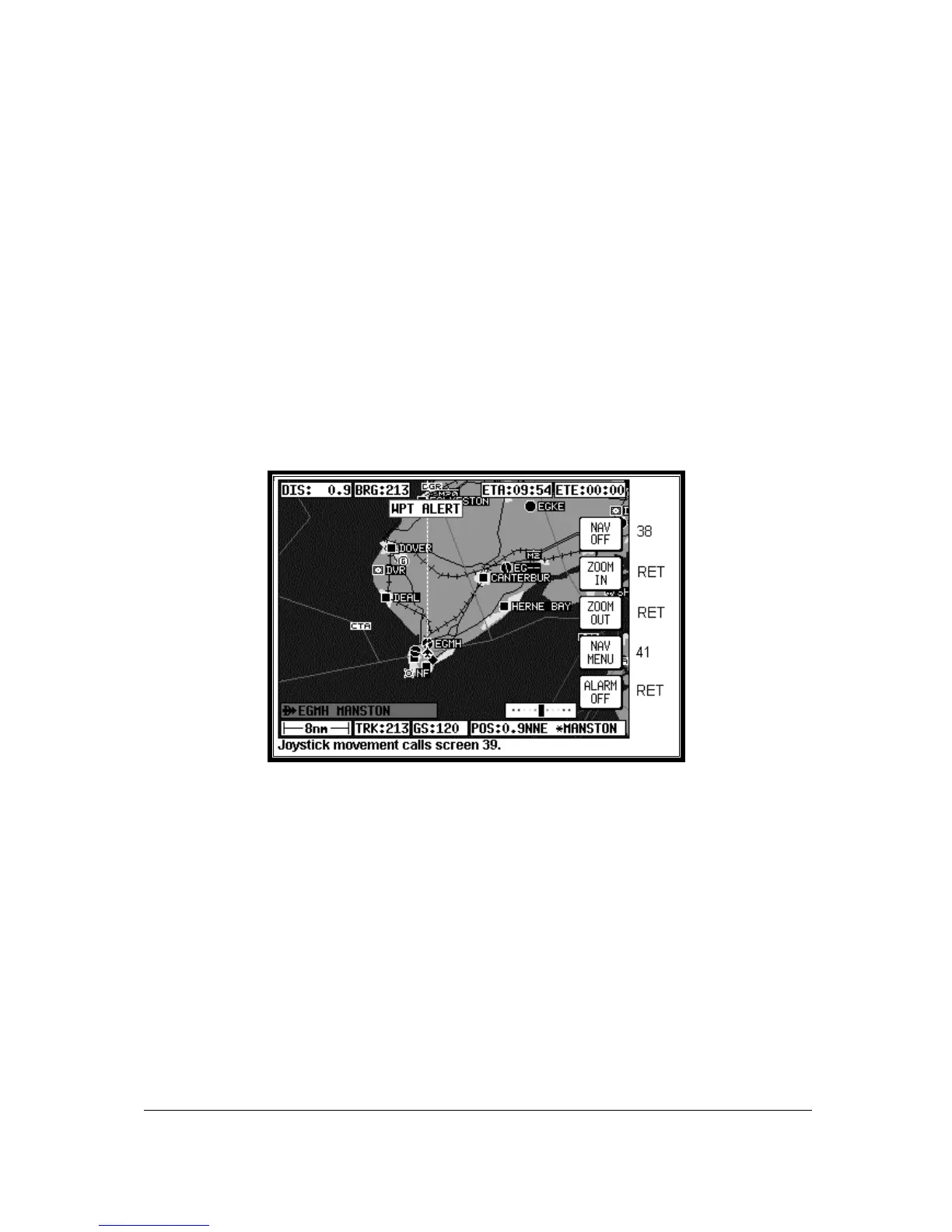
Screen 49: NAV Information and WPT ALERT Flags Showing - Final Screen
This Screen appears whenever the next user waypoint is the last in the current flight plan. When the
distance to run to the last WPT falls below the Arrival Alarm value, the [WPT ALERT] flag is shown
and the internal and external alarms (if switched on) beep at a rate of 2Hz for 5 seconds.
The label for Key 1 changes to NAV OFF and that for Key 5 changes to ALARM OFF. If you press
Key 5 the audible alarm is silenced. The alarm will switch itself off automatically after 5 seconds, then
after a further 2 seconds the label for Key 5 will revert to DIRECT TO (or DIRECT TO OFF if in
DIRECT TO mode).
If you are in Flight plan Mode when Key 1 is pressed, the Navigation MAP Mode is cancelled and
Screen 38 is called. If you are in DIRECT TO mode when Key 5 is pressed, DIRECT TO Mode is
cancelled and Screen 38 will appear. If you are in DIRECT TO Mode with an underlying flight plan still
active when you press Key 5, DIRECT TO Mode will be cancelled and Screen 47 will reappear with the
original flight plan reinstated.
As the last waypoint is passed, the flag will change to [WPT PASSED].



 To Next Page