13-2
To calculate Density Altitude (DALT) and True Airspeed (TAS) follow these steps.
1. Enter the altitude reading from your altimeter next to the IALT heading. Default value on entry to
Screen is GPS altitude for Skymap IIIC or 2000 for Tracker IIIC.
2. Move the cursor over the entry field next to the heading IAS/CAS and enter your indicated or
calibrated airspeed. Default value on entry to this Screen is GPS ground speed.
3. Move the cursor over the entry field next to the heading BARO and enter the atmospheric pressure in
either inches of mercury (Hg) or millibars (mb). Default value is 29.92Hg / 1013mb.
4. Move the cursor over the entry field next to the heading TAT and enter the total air temperature read
from your external aircraft thermometer in either F or C. Default value on entry to this Screen is 59F/15C.
The calculated density altitude (DALT) and true airspeed (TAS) will now be correctly displayed in the
lower half of the Screen.
To calculate Winds Aloft (WIND) and Headwind / Tailwind Component (COMP), follow these steps.
1. Ensure you have followed steps one to four above so that TAS has been correctly calculated.
2. Move the cursor over the entry field next to the word HDG and enter the magnetic heading of the
aircraft from your compass or DI. Default value on entry to this Screen is GPS track
The wind direction and speed (WIND) along with the head or tailwind component (COMP) will now be
displayed in the lower half of the Screen.
When the wind has been calculated and you return to the map Screen by pressing Key 5, MAP, a wind
arrow will be displayed on screen, correctly orientated and pointing at the aircraft icon to give a visual
representation of the wind direction with respect to the aircraft. The wind arrow will disappear after 30
seconds.
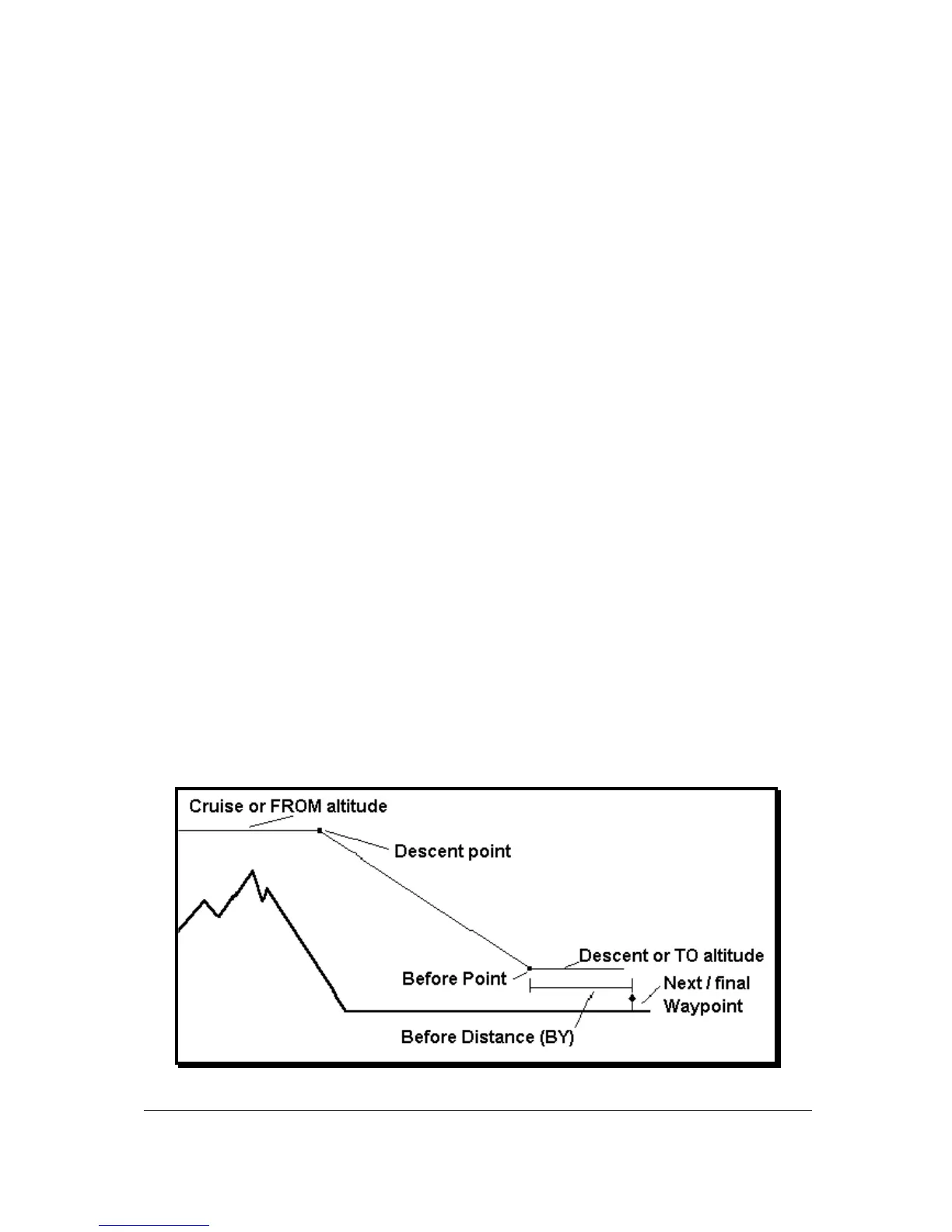
Vertical Navigation (VNAV)
VNAV is a function that tells the pilot when to start descending or climbing in order to reach a certain
altitude at a certain distance from the next user waypoint and is entered by pressing Key 3, VNAV, on
Screen 57, E6-B Calculator Cover Screen.
This function can only be switched on when a Flight plan is being flown or a DIRECT TO is being
executed, in other words, when there is a valid destination user waypoint.



 To Next Page