FRAME
7
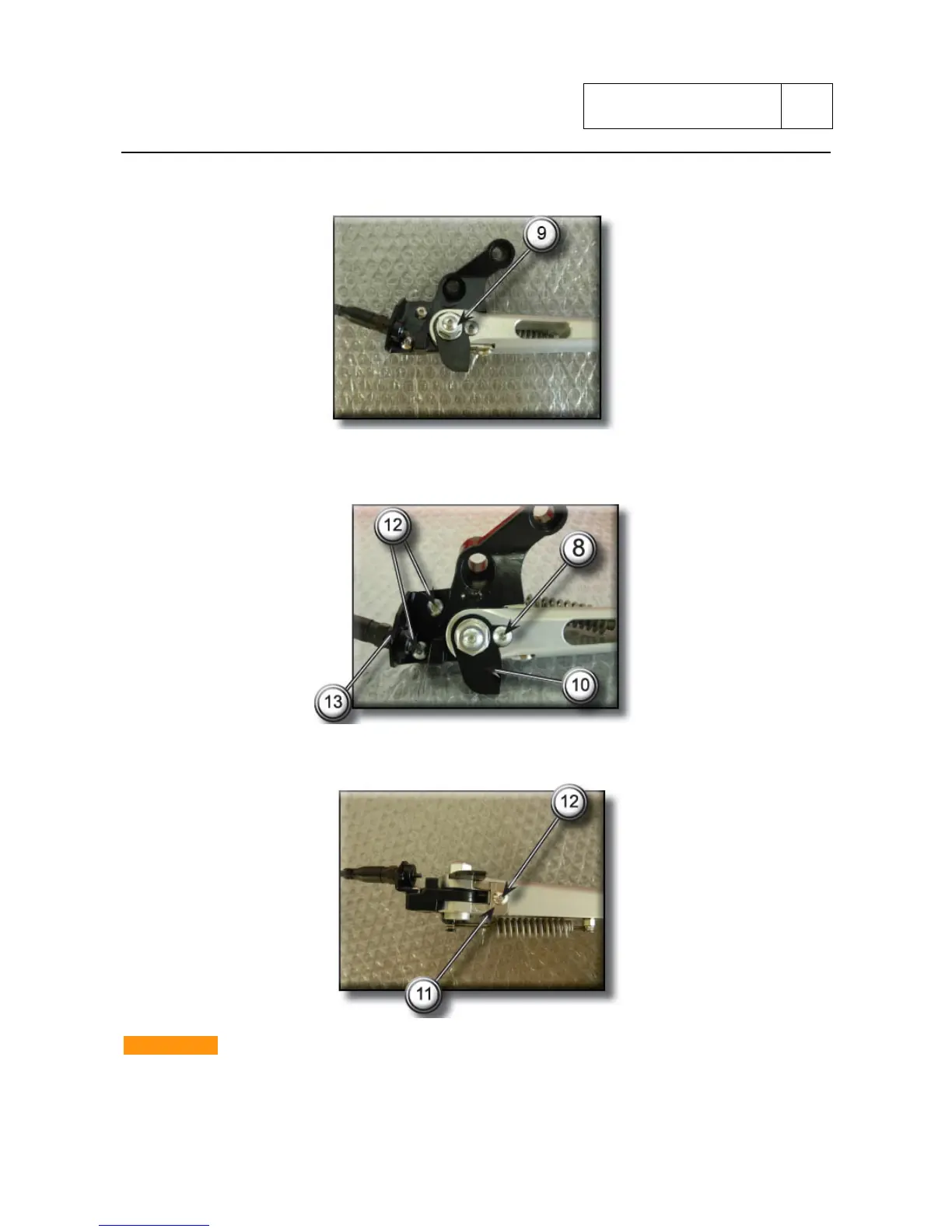
Unscrew the screw (9) which fixes the sidestand to the support plate then remove it.
Unscrew the fixing screw (8) then remove the small plate (10).
Unscrew the two screws (12) then remove the small plate (13).
.
Unscrew the screw (12) then remove the small plate (11).
IMPORTANT
Mounting the sidestand in the support plate, check that there is not excessive clearance and that
the two ends of the sidestand are not bent in respect to the stem.
If breaking signs are noted replace the sidestand.
Sub 7-15



 To Next Page