102
Backing up a song
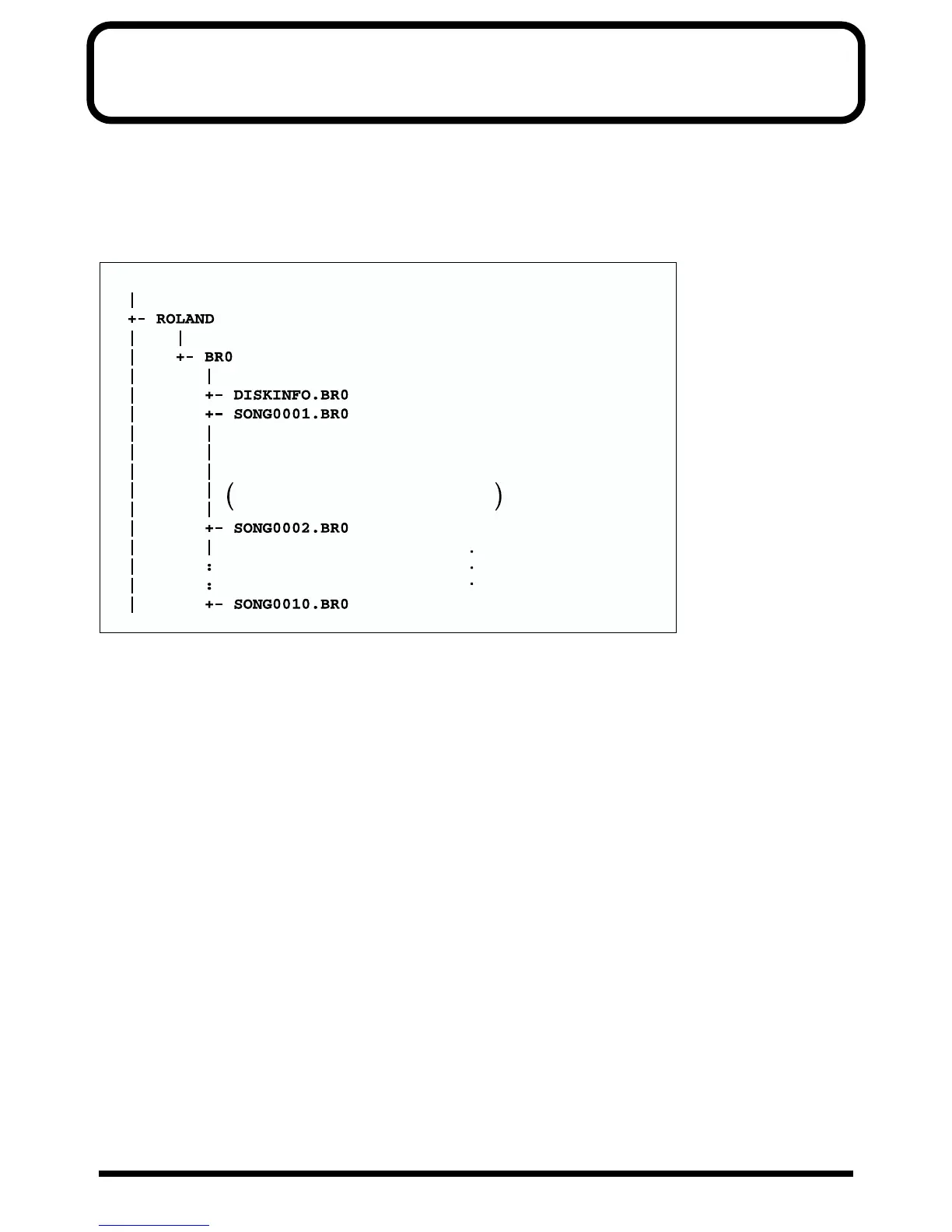
When you insert a memory card (SmartMedia) into your BR-532 and turn it on, the folders and files shown below are created,
inside which all data will be stored. If you are copying data from your memory card to a personal computer to back up the data,
be aware of the items given below.
Folders and files created
fig.S06-01
Precautions concerning the backup of
songs on a personal computer
● Be sure to copy the folder of the song that you want to
back up and all the files inside it.
● Do not change the names of the folders or files.
Precautions when copying backed up
songs back to the SmartMedia
● Make sure all song folder backups are stored within the
BR0 folder.
Files loaded when the power is turned on
If DISKINFO.BR0 is present
The song that was selected most recently is loaded. However,
if that song has been deleted, a different song is selected.
If DISKINFO.BR0 is not present
A different song is selected.
Manufacturer identification folder
Product identification folder
Disk information file
Song folder
Song folder 2
Song folder 10
( your song data is stored as files in this folder )
The folders given below are created if more than
one song is created
SmartMedia folder (root directory)



 To Next Page