31
Recording/playing back a song
Quick Start (Recording/playing back a song)
(4) Using insert effects
The BR-532 comes with two onboard effects processors: an
insert effect and loop effects. Below is an explanation of the
operations related to the insert effects.
What is an insert effect?
An effect added directly to a specific signal (with the BR-532,
this refers to the instrumental sounds from an INPUT jack) is
called an “insert effect.” The effect pedals that a guitarist
connects between his guitar and amp are a type of insert
effect. Loop effects, on the other hand, are effects connected
to the send/return jack of mixers and other similar devices.
(refer to p. 42)
Switch effect patches
The BR-532 provides numerous effects for vocals, guitar, etc.,
and two or more of these effects can be used simultaneously.
Such a combination of effects (i.e., the types of the effects
used and the order in which they are connected) is called an
“algorithm.”
Each effect in an algorithm offers a certain number of
parameters, which allow the sound to be altered (similar to
tweaking the knobs on a stomp pedal). The algorithm and its
parameter settings are bundled into units called “effect
patches.”
By changing the effect patch, you can simultaneously change
the stored effect combinations, their on/off status, and the
parameter settings, and completely change the sound.
<Procedure>
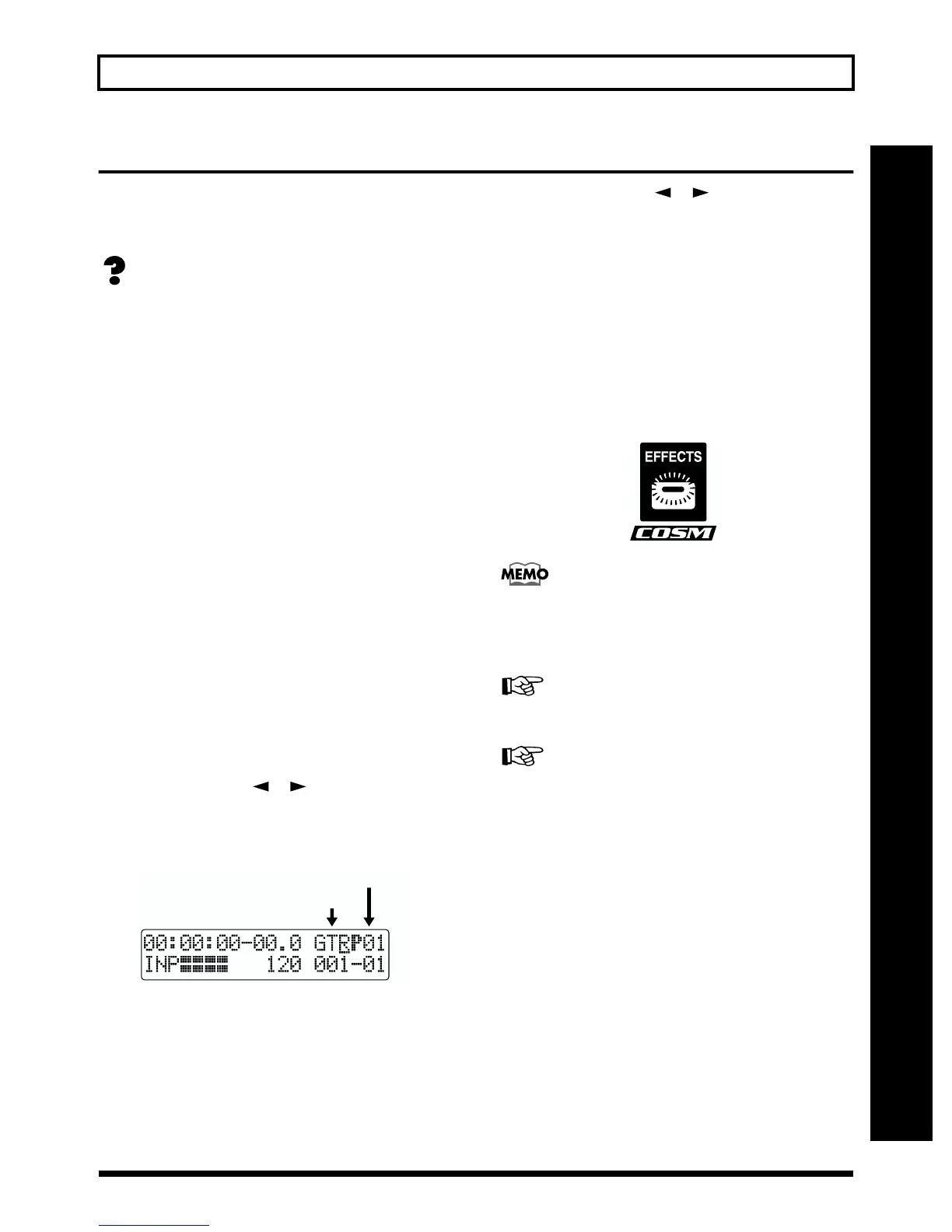
1. Press PARAMETER [ ] [ ] to move the cursor to
the bank indication in the upper-right corner of the
display, and turn the TIME/VALUE dial to change banks.
Banks are a collection of effect patches.
fig.Q01-19
GTR: Effect patches for use with guitars.
MIC: Effect patches for use on the sound from the
MIC input (i.e., vocals).
LIN: Effect patches for use on the sound from CDs,
MDs, and other external devices from the
LINE input.
SIM: Effect patches for recording vocals and a guitar
together.
2. Press PARAMETER [ ] [ ] to align the cursor up
with the effect patch on the upper right side of the
display, and turn the TIME/VALUE dial to change the
effect patch.
P: Preset Patch
U: User Patch
S: Song Patch
If effects are turned off (the EFFECTS indicator is off)
when the effect patch is changed, effects are
automatically turned on (the EFFECTS indicator lights)
and the effects are added to the sound.
Select the desired effect patch.
fig.Q01-22a
Some effect patches are particularly effective for stereo
recording.
For recording in stereo, refer to “Selecting the recording
track” (p. 33).
“Effect Patch List” (p. 110).
“Insert Effect Algorithm List” (p. 86)
For more details regarding the use of insert effects, refer
to “Using insert effects” (p. 79).
Recording without effects
Press [EFFECTS] to turn off the effects. The indicator goes
out, and the sound will be recorded without effects.
Bank
Patch Number



 To Next Page