61
Advanced Use
Formatting the memory card—Initialize
Be aware that when formatted, any existing data on the
card will be erased.
* If you format the memory card supplied with the BR-532, the
demo songs on the card will be lost.
Before you insert or remove a memory card, always turn
off the BR-532 first.If a memory card is inserted when the
power is turned on, the data in the memory card may be
destroyed, or the memory card may become unusable.
1. Press [UTILITY].
2. Press PARAMETER [ ] [ ] to move the cursor to
“INI,” and press [ENTER].
fig.R11-01
3. Press PARAMETER [ ] [ ] to move the cursor to
“CRD,” and press [ENTER].
“Format?” appears in the display.
fig.R11-02
4. Press [ENTER].
“Are you sure?” appears.
fig.R11-03
* If the write-protect sticker is affixed to the memory card,
“Protected!” appears in the display. You cannot format the
memory card if this message appears.
5. To continue with the formatting, press [ENTER] (YES).
When the formatting has been completed, “Completed!”
appears in the display, a song (LV1) is automatically
created, and you are returned to the Play page.
* Depending on the capacity of the memory card, formatting may
take more than ten minutes to complete. This is not a
malfunction.The progress of the formatting is shown in the
display. Do not turn off the BR-532 until the formatting has
been completed.
Do not remove the memory card or turn off the BR-532
while the memory card is being formatted. Doing so can
destroy the data on the memory card and/or render the
memory card itself unusable.
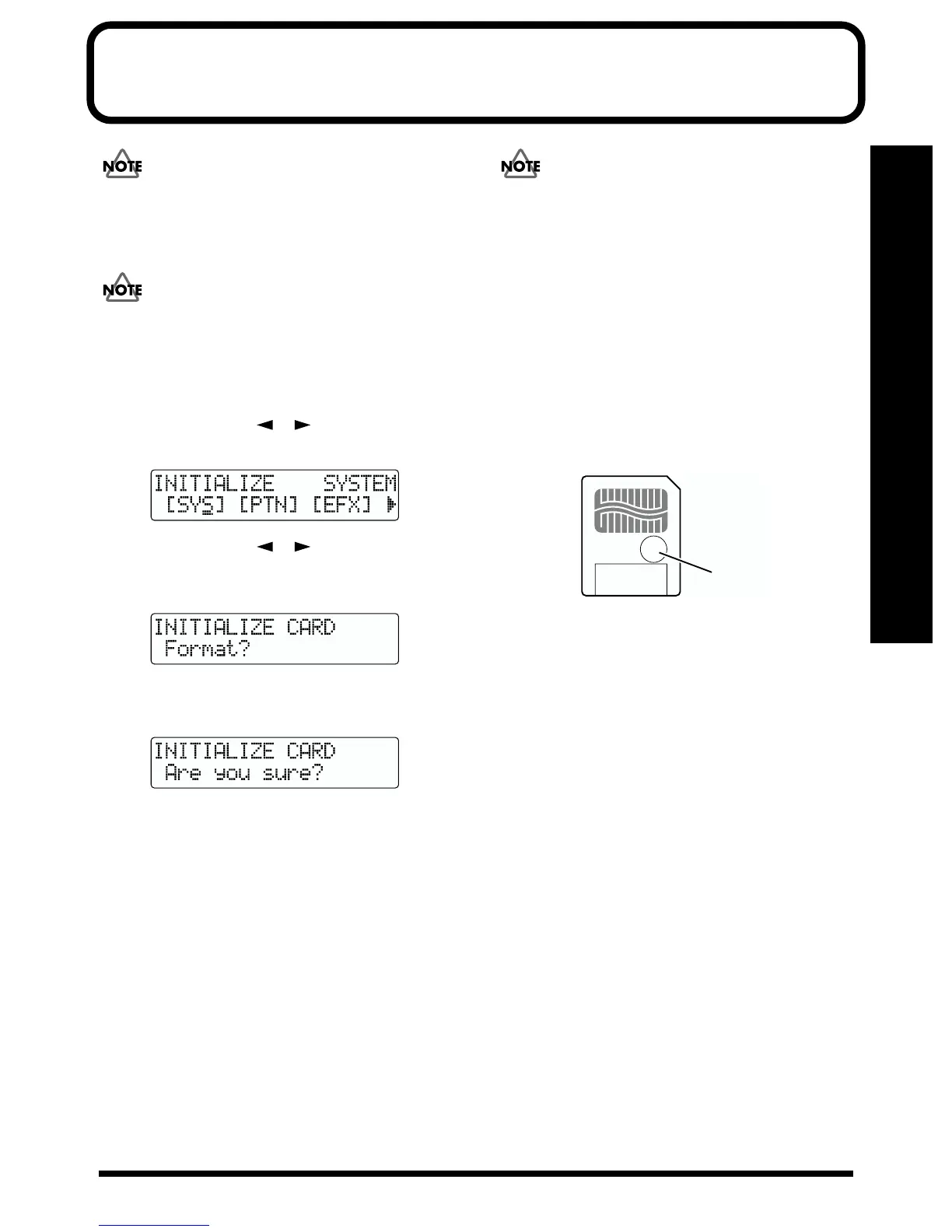
Using the write-protect sticker
A write-protect sticker is supplied with the memory card
(SmartMedia).
This sticker should be used to prevent data already on the
memory card from being erased, and to prevent new data
from being written to the memory card.
It is recommended that you affix this sticker to any memory
card (SmartMedia) that contains valuable data that you do
not want erased by mistake.
fig.R11-05
In order for a memory card to be formatted or be able to store
new data, it must not have a write-protect sticker affixed to
it. If a write-protect sticker is affixed to the write protect area
on the memory card, the memory card cannot be formatted,
nor can any new data be stored on it.
If you try to format or write data to a memory card with a
write-protect sticker affixed to it, “Protected!” appears in the
display.
Affix here



 To Next Page